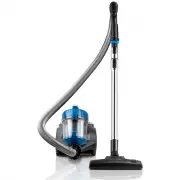
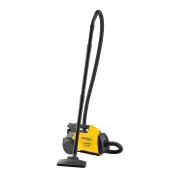
Page 2 - Contents; Please Retain; This Owner’s Guide provides important instructions to
2 Eureka Customer Service HELPLINE 1-800-282-2886 Contents Important Safeguards . . . . . . . . . . . . . . . . . . . . . . . . . 3 How to identify parts of your vacuum cleaner. . . . . . . 4 How to use your vacuum cleaner . . . . . . . . . . . . . . . . 6 How to assemble your vacuum cleaner . . . ....
Page 3 - IMPORTANT SAFEGUARDS; READ ALL INSTRUCTIONS BEFORE USING THIS VACUUM CLEANER; WARNING; SAVE THESE INSTRUCTIONS; Thermal Cut Off
www.eureka.com 3 Do Not Oil the motor or the brushroll at any time. The bearings are permanently lubricated and sealed. IMPORTANT SAFEGUARDS When using an electrical appliance, basic precautions should always be followed, including the following: READ ALL INSTRUCTIONS BEFORE USING THIS VACUUM CLEANE...
Page 4 - How to identify parts of your vacuum cleaner; Accessories
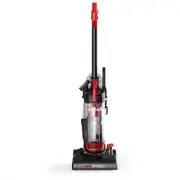
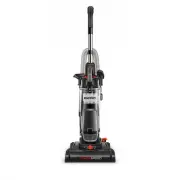
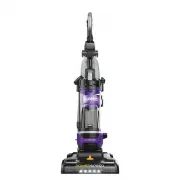
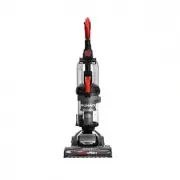
4 Eureka Customer Service HELPLINE 1-800-282-2886 How to identify parts of your vacuum cleaner HandleDust cup release buttonPower buttonCord rewind buttonFilter 1 2 3 4 5 6 Dust cup Accessories This vacuum cleaner includes the following accessories: Telescoping metal wandHoseFloor brush 1 2 3
Page 5 - How to assemble your vacuum cleaner
www.eureka.com 5 How to assemble your vacuum cleaner ASSEMBLY Always disconnect the vacuum cleaner from the electrical socket before attaching or removing accessories.1. Attach the hose to the front of the vacuum cleaner by inserting it into the air inlet and twisting to the right. To remove the hos...
Page 6 - How to use your vacuum cleaner
6 Eureka Customer Service HELPLINE 1-800-282-2886 How to use your vacuum cleaner Operation Pull the power cord out of the vacuum cleaner and stop when you see the yellow mark. Make sure the red mark is not visible or you have pulled too far. When done cleaning, turn off the power, pull the plug out ...
Page 7 - How to maintain your vacuum cleaner
www.eureka.com 7 How to maintain your vacuum cleaner Emptying the dust cup Always switch off the vacuum and unplug it from the electrical socket before carrying out any maintenance or cleaning. Empty the dust cup after each use. Also be sure to empty the dust cup anytime dust reaches the max fill li...
Page 9 - Problem solving
Connecting to an electrical socket Please check that the voltage indicated on the product corresponds with your supply voltage. www.eureka.com 9 Problem Possible cause Solution The vacuum cleaner does not turn on • Too much dust in the cup • Filter is blocked • Hose is blocked • Empty the dust cup •...
Page 10 - The Eureka one-year limited warranty
10 Eureka Customer Service HELPLINE 1-800-282-2886 Midea America Corp. (“Eureka”), subject to the terms and conditions herein, warrants this vacuum cleaner to be free from defects in material and workmanship for a term of one year from the dateof original purchase when used in accordance with the Eu...