Page 2 - CONTENTS; Visit our website to:; WE’RE THINKING OF YOU
Caution, risk of fire. 2 www.electrolux.com CONTENTS 1.1 Conditions Of Use 1.2 Child Safety 1.3 Child Safety Device (Door Block Button) 1.4 General Safety 1.5 Installation 1.6 Use 1. SAFETY INFORMATION .....................................................................................................
Page 5 - General Safety
5 Make sure that children or pets do not climb into the drum. When you activate this device, you cannot close the door. This prevents children or pets being locked in the drum. To disable this device and restore the possibility of closing the door, rotate the button counter-clockwise until the groov...
Page 6 - Installation; May cause electric shock!; Use
6 www.electrolux.com ● ● ● As some duvets and eiderdowns should be washed/dried in large commercial machine because of their bulk, please check with the manufac- turer of the item before washing/drying in a domestic machine. Never tumble dry items which have had contact with chemicals such as dry cl...
Page 7 - To minimize the risk of fire in a
7 ● ● Plastic detergent dispensers should not remain in the drum during the drying cycle, as the plastic used is not designed to withstand the heat. If you wish to wash-through-to dry you should use the conventional detergent dispenser drawer. ● ● ● ● ● ● ● ● If it is unavoidable that fabrics contai...
Page 8 - Parts; PRODUCT DESCRIPTION; removed before using the appliance.
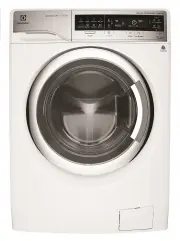
8 www.electrolux.com 2.1 Parts PRODUCT DESCRIPTION 2. 1 Worktop 2 Detergent/Softener Dispenser 3 Control Panel 4 Door 5 Door Handle 7 9 6 Drain Pump Filter 10 Rating Label 11 Child Safety Device 12 Transit Bolt 13 Mains Cable 14 Water Inlet Hose Transit Bolts + Hose Support 1516 Water Drain Hose 8 D...
Page 9 - Accessories
9 2.2 Product Feature Load Sensor ● This machine has “Load Sensing Device” which shows how much load you put in the machine and maximum load recommended for selected wash program. The display will show “Loading completed” when max limit is reached for selected program.On the display, the weight of t...
Page 10 - CONTROL PANEL; Control Panel Description
10 www.electrolux.com 12345 78 6 9 101112 CONTROL PANEL 3. Program Selection Touchpads Save Favourite Program Temperature Selection Touchpad Spin Selection Touchpad Dryness Touchpad Rinse Plus Option Display Dry Time Touchpad Prewash Touchpad Delay Start Touchpad Add Clothes Function Symbol 1314 161...
Page 11 - Display; G H; Program Chart; Refresh; Favourite
11 Wash Temperature Cold Water Icon Load Weight Maximum Load Capacity Of Selected Program Time Manager Icon Program Cycle Time/Delay Start Time Delay Start Icon Rinse Plus Icon Child Lock Icon A) B) C) D) E) F) G) H) I) Door Lock Icon Dryness Icon Text Bar Vapour Icon Ultramix System Icon Extra Sile...
Page 12 - Program Options Compatibility; Program
Program ; Temperature range Type of load and soil level Max. load (dry clothes) ; Max. Spin Speed 12 www.electrolux.com 3.4 Program Options Compatibility Program Option Cottons Mixed DelicatesDaily 60 WashDry 60Refresh Drying Cottons Drying Mixed Anti-allergy Quick 18 SpinRinse + Spin Bedding Wool E...
Page 13 - Options
13 Dry Time If you wish to carry out a timed drying program, keep pressing this touchpad until the desired time is reached. Maximum allowable timed drying changes based on wash program selected. The final time value is the total duration of the washing + detachment + drying cycles. -- At the end of ...
Page 15 - Settings
15 ● ● You can cancel the delay time at any moment, by pressing “Delay Start” touchpad repeatedly till the display shows delay time “ ”, then press the Start/Pause touchpad. Prewash Touchpad Select this option if you wish your laundry to be pre-washed before the main wash. Use this option for heavy ...
Page 17 - BEFORE FIRST USE; For correct operation of the load; Loading The Laundry; NOTE
17 Close the door. 6. Make sure that no laundry remains between the seal and the door. BEFORE FIRST USE 4. Ensure that the electrical and water connections comply with the installation instructions.Put 2 litres of water in the detergent compartment for washing phase. This activates the drain system....
Page 18 - IMPORTANT: Please read
18 www.electrolux.com Measure out the amount of detergent required, pour it into the main wash compartment. 5.2 Detergent Dispenser Drawer 1. The detergent dispenser is divided into three compartments. Using Detergent And Additives IMPORTANT: Please read “Detergents Type and Quantity of Detergent”on...
Page 19 - In case of emergency, please; Opening The Door
19 If you want your laundry to be spun or use temperature different from the one proposed by the washer-dryer, pess the Spin “ ” and the temperature “ ” touchpads repeatedly to change the spin speed and temperature.Press the option touchpads, if you want your laundry to be washed with special functi...
Page 20 - Alternatively
20 www.electrolux.com When the program is completed and the door lock indicator “ ” goes off, you can open the door. When The Washing Program Is Completed, But There Is Water In The Drum (Option “Extra Silent” or “Rinse Hold” is used) The drum turns regularly to prevent the creases in the laundry. Y...
Page 22 - Option
22 www.electrolux.com ● ● ● ● DAILY USE - WASHING & DRYING 7. NOTE Load the laundry and add detergent and fabric softener. 1. Load the laundry and add detergent and fabric softener. 1. Touch one of the Program Icons, to choose the wash program you require. 2. Touch one of the Program Icons, to c...
Page 23 - WASHING & DRYING HINTS; Sorting The Laundry; Washing; Temperatures; Blood; Removing Stains; Rust
23 WASHING & DRYING HINTS 8. Follow the wash code symbols on each garment label and the manufacturer’s washing instructions. Sort the laundry as follows: whites, coloureds, synthetics, delicates, woollens. Sorting The Laundry 8.1 Washing Temperatures 90°C 60°C 50°C 40°C 30°C Cold For normally so...
Page 25 - Drying; Do not over dry the laundry in order to; Preparing The Drying Cycle
25 8.2 Drying As a dryer, the appliance works on condensation principle. For drying, follow the indications given on the manufacturer’s labels: The average drying time for a timed drying are indicated in the “Dry Time ” option (see page 13). The experience will help you to dry your laundry in a more...
Page 26 - solvents or chemical products.; Descaling
26 www.electrolux.com INTERNATIONAL WASH CODE SYMBOLS 9. These symbols appear on fabric labels, in order to help you choose the best way to treat your laundry. Bleach in cold water DO NOT bleach Bleaching Hand wash Max. wash temperature 95 °C Hot iron max. 200 °C Dry cleaning in all solvents Dry cle...
Page 27 - To run a maintenance wash:
27 The washing powder and additive dispenser drawer should be cleaned regularly. Remove the drawer by pressing (PUSH) the catch downwards and by pulling it out. Flush it out under a tap, to remove any traces of accumulated powder. 10.5 Cleaning The Dispenser Drawer Leave the door open for a while. T...
Page 28 - To clean the drain pump:
28 www.electrolux.com 2. Do not remove the filter while the appliance is operating. Do not clean the drain pump if the water in the appliance is hot. The water must be cold before you clean the drain pump. To clean the drain pump: 1. Open the drain pump door. 2. Pull the flap down, then squeeze the ...
Page 29 - To clean the water inlet filters:
29 6. Remove fluff and objects from the pump filter (if there are any). 7. Make sure that the impeller of the pump can turn. If this does not occur, contact the service centre. 8. Clean the filter under the water tap. 9. Put the filter back in the pump. Make sure that you correctly tighten the filte...
Page 30 - Emergency Drain; Frost Precautions
30 www.electrolux.com 4. 5. 6. 7. Open the water tap. 45° Remove the inlet hose behind the appliance. Clean the filter in the valve with a stiff brush or a towel. Install the inlet hose again. Make sure that the couplings are tight to prevent leakages. If the appliance is installed in an area where ...
Page 31 - TROUBLESHOOTING; Possible Failures; dryer does not
31 TROUBLESHOOTING 11. 11.1 Possible Failures The door has not been closed. (Error code: ) => Close the door firmly.The plug is not properly inserted in the power socket. => Insert the plug into the power socket.There is no power at the socket. => Please check your domestic electrical insta...
Page 32 - Malfunction
32 www.electrolux.com Malfunction Possible cause => Solution Too much detergent or unsuitable detergent (creates too much foam) has been used. => Reduce detergent quantity and use correct type of detergent (refer page 24).Check whether there are any leaks from one of the inlet hose fittings. I...
Page 33 - Emergency Door Opening
33 In case of power failure or appliance failure, the appliance door remains locked. The wash program continues when power is restored. If the door remains locked in case of failure, it is possible to open it using the emergency unlock feature. Before Opening The Door: 11.2 Emergency Door Opening Ma...
Page 34 - TECHNICAL DATA; Maximum dry
34 www.electrolux.com TECHNICAL DATA 12. Dimensions (Height / Width / Depth) Maximum dry clothes capacity Spin speed (Maximum / Minimum) 1400 rpm / 400 rpm Cottons Mixed Delicates Daily 60 WashDry 60 Refresh Anti-allergy Quick 18 Spin Rinse + Spin Bedding Wool Energy Saver 10 kg 4 kg 4 kg 5.5 kg 1 k...
Page 35 - INSTALLATION; Unpacking
35 INSTALLATION 13. 6. 7. Remove the polystyrene base.8. Put one of the polystyrene packaging elements on the floor behind the appliance. Carefully put down the appliance with the rear side on it. Make sure not to damage the hoses. Pull up the appliance in vertical position. 13.1 Unpacking You are a...
Page 36 - Positioning
36 www.electrolux.com Loosen or tighten the feet to adjust the level. A correct adjustment of the appliance level prevents vibration, noise and the movement of the appliance when in operation. 13.2 Positioning Use a spirit level on the top and side of the washer-dryer to check the levels. If you do ...
Page 38 - ENVIRONMENT CONCERNS
38 www.electrolux.com This machine is designed to operate on a 220-240 V, single-phase, 50 Hz supply. 13.5 Electrical Connection “An incorrect power supply may void your warranty.” Check that your domestic electrical installation can take the maximum load required (2.1 kW), also taking into account ...
Page 39 - Warranty; Important Notice
This document sets out the terms and conditions of the product warranties for Electrolux Appliances. It is an important document. Please keep it with your proof of purchase documents in a safe place for future reference should you require service for your Appliance. 1. In this warranty (a) ‘acceptab...