Page 2 - CONTENTS; CUSTOMER CARE AND SERVICE; Environmental information.; Subject to change without notice.; General information and tips.
CONTENTS CUSTOMER CARE AND SERVICE 2 www.electrolux.com SAFETY INFORMATION PRODUCT DESCRIPTIONCONTROL PANELBEFORE FIRST USEDAILY USE WASHING HINTSINTERNATIONAL WASH CODE SYMBOLSCARE AND CLEANINGTROUBLESHOOTING ................................................................................... 3 .......
Page 3 - SAFETY INFORMATION; CONDITIONS OF USE
SAFETY INFORMATION 3 In the interest of your safety and to ensure the correct use, before installing and first using the appliance, read this user manual care-fully, including its hints and warnings. This appliance is intended to be used in household and similar applications such as: Farm housesBy c...
Page 4 - This appliance is heavy. Care should be taken when moving it.
4 www.electrolux.com Do not use your washing machine to wash articles with whalebones, material without hems or torn material. Always unplug the appliance and turn off the water supply after use, clean and maintenance. This appliance is heavy. Care should be taken when moving it. When unpacking the ...
Page 6 - PRODUCT DESCRIPTION; Plastic caps
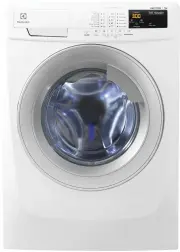
PRODUCT DESCRIPTION 2. 1 Worktop 2 Detergent/Softener Dispenser 3 Control Panel 4 Door Handle 5 Door 13 Rating Label 14 Drum Leaf Lifter 7 6 Level Adjustment Feet (Front) 8 Mains Cable 9 Water Inlet Hose 10 Water Drain Hose 11 Hose Support (2pcs) 12 Level Adjustment Feet (Back) Transit Bolts (3pcs) ...
Page 7 - CONTROL PANEL; No Spin; Control Panel Description; The relevant light will light up.
CONTROL PANEL 3. 1 On/Off Button 2 3 4 On/Off button is used to turn on and turn off your washing machine. Program Touchpad ( ) Press this touchpad to select the washing program. The relevant light will light up. (For more information about washing programs, please see page 10) Temperature Touchpad ...
Page 9 - Display; To deactivate press; Incorrect Option Selection
Display Rinse Plus Option ( ) 9 This option is recommended for people who are allergic to detergents, and in areas where the water is very soft. To deactivate press and hold these 2 touchpads at the same time until the LED “ ” goes off. Start/Pause Touchpad ( ) To start the selected program, press t...
Page 10 - Cottons; To set “Rinse Plus” option:; Delicates
To deactivate press and hold these 2 touchpads at the same time until the LED “ ” goes off. Press and hold “ ” and “ ” touchpads at the same time until the LED “ ” lights up. 10 www.electrolux.com 3.3 Programs + Options Select this option to add rinsing phases to a program. This function increases t...
Page 11 - Wool
Cold to 40 °C Wool ; Specially tested program for woollen garments bearing the ‘Pure new woollen, non-shrink, machine washable’ label. 2 kg 1000 rpm 11 1) Energy Saver program with 60 °C option selected is recommended for a full load of normally soiled cottons, and is the water and energy rating lab...
Page 12 - Select “Whites” cycle at 90 °C, without; - Loading The Laundry; Four Steps Start Up Guide
12 www.electrolux.com BEFORE FIRST USE 4. DAILY USE 5. Ensure that the electrical and water connections comply with the installation instructions.Put 2 litres of water in the detergent compartment for washing phase. This activates the drain system. 1. 2. 3. Select “Whites” cycle at 90 °C, without an...
Page 13 - - Using Detergent And Additives; Detergent Dispenser Drawer; down
Step 2 - Using Detergent And Additives 13 Place the laundry in the drum, one item at a time, shaking them out as much as possible. 3. Detergent Dispenser Drawer 1. The detergent dispenser is divided into two compartments. Compartment “SOFTENER” This compartment is used for fabric conditioner and sta...
Page 14 - Position; up; Do not set the DELAY END.
Measure out the amount of detergent required, pour it into the main wash compartment ( ). 14 www.electrolux.com Position up : for powder deter- gent (factory setting). Do not use gelatinous or thick liquid detergents. - Do not put more liquid than the maximum level. - Do not set the DELAY END. - Whe...
Page 15 - - Setting A Program For Washing; NOTE
Pess the Spin “ ” and the temperature “ ” touchpads repeatedly to change the spin speed and temperature. 15 Step 3 - Setting A Program For Washing 1. Press the On/Off button to turn on the washing machine.The indicator of the “Start/Pause” touchpad flashes. 3. If you want your laundry to be spun or ...
Page 16 - this means; Changing The Options; You can select “
16 www.electrolux.com To pause press Start/Pause. The indicator will start flashing.Press the Start/Pause again. The program will continue. Changing a running program is possible only by switching off the appliance. Press the “On/Off” button to cancel the program and to turn off the appliance. 5.2 I...
Page 17 - At The End Of The Program; Alternatively
17 The appliance stops automati-cally.The acoustic signal will operate.The display will show “ ”.The indicator of the “Start/Pause” touchpad goes off.The door lock indicator “ ” goes off.Remove the laundry from the appliance. Make sure that the drum is empty.Keep the door and the detergent drawer aj...
Page 18 - WASHING HINTS; Sorting The Laundry; Blood; : treat fresh stains with cold; Oil based paint
18 www.electrolux.com WASHING HINTS 6. Follow the wash code symbols on each garment label and the manufacturer’s washing instructions. Sort the laundry as follows: whites, coloureds, synthetics, delicates, woollens. 6.1 Sorting The Laundry 6.2 Temperatures Never wash whites and coloureds together. W...
Page 19 - Detergents and Additives
19 Rust : oxalic acid dissolved in hot water or a rust removing product used in cold water. Be careful with rust stains which are not recent since the cellulose structure will already have been damaged and the fabric tends to hole. Mould stains : treat with bleach, rinse well (whites and fast colour...
Page 20 - Use less detergent if:
20 www.electrolux.com NOTE: the washload to turn grey,greasy clothes. sudsing, inadequate rinsing. reduced washing effect, Any fabric softener or starching additives must be poured into the compartment marked “ ” before starting the wash program.Follow the product manufacturer’s recommendations on q...
Page 21 - INTERNATIONAL WASH CODE SYMBOLS
21 INTERNATIONAL WASH CODE SYMBOLS 7. These symbols appear on fabric labels, in order to help you choose the best way to treat your laundry. Bleach in cold water DO NOT bleach Bleaching Energetic wash Delicate wash Hand wash Max. wash temperature 95 °C Hot iron max. 200 °C Dry cleaning in all solven...
Page 22 - CARE AND CLEANING; External Cleaning; Select the “Tub Clean” program.
22 www.electrolux.com CARE AND CLEANING 8. You must DISCONNECT the appliance from the electricity supply, before you can carry out any cleaning or maintenance work. The water we use normally contains lime. It is a good idea to periodically use a water softening powder in the machine. Clean the appli...
Page 24 - The Dangers Of Freezing
24 www.electrolux.com To clean the water inlet filters: 1. Close the water tap.2. 3. 4. Remove the inlet hose behind the appliance. 5. Clean the filter in the valve with a stiff brush or a towel. 6. Install again the inlet hose. Make sure that the couplings aretight to prevent leakages. 7. Open the ...
Page 25 - TROUBLESHOOTING; Slelect spin program.
25 The door has not been closed. (Error code: ) The plug is not properly inserted in the power socket.There is no power at the socket. Insert the plug into the power socket.Please check your domestic electrical installation. The Start/Pause touchpad has not been pressed. Press the Start/Pause touchp...
Page 28 - TECHNICAL DATA
28 www.electrolux.com TECHNICAL DATA 10. Dimensions (H x W x D) Maximum dry clothes capacity Spin speed (Maximum / Minimum) 1200 rpm / 800 rpm CottonsMixedQuick 30BeddingDelicatesWoolEnergy SaverTub Clean 7 Kg 3.5 Kg 3 Kg 3.5 Kg3.5 Kg 2 Kg7 Kg - Kg 85.0 x 60.0 x 57.6 cm Power supply (Voltage / Frequ...
Page 29 - INSTALLATION
29 INSTALLATION 11. 11.1 Unpacking You are advised to keep all transit devices so that they can be refitted if the machine ever has to be transported again. Use gloves. Remove the external film. If necessary, use a cutter. Remove the polystyrene packaging materials.Remove the plastic bag on top of t...
Page 33 - Electrical Connection
33 For correct functioning of the machine the drain hose must remain hooked on the proper support piece situated on the top part of back side of the appliance. “An incorrect power supply may void your warranty.” Check that your domestic electrical installation can take the maximum load required (2.0...
Page 34 - ENVIRONMENT CONCERNS
34 www.electrolux.com The materials marked with the symbol are recyclable. >PE<=polyethylene>PS<=polystyrene>PP<=polypropylene This means that they can be recycled by disposing of them properly in appropriate collection containers. To save water, energy and to help protect the envi...
Page 35 - Warranty; Important Notice
This document sets out the terms and conditions of the product warranties for Electrolux Appliances. It is an important document. Please keep it with your proof of purchase documents in a safe place for future reference should there be a manufacturing defect in your Appliance. This warranty is in ad...