Page 2 - Important Instructions: Retain for future use.
1 IMPORTANT SAFEGUARDS ............................................................... 3 2 Connecting the Controller .................................................................. 5 3 Overheat Protection ........................................................................... 5 4 Using The Co...
Page 3 - IMPORTANT SAFEGUARDS
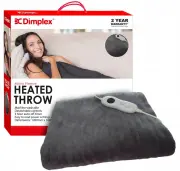
Thank you for purchasing our Heated Throw. Each unit is manufactured to ensure safety and reliability. Before using for the first time, please read the instruction manual carefully and keep it for future reference. 1 IMPORTANT SAFEGUARDS • Before connecting and switching on the Heated Throw, ensure ...
Page 4 - This Heated Throw is not to be used in Bed or while Asleep
• Keep the controller away from an open window. • Keep the controller away from external heat sources. i.e. a heater, fire place etc. • Do not use pins in the Heated Throw as these may damage the electric wiring. • The flexible supply cord and controller must, as far as practicable, be kept outside ...
Page 5 - Throw connector end.; Overheat Protection; The controller must not be covered; . The controller has built in protection, so that
2 Connecting the Controller Ensure Power is Off and the Plug is Removed from the Power Source • To fit the controller plug, simply hold the socket with one hand and push the controller plug all the way until the locking tab locates over the lug on top of the controller plug. • To remove the controll...
Page 6 - Using The Controller; Do not use any other controller.
Heat Level Indicators Temperature Select Slide Knob 4 Using The Controller • Use your Heated Throw with Detachable Controller Model MC-112A3 Only. • Do not use any other controller. 0 = Off 1 = Low Heat 2 = Medium Heat 3 = High Heat (For preheating only) 0 = Off DO NOT Sleep while using this product...
Page 7 - leave the Heated Throw set on the Preheat setting (No. 3) once
4.1 Auto Off This controller is fitted with a 3 hour Count Down Auto Off Timer which starts to countdown from when your heat setting has been selected, and will switch power off to the elements after approximately 3 hours. (+/- 15 Minutes) Note : Once a heat setting has been selected and the control...
Page 8 - Using Your Heated Throw; NOTE; : Do not plug into a powerboard, double adaptor or the like. The power; MUST NOT be used as an Under Blanket
MISUSE AND FAILURE TO FOLLOW THESE INSTRUCTIONS MAY TRIGGER THE OVERHEAT PROTECTION SYSTEM AND RENDER THE HEATED THROW PERMANENTLY INOPERATIVE. THIS MAY INVALIDATE THE WARRANTY. 5 Using Your Heated Throw • Read the Important Safeguards section first, then ensuring the Heated Throw is fully unfolded,...
Page 9 - Do Not Wring, Do Not Spin Dry, Drip Dry Only; Treatment For Localised Soiling; Never Use Hot Water; as the Heated Throw may shrink and will void your; Detach and Remove the Controller before cleaning the Throw.; Refer to the section “; Drying; ” for drying instructions; DO NOT WRING OR SPIN DRY THE HEATED THROW. DRIP DRY ONLY.; The connections to the Heated Throw must be kept free of moisture.
6 Recommended Cleaning Instructions Ensure the Controller is Unplugged from the Power Source and Disconnected from the Heated Throw Before Cleaning Do Not Wring, Do Not Spin Dry, Drip Dry Only 6.1 Treatment For Localised Soiling Never Use Hot Water as the Heated Throw may shrink and will void your w...
Page 11 - The unit is packed carefully back into its original packaging.
7 Servicing Your Heated Throw and Controller NOTE: There are no user serviceable parts in this Heated Throw or controller. • The Heated Throw should be examined frequently for signs of wear, either of the Heated Throw Fabric, controller or flexible cord. If wear is visible or if any abnormality or d...
Page 12 - Troubleshooting Table; Problem
9.1 Troubleshooting Table Problem Cause Remedy No Power to Controller / No Heat Level Indicator Lights showing on Front Display The Temperature Slide Knob is in the “O” position Slide the knob to setting 1, 2 or 3. The corresponding front display Lights should illuminate. The Power Plug may not be p...
Page 13 - ) in respect of the Dimplex product which this warranty; the Dimplex; This express warranty does not apply where:
10 Warranty This warranty is provided by Glen Dimplex Australia Pty Limited ABN 69 118 275 460 of Unit 1, 21 Lionel Road, Mount Waverley, Victoria 3149 (Phone number 1300 556 816), or in New Zealand by Glen Dimplex Australasia Limited, New Zealand registration number 1506305, of 38 Harris Road, East...
Page 14 - first become aware of the breakdown
c) the repair relates to the replacement of consumable parts such as fuses in plugs and bulbs or any other parts of the Dimplex product which require routine replacement; d) you are unable to provide us with reasonable proof of purchase for the Dimplex product; e) the breakdown occurs after the expi...
Page 15 - in Australia or; Glen Dimplex Australia Pty Ltd.; Mount Waverley VIC 3149; DISPOSAL; separate collection facilities.
Warranty claims If you make a valid claim under this warranty and none of the exclusions set out in section 2 apply, we will, at our election, either repair the Dimplex product or replace the Dimplex product with a product of identical specification (or where the product is superseded or no longer i...