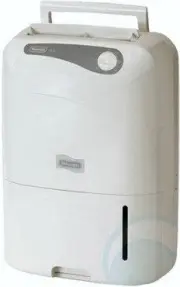
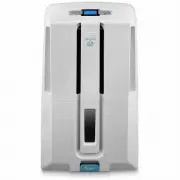
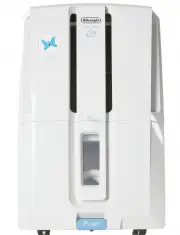
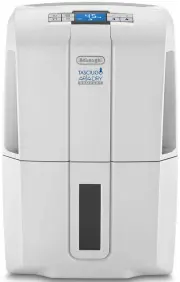
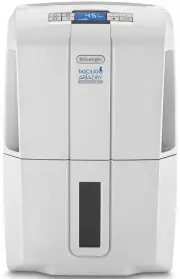
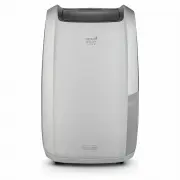
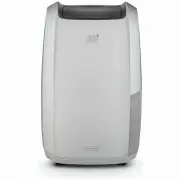
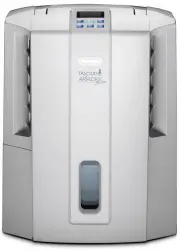
Page 2 - Model
- 2 - The dehumidification capacity is the value obtained after the dehumidifier was continuously run in the room temperature of 30 with the relative humidity 80%. The amount of dehumidification is the amount per day(24 hours).The manufacturer reserves the right to change specifications without prio...
Page 3 - Back panel; Description; Front panel
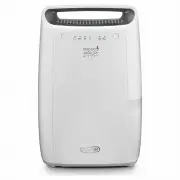
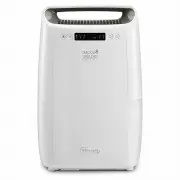
- 3 - Drainage Tank Handle Air Outlet Louvre Control Panel Refer to next page Sensor Do not obstruct! Float Guard Back panel Continuous Drainage Port Refer to page 7 Air Filter(Back panel air inlet)do not obstruct! Refer to page 8 Cord Hook Cord Band(undo on operation) Power Supply Plug Castors Refe...
Page 4 - Operation panel; Operation; Indicator lamp
- 4 - Operation panel Operation Indicator lamp 1.“ ” (Tank full indicator lamp): It will light when the drainage tank is full or positioned incorrectly. Empty the water out of the drainage tank, and make sure the tank is positioned properly. 2. “ ” (Power indicator lamp): It will light when the unit...
Page 5 - Plug the power supply plug into the outlet
- 5 - Operation 1.Plug the power supply plug into the outlet Turn the control switch to “ ” Dehumidifying stops. Never stop the unit by unplugging the power supply cord. Be sure after 3~ 5 minutes to restart the unit again when the unit is stopped or power supply is cut. 2.Open the louver by hand 3....
Page 6 - Draining the water; The drainage tank is full
- 6 - Abstergent Gasoline Thinner Operation Draining the water The drainage tank is full When the drainage tank becomes full (approx, 6 Litres), the full indicator lights to alert the user, and theunit turns off automatically. Empty the water from the tank and discard it. Drainage steps Notation for...
Page 7 - Continuous drainage of water
- 7 - The unit has an optional continuous drainage port. Water can be continually drained by connecting a rubberhose (15mm I.D), to this drainage port.When setting up the dehumidifier for continuous drainage, alwaysturn the unit off and unplug the supply plug. 2. Push the hose into the continuous dr...
Page 8 - Caring for the dehumidifier; Maintenance
- 8 - Wipe it with a soft cloth Use a soft,clean cloth to wipe the surface.(Do not use volatile chemicals detergents,chemically treated clothsor other cleaning solutions.These could possibly damage the unit.) Cleaning the air filter The air filter should be cleaned approximately once every two weeks...
Page 9 - Storing the dehumidifier; When the unit is not to be used for a long period of time; Important Safeguards; Please note the following safety precautions when using the unit:
- 9 - Maintenance 4. Store the unit Package the unit to keep it free of dust, and keep it upright and store in a cool, dry place. Storing the dehumidifier When the unit is not to be used for a long period of time 1. Fold up the power supply cord. 2. Discard any water left in the drainage tank and wi...
Page 10 - Troubleshooting
- 10 - If a condition listed below occurs, please check the following items before seeking advice. Condition Cause What to do The unit does not operate. Has the power supply cord been disconnected? Is the “Full” light blinking?(The t a n k i s f u l l o r i n c o r r e c t l y positioned.) Plug the ...
Page 12 - Contents; Structur
Before using your dehumidifier, please read this user’s manual carefully, in order to ensure correct and safe use. After reading the manual, make sure it is stored in a safe place for future reference if necessary. 1 2 2 3 4 5 6 7 8 9 9 10 Features Specifications How dehumidifying works Description ...