Page 2 - the Cosori Cooks Community on Facebook; enjoy; weekly, featured recipes; CONTACT OUR CHEFS
(We hope you love your new smart air fryer toaster oven as much as we do.) join join explore explore the Cosori Cooks Community on Facebook facebook.com/groups/cosoricooks our recipe gallery www.cosori.com/recipes On behalf of all of us at Cosori, enjoy enjoy weekly, featured recipes made exclusivel...
Page 4 - IMPORTANT SAFEGUARDS; Key Safety Points; READ AND SAVE THESE
4 Follow basic safety precautions when using your smart air fryer toaster oven. Read all instructions. IMPORTANT SAFEGUARDS Key Safety Points General Safety • Do not touch hot surfaces. Use handle. • The outside of the oven, including the door, is hot during and after use. • Always use heat-resistan...
Page 5 - While Cooking
5 • Do not place oversized foods or metal utensils (except for Cosori accessories) into your oven. • Do not place paper, cardboard, or non-heat-resistant plastic into your oven, or any materials which may catch fire or melt. • To avoid overheating, do not use metal foil in the oven unless directed. ...
Page 7 - DISPLAY
7 DISPLAY Cooking Status Temperature Display Time Display Celsius/Fahrenheit Indicators Shake Reminder Fan Indicator Cooking Functions WiFi ® Icon* *Note: This indicates app configuration status. See the VeSync in-app instructions for more information.
Page 8 - CONTROLS
8 Control Knob Power Button Fan/Light Button SHAKE Button • Turn the knob to change cooking functions. The current function will blink on the display. • After pressing , turn the knob to change temperature/time. Turn clockwise to increase and counterclockwise to decrease. • After a function or setti...
Page 9 - PREHEAT Button
9 START/PAUSE Button PREHEAT Button TEMP/TIME Button • Starts or pauses a cooking function. • Blinks when the oven has finished preheating for a cooking function. Press again to start the cooking function. (This will not occur for the manual Preheat function.) • Press during cooking to change cookin...
Page 10 - BEFORE FIRST USE
10 Setting Up VeSync App Setup Test Run 1. Remove all packaging around and inside the oven. 2. Place on a stable, level, heat-resistant surface, away from anything that can be damaged by heat. 3. Wash all accessories and clean the oven’s interior (see page 28). Dry and place accessories back in oven...
Page 11 - Cooking Functions
11 COOKING WITH YOUR SMART AIR FRYER TOASTER OVEN CAUTION: • The outer surface of the oven, including the oven door, is hot during and after use. Temperature may be over 212°F (100°C). Do not touch hot surfaces. Use handle. • Always use heat-resistant gloves, pads, or oven mitts when handling hot ma...
Page 12 - Cooking Functions Quick Reference Chart
12 Cooking Functions Quick Reference Chart Name Use Suggested Accessory & Position Range Preheat “ PREHEAT ” • Manually preheat oven None • 150°–450°F / 66°–232°C Air Fry “ AIR FRY ” • Cooks using intense heat and maximized airflow • Cook food such as french fries and chicken wings • Includes as...
Page 15 - Associated Preheat
15 1. Press PREHEAT . “ PREHEAT ” will blink on the display. You can also turn the control knob to select “PREHEAT”. 2. Optionally, press TEMP/TIME and turn the control knob to adjust the temperature between 150°–450°F / 66°–232°C. The time will adjust automatically. 3. Press to begin preheating. Th...
Page 27 - SHAKING FOOD
27 Shake Reminder How to Shake What to Shake SHAKING FOOD • The Shake Reminder is designed to remind you to check on your food, usually to shake it. Press SHAKE to turn on the Shake Reminder. • You can use the Shake Reminder with any cooking function except Preheat and Toast. We especially recommend...
Page 29 - TROUBLESHOOTING
29 Problem Possible Solution The oven will not turn on. Make sure the oven is plugged in. Food is not completely cooked. Increase cooking temperature or time. Food is overcooked or burned. Decrease cooking temperature or time. Make sure food items are not too large and are not touching the heating e...
Page 30 - VESYNC APP TROUBLESHOOTING
30 Problem Possible Solution Why isn’t my oven connecting to the VeSync app? During the setup process, you must be on a secure 2.4 GHz WiFi ® network. Confirm that the network is working correctly. Make sure the WiFi password you entered is correct. Turn on Bluetooth® on your phone (for Android™ use...
Page 31 - FCC STATEMENT
31 This device complies with Part 15 of the FCC Rules. Operation is subject to the following two conditions: 1. This device may not cause harmful interference, and 2. This device must accept any interference received, including interference that may cause undesired operation. Any changes or modifica...
Page 32 - There is no other express warranty.; Extend Your Warranty by 1 Year; WARRANTY INFORMATION
32 Product Smart Air Fryer Toaster Oven Model CS100-AO For your own reference, we strongly recommend that you record your order ID and date of purchase. Order ID Date of Purchase TERMS & POLICY Arovast Corporation (“Arovast”) warrants this product to the original purchaser to be free from defect...
Page 33 - Support Hours; CUSTOMER SUPPORT
33 If you have any questions or concerns about your new product, please contact our helpful Customer Support Team. * Please have your invoice and order ID ready before contacting Customer Support. Arovast Corporation 1202 N. Miller St., Suite AAnaheim, CA 92806 Email: [email protected] Toll-Free: (8...
Page 34 - NOTES
Page 35 - MORE COSORI PRODUCTS; Cosori Appliances; SHOW US WHAT YOU’RE MAKING
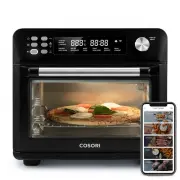
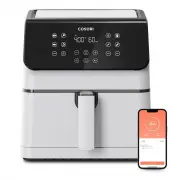
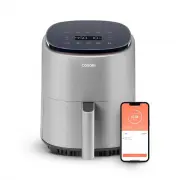
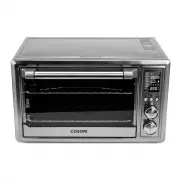
We hope this manual has been helpful. We can’t wait to see your beautiful results, and we think you’ll want to share glam shots! Our community awaits your uploads—just pick your platform of choice below. Snap, tag, and hashtag away, Cosori chef! Considering what to cook? Many recipe ideas are availa...
Page 36 - Questions or Concerns?
36 Questions or Concerns? [email protected] | (888) 402-1684 Mon–Fri, 9:00 am–5:00 pm PST/PDT JJ121420AL-M1.1_0720CS100-AO