Page 2 - CONTACT OUR CHEFS; explore; join; enjoy
(We hope you love your new smart air fryer as much as we do) Our helpful, in-house chefs are ready to assist you with any questions you might have! On behalf of all of us at Cosori, CONTACT OUR CHEFS Email: [email protected] Toll-Free: (888) 402-1684 Mon–Fri, 9:00 am—5:00 pm PST/PDT explore our reci...
Page 4 - IMPORTANT SAFEGUARDS; Key Safety Points; READ AND SAVE THESE; While Air Frying
4 IMPORTANT SAFEGUARDS Follow basic safety precautions when using your air fryer. Read all instructions. Key Safety Points General Safety • Do not touch hot surfaces. Use handle. • Use caution when turning the basket over after cooking, as the hot crisper plate may fall out and create a safety hazar...
Page 5 - Extension Cords
5 Power & Cord Extension Cords • Your air fryer has a 3-prong grounding plug, and should only be used with 120V, 60Hz electrical systems in North America. Always plug in to a grounded electrical outlet. Do not modify the plug in any way. • Turn off the air fryer before removing the plug from the...
Page 7 - Remote Control
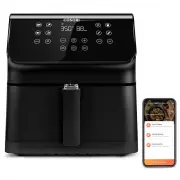
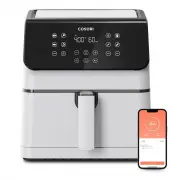
7 1. To download the VeSync app, scan the QR code or search “VeSync” in the Apple App Store ® or Google Play Store. VeSync App Setup VeSync App Features Note: • You can change the name and icon at any time by going to the smart air fryer screen and tapping . • You can use the VeSync app to connect y...
Page 8 - Air Fryer Diagram
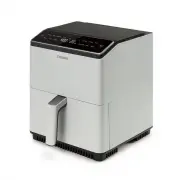
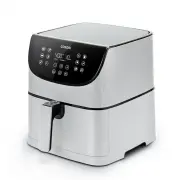
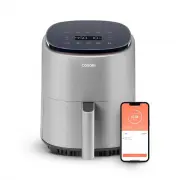
8 GETTING TO KNOW YOUR SMART AIR FRYER Air Fryer Diagram Your Cosori Smart Air Fryer uses rapid 360 Thermo IQ™ Technology to cook with little to no oil for quick, crispy, delicious food with up to 85% less oil than deep fryers. With user-friendly one-touch controls, a nonstick basket, and an intuiti...
Page 9 - Display Diagram; Control Panel; Display Messages
9 Note: When you press a button to use a function, it will turn orange to show that it is active. Note: • To save or reset functions, see Functions (see page 12). • Press and hold for 5 seconds to configure your air fryer. See the VeSync in-app instructions for more information. Note: The Wi-Fi indi...
Page 10 - BEFORE FIRST USE; Setting Up
10 BEFORE FIRST USE 1. Remove and discard all packaging from the air fryer, including any temporary stickers and the protective cover fitted over the power plug. 2. Place the air fryer on a stable, level, heat-resistant surface. Keep away from areas that can be damaged by steam (such as walls or cup...
Page 11 - Silicone Stoppers; USING YOUR SMART AIR FYER
11 • The crisper plate contains 4 silicone stoppers made of food-safe material. These stoppers keep the plate fitted to the bottom of the basket. • When placing the crisper plate into the basket, tilt the crisper plate to insert one side first, then press down on the other side. [ Figure 1.2 ] Silic...
Page 12 - Functions
12 Functions 1. Press the button of the function you want to use. The air fryer will automatically change to the function’s default settings. 2. You can customize a function’s time (1–60 minutes) and temperature (175°–400°F). To go back to a function’s default settings right after changing them, pre...
Page 13 - Cooking Tips; Overfilling; Air Frying; Food Tips
13 • Optionally, add the crisper plate into the basket to allow excess oil to drip down to the bottom of the basket. • Press the or buttons to change the temperature (175°–400°F / 80°–205°C) or time (1–60 minutes). • Optionally, press Keep Warm . Press the or buttons to change the time (1–60 minutes...
Page 14 - More Functions; Pausing
14 More Functions Pausing Switching Temperature Units Automatically Resume Cooking Automatic Shutoff • Press to pause cooking. The air fryer will stop heating, and will blink until you press again to resume cooking. • After 30 minutes of inactivity, the air fryer will turn off. • This function allow...
Page 15 - ACCESSORIES
15 CARE & MAINTENANCE ACCESSORIES Note: • Always clean the air fryer basket and crisper plate after every use. • Lining the basket with foil (except the crisper plate) may make cleanup easier. 1. Turn off and unplug the air fryer. Allow it to cool completely before cleaning. Pull out the basket ...
Page 16 - TROUBLESHOOTING
16 Problem Possible Solution The air fryer will not turn on. Make sure the air fryer is plugged in. Push the basket securely into the air fryer. Food is not completely cooked. Place smaller batches of food items into the basket. If the basket is overstuffed, then foods will be undercooked. Increase ...
Page 17 - FEDERAL COMMUNICATION COMMISSION
17 This device complies with Part 15 of the FCC Rules. Operation is subject to the following two conditions: 1. This device may not cause harmful interference, and 2. This device must accept any interference received, including interference that may cause undesired operation. NOTE: This equipment ha...
Page 18 - WARRANTY INFORMATION
18 WARRANTY INFORMATION Product Dual Blaze™ 6.8-Quart Smart Air Fryer Model CAF-P583S-AUSR For your own reference, we strongly recommend that you record your order ID and date of purchase. Date of Purchase Order ID TERMS & POLICY Arovast Corporation (“Arovast”) warrants this product to the origi...
Page 19 - CUSTOMER SUPPORT; Support Hours
19 CUSTOMER SUPPORT If you have any questions or concerns about your new product, please contact our helpful Customer Support Team. *Please have your invoice and order ID ready before contacting Customer Support. Arovast Corporation 1202 N. Miller St., Suite AAnaheim, CA 92806 Email: [email protecte...
Page 20 - SHOW US WHAT YOU’RE MAKING
We hope this has been helpful to you. We can’t wait to see your beautiful results, and we think you’ll want to share glam shots! Our community awaits your uploads—just pick your platform of choice below. Snap, tag, and hashtag away, Cosori chef! @Cosori Scan the QR code to get the app. @CosoriCooks ...
Page 21 - NOTES