Page 2 - THANK YOU FOR YOUR PURCHASE
2 THANK YOU FOR YOUR PURCHASE Thank you for your purchase. We know that you have many brands and products to choose from and we are honored to know that you have decided to take one of our products into your home and hope that you enjoy it. COSMO Appliances are designed according to the strictest sa...
Page 3 - TABLE OF CONTENTS
3 TABLE OF CONTENTS RANGE SAFETY.................................................................................................... 5 Anti-tip Device ........................................................................................................... 6 Important Safety Instructions ............
Page 5 - RANGE SAFETY; READ ALL INSTRUCTIONS BEFORE USING THE APPLIANCE; Your safety and the safety of others are very important.; WARNING
5 RANGE SAFETY READ ALL INSTRUCTIONS BEFORE USING THE APPLIANCE Your safety and the safety of others are very important. We have provided many important safety messages in this manual and on your appliance. Always read and obey all safety messages. This is the safety alert symbol. This symbol alerts...
Page 6 - TIP OVER HAZARD
6 TIP OVER HAZARD Making sure the anti-tip bracket is installed: • Slide range forward. • Look for the anti-tip bracket securely attachedto floor and wall. • Slide range back so rear range foot is underanti-tip bracket. This appliance is intended for normal residential use. It is not approved for co...
Page 7 - READ AND SAVE THESE INSTRUCTIONS
7 IMPORTANT SAFETY INSTRUCTIONS WARNING: To reduce the risk of fire, electrical shock, injury to persons, or damage when using the range, follow basic precautions, including the following: • WARNING: TO REDUCE THE RISK OF TIPPING OF THE RANGE,THE RANGE MUST BE SECUREDBY PROPERLY INSTALLED ANTI-TIP D...
Page 11 - For units with ventilating hood –
11 IMPORTANT SAFETY INSTRUCTIONS • Proper Disposal of YourAppliance – Dispose of or recycleyour appliance in accordancewith Federal and LocalRegulations. Contact your localauthorities for theenvironmentally safe disposal orrecycling of your appliance. For units with ventilating hood – • Clean Ventil...
Page 13 - CONTROL PANEL; COOKTOP
13 WHAT'S INCLUDED Oven racks (2) NOTE: • To purchase replacement parts or any other accessories, please visitwww.cosmoappliances.com or reference the contact information atthe end of this manual. CONTROL PANEL COOKTOP Stronger heating elements are placed towards the front for higher temperature or ...
Page 14 - OVEN; Name
14 OVEN Read the instructions for each feature and cooking mode in this owner's manual carefully before using the oven. # Name Description 1 PIZZA To select the Pizza mode. 2 AIR FRY To select the Air Fry mode. 3 BAKE To select the Bake mode. 4 BROIL To select the Broil mode. 5 Display To provide ov...
Page 15 - FEATURES; Setting the Clock; CLOCK
15 # Name Description 15 START/ENTER To start all oven functions or accept input. 16 CLEAR/OFF To stop oven operations or clear input. 17 COOK TIME To set the length of the cooking time. 18 DELAY To set delay start time of the cooking. 19 OVEN LIGHT To turn the oven lights on and off. 20 LOCK FEATUR...
Page 16 - TIMER
16 TIMER The Timer will beep when the set time has run out, and can be used during any of the other oven control functions. It does not start or stop cooking. Setting the Timer (Up to 12 Hours) 1. Press TIMER once. "00:00" will show in the display. 2. Press the numbers to enter the length of...
Page 17 - SETTINGS; SETTING TONE VOLUME
17 SETTINGS The oven has a variety of settings which can be accessed and adjusted using the SETTINGS button. These settings can only be adjusted or activated while no oven operation is in progress. They remain in the control's memory after a power failure or until changed. Settings Description Defau...
Page 20 - OVEN LIGHT; LOCK; LOCK
20 OVEN LIGHT The oven lights automatically turn on when the door is opened and turn off when the door is closed. • Press OVEN LIGHT to manually turn the oven lights on or off. NOTE: • The oven lights cannot be turned on if the Self Clean feature is active. LOCK The Lock feature locks most oven cont...
Page 21 - BEFORE USING THE COOKTOP
21 OPERATION COOKTOP BEFORE USING THE COOKTOP Read all instructions before using. • Do not cook on a broken cooktop. If the cooktop is broken, cleaningsolutions and spillovers may penetrate the broken cooktop and create arisk of electric shock. Contact a qualified technician immediately. • Do not pl...
Page 22 - CAUTION
22 • Never cook directly on the glass. Always use cookware. • Do not use the glass cooktop surface as a cutting board. • Do not slide metal or glass across the cooktop surface. Cookware withrough or uneven bottoms can mark or scratch the cooktop surface. • Do not place sealed containers on the cookt...
Page 23 - COOKING AREAS
23 COOKING AREAS The cooking areas on your range are identified by permanent circles on the glass cooktop surface. For the most efficient cooking, fit the pan size to the element size. Pans should not extend more than 1/2" to 1" beyond the cooking area. When a control is turned on, a glow ca...
Page 24 - WARMING ZONE; FOOD POISON HAZARD; HOT SURFACE INDICATOR
24 WARMING ZONE FOOD POISON HAZARD Bacteria may grow in food at temperatures below 140°F. • Always start with hot food. Do not use the warming zone to heat coldfood. • Do not use the warming zone for more than 2 hours. The warming zone, located in the back center of the glass surface, will keep hot,...
Page 25 - USING THE COOKTOP ELEMENTS; Turning on a Single Element
25 USING THE COOKTOP ELEMENTS Turning on a Single Element 1. Select a single element, and find its control knob. 2. Push the control knob in and turn it in either direction to the desiredsetting. 3. To turn off an element, turn the control knob to the OFF position. OFF position HI position LO positi...
Page 26 - Turning on the Warming Zone; WARM ZONE; In Case of Power Failure; USING THE PROPER COOKWARE; Cookware Recommendations
26 Turning on the Warming Zone 1. Press WARM ZONE on the oven control panel to turn on warming zone. "WARMING ZONE" will be shown in the display. 2. Press WARM ZONE again to turn off warming zone. In Case of Power Failure The electric cooktop and oven cannot be used during a power outage. If...
Page 27 - Choosing Cookware
27 Choosing Cookware The cookware material determines how evenly and quickly heat is transferred from the surface element to the pan bottom. Recommended • Aluminum - Excellent heat conductor. Some types of food will cause it to darken (anodized aluminum cookware resists staining andpitting). If alum...
Page 28 - BEFORE USING THE OVEN; BEFORE USING THE OVEN FOR THE FIRST TIME
28 OVEN BEFORE USING THE OVEN Read all instructions before using. • Do not use any type of foil or oven liner to cover the oven bottom. Theseitems can trap heat or melt, resulting in damage to the product and riskof shock, smoke or fire. Damage from improper use of these items is notcovered by the p...
Page 30 - PREHEATING
30 Removing Racks 1. Pull the rack straight out until itstops. 2. Lift up the front of the rack andpull it out. Replacing Racks 1. Place the end of the rack on thesupport. 2. Tilt the front end up and push therack in. Rack Positions For best cooking results, adjust rack so food is placed at the cent...
Page 31 - COOKING MODES
31 Some foods are more robust and may have acceptable results without preheating. These foods include large pieces of meat (whole roasts, hams, or poultry) where the total cooking time is much longer than the time required to preheat. These foods also include frozen potato products and frozen proces...
Page 32 - Setting the Pizza Mode; PIZZA; AIR FRY
32 PIZZA The Pizza mode uses heat from the upper and lower heating elements and adopts customized heating algorithm to optimize baking performance for pizza, which is also ideal for pastries and cakes with wet covering and little sugar and damp desserts in moulds, or dishes requiring more heat in th...
Page 33 - BAKE
33 BAKE The Bake mode uses heat from the lower heating element primarily and the upper heating element to achieve exceptional baking performance. This mode works best with food placed on a single rack. When using this mode to prepare baked goods such as cakes, cookies and pastries, always preheat th...
Page 34 - Setting the Broil Mode; BROIL
34 BROIL The Broil mode uses intense heat from the upper heating element to sear foods. This mode works best for tender cuts of meat, fish, and thinly cut vegetables, and is ideal for toasting, melting cheese, browning and searing surface. Food should be placed near the upper racks, and should not b...
Page 35 - CONVECT ROAST; CONVECT
35 CONVECT ROAST The Convection Roast mode uses heat from both upper and lower elements and hot air movement from the convection fan to enhance cooking efficiency and evenness across multiple racks. Ideal for roasting meats and poultry. Heated air circulates around the food from all sides, sealing i...
Page 36 - CONVECT BAKE
36 CONVECT BAKE The Convection Bake mode uses heat from the lower heating element primarily and the upper heating element and hot air movement from the convection fan to enhance cooking efficiency and evenness across multiple racks. Always preheat the oven first. Baking times may be slightly longer ...
Page 37 - Setting the Proof Mode; PROOF; KEEP WARM; Setting the Keep Warm Mode; PROOF
37 PROOF The Proof mode uses heat from the oven lights and air movement from the convection fan to maintain a gently warm oven temperature at around 86°F (30°C) for rising yeast-leavened products before baking. Preheating is not required. Place dough centrally near the middle racks, and cover dough ...
Page 38 - COOK TIME
38 COOK TIME Set the oven to cook for a specific length of time up to 12 hours and the oven turns off automatically at the end of the cooking time. This feature can only be used with the Bake, Keep Warm, Convect Roast, Convect Bake modes, and may be set at any point during the oven cooking cycle. Co...
Page 39 - DELAY; FOOD POISONING HAZARD
39 DELAY Set the oven to turn on at a specific time of day within the next 12 hours. This feature can only be used with the Bake, Keep Warm, Convect Roast, Convect Bake, Proof, Self Clean, and Steam Clean modes. Cook Time can be set after Delay for a delayed timed cook. The oven will turn on at a sp...
Page 40 - Canceling a Delayed Cook before the Set Time
40 4. Set the start time of day. (Press 0 , 4 , 3 , and 0 . Use the DELAY button to switch between AM and PM if needed.) 5. Press START/ENTER , and place the food in the oven. "DELAY START" is shown in the display, and the clock alternates between the current timeof day and the time when the...
Page 41 - USING THE SABBATH MODE; Sabbath Mode Control Layout; Settings
41 USING THE SABBATH MODE The Sabbath mode complies with Jewish Sabbath requirements, and is typically used on the Jewish Sabbath and Holidays. Some of these standards that will be noticed by the consumer include the disabling of tones, disabling of oven lights, and delays of about 30 seconds to one...
Page 43 - TIPS AND TECHNIQUES
43 TIPS AND TECHNIQUES BAKE Baking is cooking with heated air. Both upper and lower elements in the oven are used to heat the air but no fan is used to circulate the heat. Follow the recipe or convenience food directions for baking temperature, time and rack position. Baking time will vary with the ...
Page 44 - Bake Chart; FOOD ITEM
44 Bake Chart FOOD ITEM RACK POSITION BAKE TEMP. SETTING °F (°C) (PREHEATED OVEN) TIME (MIN) Cake Cupcakes Bundt Cake Angel Food 4 3 3 350 (175) 350 (175) 350 (175) 19-22 40-45 35-39 Pie 2 crust, fresh, 9" 2 crust, frozen fruit, 9" 4 4 375-400 (190-205) 375 (190) 45-50 68-78 Cookies Sugar Ch...
Page 45 - Broil Chart
45 Broil Chart FOOD ITEM RACK POSITION BROIL SETTING INTERNAL FOOD TEMP. °F (°C) TIME SIDE 1 (MIN) TIME SIDE 2 (MIN) Beef Steak (¾"-1") Medium Rare Medium Well Done Hamburgers (¾"-1") Medium Well Done 6 6 6 5 5 Hi Hi Hi Hi Hi 145 (65) 160 (71) 170 (77) 160 (71) 170 (77) 5-7 6-8 8-10 ...
Page 46 - Beef
46 CONVECTION ROAST The Convection Roast mode uses heat from both upper and lower elements and hot air movement from the convection fan to enhance cooking efficiency and evenness across multiple racks. Heated air circulates around the food from all sides, sealing in juices and flavors. • Use the 2-p...
Page 47 - CONVECTION BAKE; Pork
47 CONVECTION BAKE The Convection Bake mode uses heat from the lower heating element primarily and the upper heating element and hot air movement from the convection fan to enhance cooking efficiency and evenness across multiple racks. Reduce recipe baking temperatures by 25°F (15°C). • For best res...
Page 48 - Foods recommended for convection bake mode:
48 Foods recommended for convection bake mode: Appetizers, Biscuits, Cakes, Casseroles, Coffee Beans, Cookies (2 to 4 racks), Cream Puffs, Popovers, Yeast Breads, One-Dish Entrées, Oven Meals (rack positions 1, 2, 3), and Air Leavened Foods (Soufflés, Meringue, Meringue-Topped Desserts, Angel Food C...
Page 49 - Convection Bake Chart
49 Convection Bake Chart Reduce standard recipe temperature by 25°F (15°C) for Convection Bake. Temperatures have been reduced in this chart. FOOD ITEM RACK POSITION CONV BAKE TEMP. SETTING °F (°C) (PREHEATED OVEN) TIME (MIN) Cake Cupcakes Bundt Cake Angel Food 4 3 3 325 (160) 325 (160) 325 (160) 20...
Page 50 - RANGE CARE AND MAINTENANCE; MANUAL CLEANING; GLASS-CERAMIC COOKTOP
50 RANGE CARE AND MAINTENANCE MANUAL CLEANING IMPORTANT: Before cleaning, make sure all controls are off and the oven and cooktop are cool. Always follow label instructions on cleaning products. Soap, water and a soft cloth or sponge are suggested first unless otherwise noted. Do not use abrasive cl...
Page 51 - HEAVY BURNED-ON RESIDUE
51 NOTE: • Any damage or failure of the product resulting from the itemsbelow may not be covered under the Limited Warranty. - Sugary spillovers (such as preserves, ketchup, tomato sauce,jellies, fudge, candy, syrups, or chocolate) or melted plasticscan cause pitting on the surface of your cooktop. ...
Page 52 - METAL MARKS AND SCRATCHES
52 Cleaning Methods: • While the cooktop is still warm, use a single-edge razor blade scraper atapproximately a 30° to 45° angle against the glass surface and scrapethe soil. It will be necessary to apply pressure to the razor scraper in orderto remove the residue. • When the cooking surface is comp...
Page 55 - BURN HAZARD
55 SELF/STEAM CLEAN STEAM CLEAN The Steam Clean feature is designed to use water and a lower temperature than Self Clean to generate steam to warm the oven interior surfaces and loosen light soils before hand-cleaning. Before Starting Steam Clean • Allow the oven to cool to room temperature before s...
Page 56 - Setting Steam Clean; CLEAN
56 Setting Steam Clean 1. Start with oven at room temperature. Remove oven racks and accessoriesfrom the oven. 2. Scrape off and remove any burnt-on debris with a plastic scraper. 3. For improved softening of tough stains, fill a spray bottle with water anduse the spray bottle to thoroughly spray th...
Page 58 - Setting Self Clean
58 Oven Cavity Soil Level Self Clean Cycle Setting Select Button Lightly Soiled 3-Hour 3 Moderately Soiled 4-Hour 4 Heavily Soiled 5-Hour (Default) 5 Setting Self Clean 1. Start with oven at room temperature. Remove oven racks and accessoriesfrom the oven. 2. Wipe any heavy spillovers or excess debr...
Page 59 - TROUBLESHOOTING; COOKTOP PROBLEMS; PROBLEM
59 TROUBLESHOOTING First try the solutions suggested here to possibly avoid the cost of a service call. COOKTOP PROBLEMS PROBLEM POSSIBLE CAUSE SOLUTION Surface units do not work properly There is no power to the range. Make sure electrical plug is plugged into a live, properly grounded outlet. Repl...
Page 61 - OVEN PROBLEMS
61 OVEN PROBLEMS PROBLEM POSSIBLE CAUSE SOLUTION Strong odor when using new oven Manufacturing protective coating on the oven surfaces. This is normal with a new range and will disappear after a few uses. Packaging materials exist. Double-check that all packaging has been removed from the appliance ...
Page 64 - LIMITED WARRANTY; WARRANTY AND SERVICE; CUSTOMER SUPPORT
64 LIMITED WARRANTY WARRANTY AND SERVICE TO RECEIVE WARRANTY SERVICE, YOUR PRODUCT MUST BE REGISTERED. TO REGISTER AND REVIEW FULL WARRANTY DETAILS, VISIT: WWW.COSMOAPPLIANCES.COM/WARRANTY SCAN TO REGISTER CUSTOMER SUPPORT TO CHAT WITH US LIVE FOR ASSISTANCE, VISIT: WWW.COSMOAPPLIANCES.COM/CHAT SCAN...
Page 65 - Do Not Return This Product To The Store; IMPORTANT; Ne pas Réexpédier ce Produit au Magasin; IMPORTANTE; No regrese este producto a la tienda; Correct disposal of this product:
65 IMPORTANT Do Not Return This Product To The Store If you have a problem with this product, please contact COSMO Customer Support at +1 (888) 784-3108 DATED PROOF OF PURCHASE, MODEL #, AND SERIAL # REQUIRED FOR WARRANTY SERVICE. IMPORTANT Ne pas Réexpédier ce Produit au Magasin Pour tout problème ...
Page 66 - MEMO
Page 68 - A P P L I A N C E S
Cosmo is constantly making efforts to improve the quality and performance of our products, so we may make changes to our appliances without updating this manual. Electronic version of this manual is available at: www. cosmoappliances .com A P P L I A N C E S
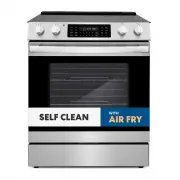


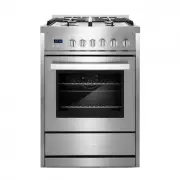 Cosmo COS-244AGC
User Manual
Cosmo COS-244AGC
User Manual
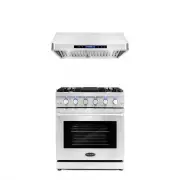 Cosmo COS-2PKG-075
User Manual
Cosmo COS-2PKG-075
User Manual
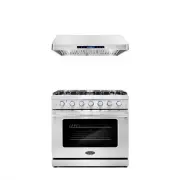 Cosmo COS-2PKG-087
User Manual
Cosmo COS-2PKG-087
User Manual
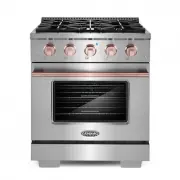 Cosmo COS-2PKG-171
User Manual
Cosmo COS-2PKG-171
User Manual
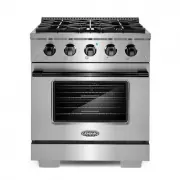 Cosmo COS-2PKG-172
User Manual
Cosmo COS-2PKG-172
User Manual
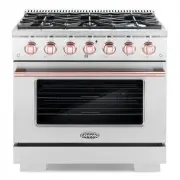 Cosmo COS-2PKG-173
User Manual
Cosmo COS-2PKG-173
User Manual
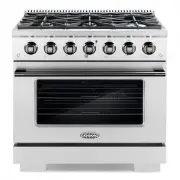 Cosmo COS-2PKG-174
User Manual
Cosmo COS-2PKG-174
User Manual
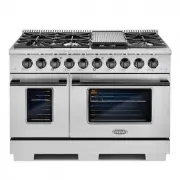 Cosmo COS-2PKG-175
User Manual
Cosmo COS-2PKG-175
User Manual
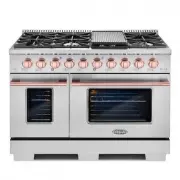 Cosmo COS-2PKG-176
User Manual
Cosmo COS-2PKG-176
User Manual
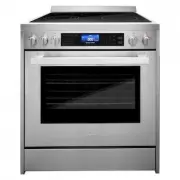 Cosmo COS-305AERC
User Manual
Cosmo COS-305AERC
User Manual
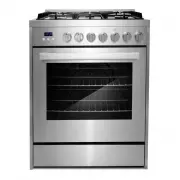 Cosmo COS-305AGC
User Manual
Cosmo COS-305AGC
User Manual
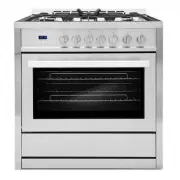 Cosmo COS-965AGC
User Manual
Cosmo COS-965AGC
User Manual
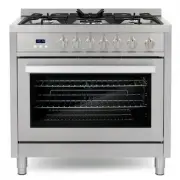 Cosmo COS-965AGFC
User Manual
Cosmo COS-965AGFC
User Manual
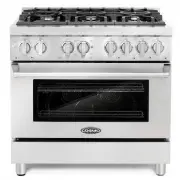 Cosmo COS-DFR366
User Manual
Cosmo COS-DFR366
User Manual
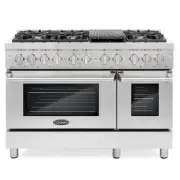 Cosmo COS-DFR486G
User Manual
Cosmo COS-DFR486G
User Manual
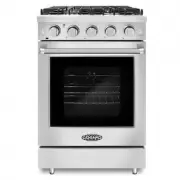 Cosmo COS-EPGR244
User Manual
Cosmo COS-EPGR244
User Manual
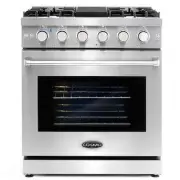 Cosmo COS-EPGR304
User Manual
Cosmo COS-EPGR304
User Manual
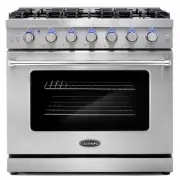 Cosmo COS-EPGR366
User Manual
Cosmo COS-EPGR366
User Manual
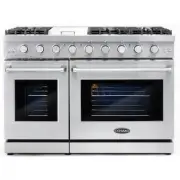 Cosmo COS-EPGR486G
User Manual
Cosmo COS-EPGR486G
User Manual
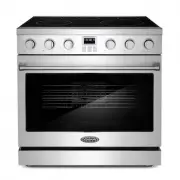 Cosmo COS-ERC365KBD
User Manual
Cosmo COS-ERC365KBD
User Manual