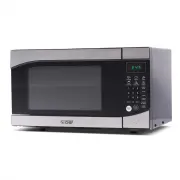
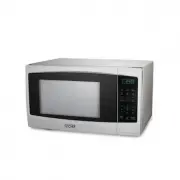
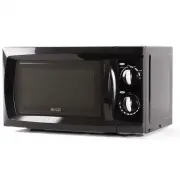
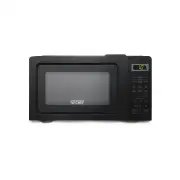
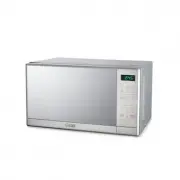
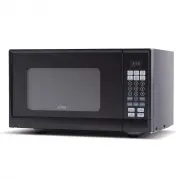
Page 2 - SAFETY INFORMATION
Page 2 Thank you for purchasing our Commercial Chef product. This easy-to-use manual will guide you in getting the best use of your unit. Remember to record the model and serial numbers. They are on a label on the back of the product. _____________________________ Model number ______________________...
Page 3 - A SPECIAL NOTE ON ARCING; WARNING; CAUTION
Page 3 PRECAUTIONS TO AVOID POSSIBLE EXPOSURE TO EXCESSIVE MICROWAVE ENERGY 1. Do not attempt to operate this oven with the door open since open-door operation can result in harmful exposure to microwave energy. It is important not to defeat or tamper with the safety interlocks. 2. Do not place any ...
Page 4 - IMPORTANT SAFETY INSTRUCTIONS
Page 4 IMPORTANT SAFETY INSTRUCTIONS 1. Read all instructions before using the appliance. 2. Read carefully and follow the specific “Precautions to avoid possible exposure to excessive microwave energy” on page 3. 3. This appliance must be grounded. Connect only to properly grounded outlet. See “GRO...
Page 5 - SAVE THESE INSTRUCTIONS; HOUSEHOLD USE ONLY
Page 5 FEDERAL COMMUNICATIONS COMMISSION RADIO FREQUENCY INTERFERENCE STATEMENT WARNING : This equipment generates and uses ISM frequency energy and if not installed and used properly, that is in strict accordance with the manufacturer’s instructions, may cause interference to radio and television r...
Page 6 - GROUNDING INSTRUCTIONS; ELECTRICAL REQUIREMENTS
Page 6 GROUNDING INSTRUCTIONS ELECTRICAL REQUIREMENTS The electrical requirements are a 120 volt 60 Hz, AC only, 15 amp. It is recommended that a separate circuit serving only the oven be provided. The oven is equipped with a 3-wire cord having a 3-prong grounding plug. It must be plugged into a wal...
Page 7 - UTENSIL GUIDE FOR THE MICROWAVE; CAN USE
Page 7 UTENSIL GUIDE FOR THE MICROWAVE This section lists which utensils can be used in the microwave, which have limited use, and which should not be used in the microwave at all. CAN USE CAN NOT USE LIMITED USE • Microwave browning dish : For browning the exterior of food such as steaks, chops, or...
Page 9 - RADIO OR TV INTERFERENCE
Page 9 SPECIFICATIONS • Power Consumption: 120V~60Hz, 1600W • MWO Power: 1100W • Operation Frequency: 2450MHz • Outside Dimensions (H x W x D): 12-1/4 x 21-3/4 x 19-5/16 inches • Oven Cavity Dimensions (H x W x D): 9-13/16 x 14-13/16 x 15-7/8 inches • Oven Capacity: 1.4 cubic feet • Net Weight: Appr...
Page 11 - CONTROL PANEL
Page 11 CONTROL PANEL DISPLAY: Cooking time, power indicators and present time are displayed MINUTE PLUS: Quick starts the oven at maximum cooking power NUMBER PAD (0-9): Touch to set clock, enter cooking time or enter food weight POWER LEVEL: Use to set desired microwave power level TIMER/CLOCK: To...
Page 12 - OPERATION INSTRUCTIONS; SETTING THE CLOCK; SETTING THE KITCHEN TIMER
Page 12 OPERATION INSTRUCTIONS Each time a button is touched, a beep will sound to acknowledge the touch. When the oven is first plugged in, press STOP/CLEAR to enter into the standby mode. SETTING THE CLOCK To enter the digital clock time, in the idle mode press the TIMER/CLOCK pad once and then pr...
Page 13 - WEIGHT DEFROST
Page 13 MULTI-STAGE COOKING The microwave oven can be programmed to cook at two different time lengths / power levels one after another. For example, to cook 2 minutes at 100% power level followed by 5 minutes at 60% power you would: 1. Press STOP/CLEAR pad to reset the oven 2. Touch POWER LEVEL pad...
Page 14 - AUTO COOK; AUTO REHEAT
Page 14 AUTO COOK 1. In standby mode, press COOK pad once, the display shows “FOOD”. 2. Press number pad 1 to 6 to select different food as shown below. 3. Press number pad to select unit. 4. Press START pad to start cooking. AUTO REHEAT 1. In standby mode, press REHEAT pad once, the display shows “...
Page 15 - POPCORN; MELT; SOFTEN; WARM; AUTO MENU BUTTONS; CHILD LOCK
Page 15 POPCORN 1. In standby mode, press POPCORN pad once, the display shows “Q’TY”, “1”. 2. Press POPCORN pad to select different weight as shown below. 3. Press START pad to popping corn. MELT 1. In standby mode, press MELT pad once, the display shows “CODE”, “1”. Press MELT pad twice, the displa...
Page 16 - CLEANING AND CARE
Page 16 CLEANING AND CARE 1. Turn off the oven and remove the power plug from the wall socket before cleaning. 2. Keep the inside of the oven clean. When food splatters or spilled liquids adhere to oven walls, wipe with a damp cloth. Mild detergent may be used if the oven gets very dirty. Avoid the ...
Page 17 - CUSTOMER SERVICE; IMPORTANT; DO NOT RETURN THIS PRODUCT TO THE STORE
Page 17 TROUBLESHOOTING & WARRANTY BEFORE YOU CALL FOR SERVICE IF THE OVEN FAILS TO OPERATE: A) Check to make sure that the oven is plugged in securely. If it is not, remove the plug from the outlet, wait 10 seconds and plug it in again securely. B) Check for a blown circuit fuse or a tripped ma...
Page 22 - Manuel D’utilisateur
Page 22 Manuel D’utilisateur Micro-onde MODEL: CHM14110B6C, CHM14110S6C, CHM14110W6C
Page 23 - INFORMATION DE SÉCURITÉ
Page 23 Merci d’avoir acheté notre produit Commercial Chef. Ce manuel facile à utiliser vous guidera pour tirer le meilleur parti de votre appareil. N’oubliez pas d’enregistrer les numéros de modèle et de série. Ils sont sur une étiquette au dos du produit. _____________________________ Numéro de mo...
Page 24 - UNE REMARQUE SPÉCIALE SUR L’ARCAGE
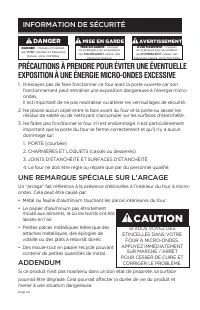
Page 24 PRÉCAUTIONS À PRENDRE POUR ÉVITER UNE ÉVENTUELLE EXPOSITION À UNE ÉNERGIE MICRO-ONDES EXCESSIVE 1. N’essayez pas de faire fonctionner ce four avec la porte ouverte car son fonctionnement peut entraîner une exposition dangereuse à l’énergie micro-ondes. Il est important de ne pas neutraliser ...
Page 25 - CONSIGNES DE SÉCURITÉ IMPORTANTES; doivent être suivies, y compris les suivantes
Page 25 CONSIGNES DE SÉCURITÉ IMPORTANTES 1. Lisez toutes les instructions avant d’utiliser l’appareil.2. Lisez attentivement et suivez les “Précautions particulières à prendre pour éviter toute exposition éventuelle à une énergie micro-ondes excessive” à la page 3. 3. Cet appareil doit être mis à l...
Page 26 - CONSERVEZ CES INSTRUCTIONS; USAGE DOMESTIQUE SEULEMENT
Page 26 COMMISSION FÉDÉRALE DES COMMUNICATIONS DECLARATION D’INTERFERENCE RADIOFREQUENCE AVERTISSEMENT : Cet équipement génère et utilise une fréquence d’énergie ISM et, s’il n’est pas installé et utilisé correctement, conformément aux instructions du fabricant, peut provoquer des interférences avec...
Page 27 - INSTRUCTIONS DE MISE À LA TERRE; EXIGENCES ÉLECTRIQUES
Page 27 INSTRUCTIONS DE MISE À LA TERRE EXIGENCES ÉLECTRIQUES Les exigences électriques sont 120 volts, 60 Hz, courant alternatif seulement, 15 ampères. Il est recommandé de prévoir un circuit séparé servant uniquement le four. Le four est équipé d’un cordon à 3 fils doté d’une fiche de mise à la te...
Page 28 - GUIDE D’UTENSILE POUR LE FOUR À MICRO-ONDES; PEUT UTILISER
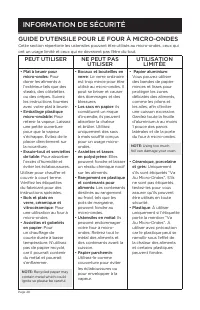
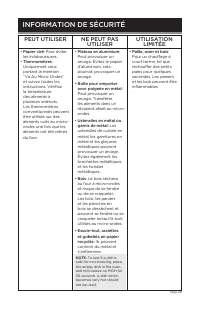
Page 28 GUIDE D’UTENSILE POUR LE FOUR À MICRO-ONDES Cette section répertorie les ustensiles pouvant être utilisés au micro-ondes, ceux qui ont un usage limité et ceux qui ne devraient pas l’être du tout. PEUT UTILISER NE PEUT PAS UTILISER UTILISATION LIMITÉE • Plat à brunir pour micro-ondes : Pour d...
Page 30 - INTERFÉRENCE RADIO OU TV; INSTALLATION ET UTILISATION
Page 30 SPÉCIFICATIONS • Consommation d’énergie: 120V~60Hz, 1600W • Puissance MWO: 1100W • Fréquence De Fonctionnement: 2450MHz • Dimensions Extérieures (H x L x P): 12-1/4 x 21-3/4 x 19-5/16 inches • Dimensions De La Cavité Du Four (H x L x P): 9-13/16 x 14-13/16 x 15-7/8 inches • Capacité Du Four:...
Page 31 - PIÈCES ET CARACTÉRISTIQUES
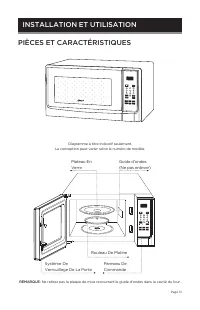
Page 31 POWER 1 2 3 4 5 6 7 8 0 9 TIMER CLOCK START STOP CLEAR MELT SOFTEN WARM COOK DEFROST REHEAT MINUTE PLUS POPCORN PIÈCES ET CARACTÉRISTIQUES Diagramme à titre indicatif seulement. La conception peut varier selon le numéro de modèle. POWER 1 2 3 4 5 6 7 8 0 9 TIMER CLOCK START STOP CLEAR MELT S...
Page 32 - PANNEAU DE COMMANDE
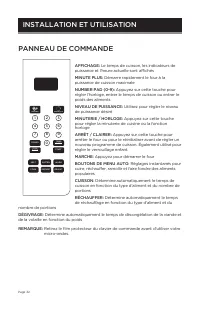
Page 32 PANNEAU DE COMMANDE AFFICHAGE: Le temps de cuisson, les indicateurs de puissance et l’heure actuelle sont affichés MINUTE PLUS: Démarre rapidement le four à la puissance de cuisson maximale NUMBER PAD (0-9): Appuyez sur cette touche pour régler l’horloge, entrer le temps de cuisson ou entrer...
Page 33 - INSTRUCTIONS D’UTILISATION; RÉGLER L’HORLOGE
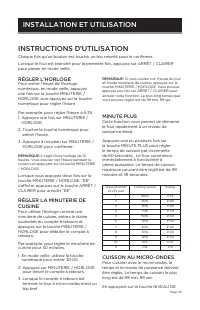
Page 33 INSTRUCTIONS D’UTILISATION Chaque fois qu’un bouton est touché, un bip retentit pour le confirmer. Lorsque le four est branché pour la première fois, appuyez sur ARRÊT / CLAIRER pour passer en mode veille. RÉGLER L’HORLOGE Pour entrer l’heure de l’horloge numérique, en mode veille, appuyez u...
Page 34 - DÉGIVRAGE PAR POIDS
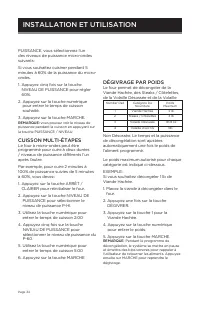
Page 34 PUISSANCE, vous sélectionnez l’un des niveaux de puissance micro-ondes suivants: Si vous souhaitez cuisiner pendant 5 minutes à 60% de la puissance du micro-ondes. 1. Appuyez cinq fois sur la touche NIVEAU DE PUISSANCE pour régler 60%. 2. Appuyez sur la touche numérique pour entrer le temps ...
Page 35 - CUISSON AUTOMATIQUE
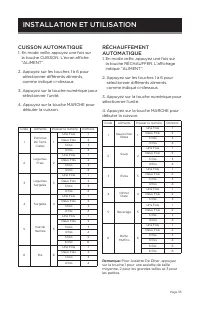
Page 35 CUISSON AUTOMATIQUE 1. En mode veille, appuyez une fois sur la touche CUISSON. L’écran affiche “ALIMENT”. 2. Appuyez sur les touches 1 à 6 pour sélectionner différents aliments, comme indiqué ci-dessous 3. Appuyez sur la touche numérique pour sélectionner l’unité. 4. Appuyez sur la touche MA...
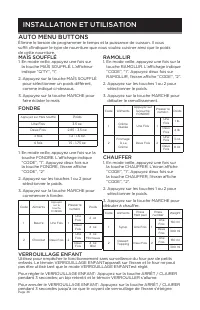
Page 36 - VERROUILLAGE ENFANT
Page 36 MAÏS SOUFFLÉ 1. En mode veille, appuyez une fois sur la touche MAÏS SOUFFLÉ. L’afficheur indique “Q’TY”, “1”. 2. Appuyez sur la touche MAÏS SOUFFLÉ pour sélectionner un poids différent, comme indiqué ci-dessous. 3. Appuyez sur la touche MARCHE pour faire éclater le maïs. FONDRE 1. En mode ve...
Page 37 - NETTOYAGE ET ENTRETIEN
Page 37 NETTOYAGE ET ENTRETIEN 1. Éteignez le four et débranchez la fiche de la prise de courant avant de procéder au nettoyage. 2. Gardez l’intérieur du four propre. Lorsque des aliments éclaboussent ou que des liquides renversés adhèrent aux parois du four, nettoyez-les avec un chiffon humide. Un ...
Page 38 - SERVICE CLIENTS; NE PAS RETOURNER CE PRODUIT AU MAGASIN.
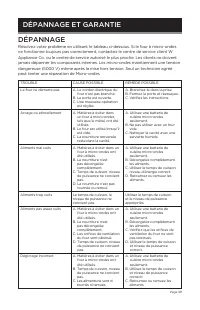
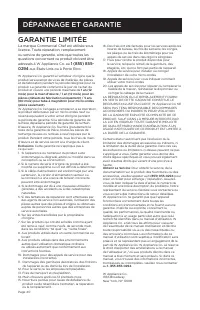
Page 38 DÉPANNAGE ET GARANTIE AVANT D’APPELER AU SERVICE SI LE FOUR NE FONCTIONNE PAS: A) Assurez-vous que le four est correctement branché. Si ce n’est pas le cas, retirez le branchez-le, attendez 10 secondes et rebranchez-le correctement. B) Recherchez un fusible de circuit grillé ou un disjoncteu...
Page 44 - INFORMACIÓN DE SEGURIDAD
Page 44 Gracias por comprar nuestro producto Commercial Chef. Este manual fácil de usar le guiará para obtener el mejor resultado de uso de su unidad. Recuerde anotar los números de modelo y de serie. Están en una etiqueta en la parte posterior del producto. _____________________________ Número de m...
Page 45 - APÉNDICE; ADVERTENCIA; PRECAUCIÓN
Page 45 PRECAUCIONES PARA EVITAR LA POSIBLE EXPOSICIÓN EXCESIVA A LA ENERGÍA DE MICROONDAS 1. No intente usar este microondas con la puerta abierta ya que esto puede provocar una exposición peligrosa a la energía de microondas. Es importante no tratar de forzar los cierres de seguridad. 2. No coloqu...
Page 46 - INSTRUCCIONES DE SEGURIDAD IMPORTANTES
Page 46 INSTRUCCIONES DE SEGURIDAD IMPORTANTES 1. Lea todas las instrucciones antes de usar este electrodoméstico. 2. Lea y siga específicamente las “Precauciones para evitar la posible exposición excesiva a la energía de microondas” en la página 3. 3. Este electrodoméstico debe estar conectado a ti...
Page 47 - CONSERVE ESTAS INSTRUCCIONES; SOLO PARA USO DOMÉSTICO
Page 47 COMISIÓN FEDERAL DE COMUNICACIONES (FCC) DECLARACIÓN DE INTERFERENCIA DE RADIOFRECUENCIA ADVERTENCIA : Este equipo genera y utiliza energía por radiofrecuencia en las bandas ISM y de no ser instalado y utilizado adecuadamente, estrictamente de acuerdo con las instrucciones del fabricante, pu...
Page 48 - REQUISITOS ELÉCTRICOS
Page 48 INSTRUCCIONES DE CONEXIÓN A TIERRA REQUISITOS ELÉCTRICOS 120 Volt a 60 Hz, solamente CA (corriente alterna), 15 A. Se recomienda un circuito eléctrico independiente solo para el horno. El horno está equipado con un cable de 3 hilos con un enchufe de 3 clavijas con tierra. Debe conectarse a u...
Page 49 - GUÍA DE UTENSILIOS PARA EL MICROONDAS; PUEDE USAR
Page 49 GUÍA DE UTENSILIOS PARA EL MICROONDAS Esta sección enumera qué utensilios se pueden usar en el microondas, cuáles tienen un uso limitado y cuáles no se deben usar en absoluto en el microondas. PUEDE USAR NO USAR USO LIMITADO • Plato para dorar al microondas : Para dorar el exterior de los al...
Page 51 - INTERFERENCIA DE RADIO O TV; CONFIGURACIÓN Y USO
Page 51 ESPECIFICACIONES • Consumo energético: 120V~60Hz, 1600W • Potencia MWO: 1100W • Frecuencia de funcionamiento: 2450MHz • Dimensiones exteriores (Al x An x P): 12-1/4 x 21-3/4 x 19-5/16 inches • Dimensiones de la cavidad del horno (Al x An x P): 9-13/16 x 14-13/16 x 15-7/8 inches • Capacidad d...
Page 52 - PARTES Y CARACTERÍSTICAS
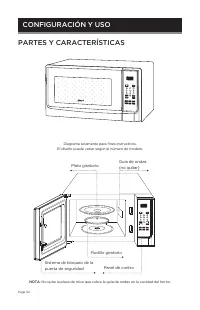
Page 52 POWER 1 2 3 4 5 6 7 8 0 9 TIMER CLOCK START STOP CLEAR MELT SOFTEN WARM COOK DEFROST REHEAT MINUTE PLUS POPCORN PARTES Y CARACTERÍSTICAS Diagrama solamente para fines instructivos. El diseño puede variar según el número de modelo. POWER 1 2 3 4 5 6 7 8 0 9 TIMER CLOCK START STOP CLEAR MELT S...
Page 53 - PANEL DE CONTROL
Page 53 PANEL DE CONTROL DISPLAY: Se muestran el tiempo de cocción, los indicadores de potencia y la hora actual MINUTE PLUS: Arranque rápido del horno a la máxima potencia de cocción NUMBER PAD (0-9): Presione para configurar el reloj, ingresar el tiempo de cocción o ingresar el peso de los aliment...
Page 54 - INSTRUCCIONES DE USO; PUESTA EN HORA DEL RELOJ
Page 54 INSTRUCCIONES DE USO Cada vez que se pulse un botón, se emitirá un pitido para reconocer el presione. Cuando el horno se enchufa por primera vez, presione STOP/CLEAR para ingresar al modo de espera. PUESTA EN HORA DEL RELOJ Para ingresar la hora del reloj digital, en el modo inactivo, presio...
Page 55 - DESCONGELACIÓN POR PESO
Page 55 niveles de potencia del microondas: Si desea cocinar durante 5 minutos al 60% de la potencia del microondas. 1. Presione el botón POWER LEVEL cinco veces para configurar la potencia al 60%. 2. Presione el teclado numérico para ingresar el tiempo de cocción deseado. 3. Presione el botón START...
Page 56 - COCCIÓN AUTOMÁTICA
Page 56 COCCIÓN AUTOMÁTICA 1. En el modo de espera, presione el botón COOK una vez, la pantalla mostrará “FOOD”. 2. Presione 1 a 6 en el teclado numérico para seleccionar los diferentes alimentos como se muestra a continuación. 3. Presione el teclado numérico para seleccionar la unidad. 4. Presione ...
Page 57 - MENÚ DE PROGRAMAS AUTOMÁTICOS; BLOQUEO INFANTIL
Page 57 PALOMITAS DE MAÍZ 1. En el modo de espera, presione el botón POPCORN una vez, la pantalla muestra “Q’TY”, “1”. 2. Presione el botón POPCORN para seleccionar un peso diferente como se muestra a continuación. 3. Presione el botón START para comenzar a reventar el maíz. FUNDIR 1. En el modo de ...
Page 58 - LIMPIEZA Y MANTENIMIENTO
Page 58 LIMPIEZA Y MANTENIMIENTO 1. Apague el horno y desenchúfelo antes de limpiarlo. 2. Mantenga limpio el interior del horno. Cuando las salpicaduras de alimentos o los líquidos derramados se adhieran a las paredes del horno, límpielo con un paño húmedo. Se puede usar un detergente suave si el ho...
Page 59 - SERVICIO AL CLIENTE; IMPORTANTE; NO DEVUELVA ESTE PRODUCTO A LA TIENDA
Page 59 SOLUCIÓN DE PROBLEMAS Y GARANTÍA ANTES DE LLAMAR AL SERVICIO TÉCNICO SI EL HORNO NO FUNCIONA: A) Verifique para asegurarse que el electrodoméstico esté enchufado de forma segura. Si no lo está, retire el enchufe de la toma de corriente, espere 10 segundos y conéctelo nuevamente de forma segu...