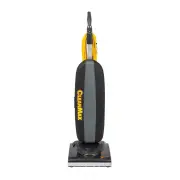
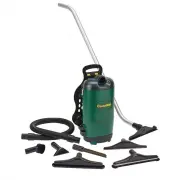
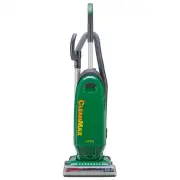
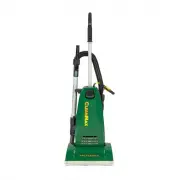
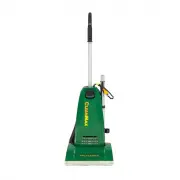
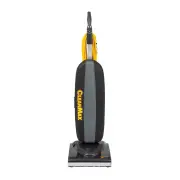
Page 3 - Key Replacement Parts
Congratulations! You have purchased a vacuum cleaner that will provide efficient, dependable service. Your CleanMax commercial vacuum cleaner is made using high quality materials and superior workmanship. Please read these operating instructions carefully before you use your vacuum. IMPORTANT: To ac...
Page 4 - Contents
4 Contents Getting Started Important Safety Instructions 5 Grounding Instructions 6 Assembling the Vacuum 7-9 Vacuum Features On/Off Switch 10 Edge Cleaning 11 Automatic Carpet Height Adjustment 11 Bare Floor Cleaning 11 Jam Indicator 11 How To Change the Vacuum Bag 12 Remove/Install the Bottom Plat...
Page 5 - IMPORTANT SAFETY INSTRUCTIONS; READ ALL INSTRUCTIONS BEFORE; SAVE THESE INSTRUCTIONS
5 IMPORTANT SAFETY INSTRUCTIONS When using an electrical appliance, basic precautions should always be followed, including the following: READ ALL INSTRUCTIONS BEFORE USING THIS APPLIANCE The manufacturer cannot accept responsibility for damage caused when the appliance is not used according to the ...
Page 6 - Grounding Instructions
6 Grounding Instructions This vacuum cleaner must be grounded. If it should malfunction or break down, grounding provides a path of least resistance for electric current to reduce the risk of electric shock. This vacuum cleaner is equipped with a cord having an equipment-grounding conductor and grou...
Page 7 - Assembling the Vacuum
7 Assembling the Vacuum Important Note Under no circumstances should you plug in the vacuum cleaner prior to complete assembly. Model ZM-200 The vacuum cleaner handle is packed as a separate component that requires assembly. Installing the Handle 1. Release the handle bracket from the handle tube by...
Page 10 - Vacuum Features
10 Vacuum Features On/Off Switch NOTE: There are two different on/off switch configurations depending on the model you own. Identify your vacuum cleaner model and see the corresponding on/off switch operating instructions below. Model ZM-200 – On/Off switch on base Locate the switch on the back side...
Page 12 - How To
12 How To Change the Vacuum Bag CAUTION: First, unplug the vacuum cleaner from the electrical outlet. 1. Unzip outer cloth bag (Fig. 15). 2. Remove used bag by pressing the bag holder tab and pulling bag off vacuum (Fig. 16). Discard used bag. 3. To install new bag, position the bottom of the bag co...
Page 17 - Owner’s information
17 The model and serial number of this product may be found on the back side of the unit. You should note the model and serial number of your unit in the spaces provided below, and retain this book as a permanent record of your purchase. Date of purchase _____________________________________________...
Page 18 - Warranty
18 Warranty What is Covered: This warranty covers any defects in material and workmanship in your new CleanMax vacuum. How Long Coverage Lasts: Warranty coverage for your CleanMax vacuums lasts one year. 1 Year Belt Warranty - Model ZM-600 only: Your vacuum belt is covered with a 1 year warranty. Sh...
Page 19 - Notes
Page 20 - CleanMax Vacuum Cleaners; LEAN
B503-3600C CleanMax Vacuum Cleaners PO Box 730 Fenton, MO 63026 LEAN M AX C LEAN M AX C LEAN M AX C P R O - S E R I E S