Page 2 - Further information and explanations are available online:; Table of contents; Safety; Observe the following safety instructions.
en Safety 2 Further information and explanations are available online: Table of contents INFORMATION FOR USE 1 Safety ................................................................... 2 2 Preventing material damage .............................. 5 3 Environmental protection and saving en-ergy ....
Page 3 - WARNING ‒ Risk of fire!
Safety en 3 Keep children under the age of 8 years awayfrom the appliance and power cable. 1.4 Safe use Always place accessories in the cooking com-partment the right way round. → "Accessories", Page 10 WARNING ‒ Risk of fire! Combustible objects that are left in the cook-ing compartment m...
Page 5 - Preventing material damage
Preventing material damage en 5 Preventing material damage 2 Preventing material damage 2.1 General ATTENTION! Alcoholic vapours may catch fire in the hot cookingcompartment and cause permanent damage to the ap-pliance. The appliance door may spring open due toan explosion and it may fall off. The...
Page 6 - Environmental protection and saving energy; Disposing of packaging
en Environmental protection and saving energy 6 Cleaning the water tank in the dishwasher will damageit. ▶ Do not clean the water tank in the dishwasher. ▶ Clean the water tank with a soft cloth and standardwashing-up liquid. If several steam operations are carried out one afterthe other without wi...
Page 7 - Cooking compartment; Shelf supports
Familiarising yourself with your appliance en 7 1 Display with setting ring You can use the digital setting ring to set theappliance via the display.You will see the current setting values, optionsor relevant information.→ "Display", Page 7 2 Buttons You can use the buttons to directly set...
Page 8 - Self-cleaning surfaces; Operating modes
en Operating modes 8 You can remove the shelf supports, e.g. for cleaning. → "Rails", Page 36 Self-cleaning surfaces The self-cleaning surfaces in the cooking compartmentare coated with a porous, matt ceramic layer and havea rough surface. When the appliance is in operation,the self-cleani...
Page 10 - Types of steam heating; Accessories
en Accessories 10 Symbol Type of heating Temperaturerange What it's used for and how it works Keeping warm 50 - 100 °C Keep cooked food warm. Plate warming 30 - 90 °C Preheat cookware. Types of steam heating The types of steam heating can be found in the menu under "Steam". Symbol Type of h...
Page 11 - Information on accessories; Steam container
Accessories en 11 Accessories Use Air Fry & Grill Tray,enamelled, perforated ¡ Bake until crispy, for food that is usuallyfried in oil, e.g. chips. ¡ Grilling food. Do not use the enamelled Air Fry & Grill trayas a steaming tray. Steam container, solid, sizeM Cooking: ¡ Rice ¡ Pulses ¡ Cere...
Page 12 - Combining accessories; Other accessories; Before using for the first time
en Before using for the first time 12 Wire rackor bakingtray Place the accessory so that it is in-serted on the rear stop of the pull-outsystem. P U S H Note: The pull-out rails lock in place when they are fully pulled out. Gently push the pull-out rails backinto the cooking compartment. 4. Push t...
Page 13 - Basic operation; Switching on the appliance
Basic operation en 13 7.2 Performing initial start-up After connecting the appliance to the power supply,you must configure the settings for its initial start-up. Itmay take a few minutes for the settings to appear onthe display. 1. Press to switch the appliance on. a The first setting appears. 2. ...
Page 14 - Starting the operation; Changing the type of heating; Displaying information
en Basic operation 14 a The time or residual heat indicator appears on thedisplay. 8.3 Starting the operation You must start each operation. ATTENTION! If there is water on the cooking compartment floorwhen operating the appliance at temperatures above120 °C, this will damage the enamel. ▶ Do not u...
Page 15 - Rapid heating; Setting rapid heating; Cancelling rapid heating; 0 Time-setting options; Setting the cooking time; Changing the cooking time; Setting the end time
Rapid heating en 15 4. Use "End time" to set the time at which the opera-tion should end. → "Setting the end time", Page 15 → "Time-setting options", Page 15 5. Place the food in the cooking compartment beforethe appliance starts to heat. 6. Press to start the operation. a...
Page 16 - Changing the end time; Setting the timer; Changing the timer; Before using the steam function; Filling the water tank
en Steam 16 Notes ¡ To achieve good cooking results, do not delay thetime once the operation has already started. ¡ Food will spoil if you leave it in the cooking com-partment for too long. Requirements ¡ An operating mode and temperature or level havebeen set. ¡ A cooking time is set. 1. Press &...
Page 17 - Setting options with steam
Steam en 17 WARNING ‒ Risk of burns! The water tank may heat up while the appliance is inoperation. ▶ Wait until the water tank has cooled down from theprevious operation. ▶ Remove the water tank from the tank recess. Requirement: The water hardness is set correctly. 1. Press . a The control pane...
Page 18 - Added steam; Setting the type of steam heating; Setting added steam
en Steam 18 ATTENTION! Risk of damage to kitchen units Too much water hascollected on the cooking compartment floor. The watermay leak out of the appliance. ▶ Do not fill the water tank a second time for the sous-vide cooking. Added steam When you cook with added steam, the appliance intro-duces st...
Page 19 - Changing added steam; Setting the steam jet function; Cancelling the steam jet; After using steam operation; Emptying the water tank; Drying the condensation tray; Drying the cooking compartment
Steam en 19 Changing added steam You can change or deactivate the added steam func-tion at any time. 1. Press added steam . 2. Change or deactivate added steam using the settingring. a The change is applied. 11.5 Setting the steam jet function Requirements ¡ Observe the information about the respe...
Page 20 - 2 Meat probe; Inserting the meat probe; Setting the meat probe
en Meat probe 20 Meat probe 12 Meat probe Cook with precision by inserting the meat probe intothe food and setting a core temperature on the appli-ance. The meat probe measures the core temperatureinside the food. Once the set core temperature hasbeen reached in the food, the appliance automatical...
Page 21 - Core temperatures of different foods
Meat probe en 21 Requirements ¡ The food with the meat probe is in the cooking com-partment. ¡ The meat probe is inserted in the cooking compart-ment. 1. Press "Types of heating" in the menu. 2. Press the type of heating that you want to use. 3. Use the setting ring to set the cooking compa...
Page 22 - Cookware for dishes; Programmes; Overview of the dishes
en Dishes 22 Fish Core temperaturein °C Fish, whole 65 - 70 Fish fillet 60 - 65 Other Core temperaturein °C Meat loaf, all kinds of meat 80 - 90 Heating food, reheating 65 - 75 Dishes 13 Dishes The "Dishes" operating mode helps you to use your ap-pliance to prepare different meals by selec...
Page 24 - 4 Favourites; Sorting favourites; 5 Childproof lock; 6 Basic settings
en Favourites 24 Favourites 14 Favourites In the "Favourites", you can save your settings and usethese again. Note: Depending on the appliance type/software status, you must first download this function to your ap-pliance. You can find more information in theHome Connect app. 14.1 Saving ...
Page 26 - 7 Home Connect; Setting up Home Connect; Home Connect settings
en Home Connect 26 Home Connect 17 Home Connect This appliance is network-capable. Connecting your ap-pliance to a mobile device lets you control its functionsvia the Home Connect app, adjust its basic settingsand monitor its operating status.The Home Connect services are not available in everycou...
Page 27 - Remote diagnostics
Home Connect en 27 Basic setting Possible settings Explanation Wi-Fi OnOff You can use the Wi-Fi to switch off the network connection foryour appliance. When you have connected successfully once,you can deactivate the Wi-Fi and not lose your detailed data.As soon as you activate Wi-Fi again, the ap...
Page 28 - 8 Cleaning and servicing; Cleaning products; Suitable cleaning agents
en Cleaning and servicing 28 ¡ The current software and hardware version of yourappliance. ¡ Status of any previous reset to factory settings. This initial registration prepares the Home Connectfunctions for use and is only required when you want touse the Home Connect functions for the first time....
Page 29 - Cleaning the appliance
Cleaning and servicing en 29 Area Suitable cleaning agents Information Door handle ¡ Hot soapy water To avoid permanent stains, immediately remove any descaling agentthat gets onto the surface. Door seal ¡ Hot soapy water Do not remove or scrub. Cooking compartment Area Suitable cleaning agents Inf...
Page 30 - Regenerating self-cleaning surfaces in the; Cleaning recommendation
en Cleaning function "EcoClean" 30 2. Dry with a soft cloth. Regenerating self-cleaning surfaces in the cooking compartment The back panel, ceiling and side walls in the cookingcompartment are self-cleaning and have a coarse sur-face. ATTENTION! If you do not clean the self-cleaning surface...
Page 31 - 0 Cleaning aid; Setting the cleaning aid
Cleaning aid en 31 You can delay the time at which the operationshould be ready. → "Setting the end time", Page 15 3. Press . a A notification stating that you should carry out thenecessary preparatory work for the cleaning func-tion appears on the display. 4. Confirm the message. a The c...
Page 32 - Preparing descaling; Drying the cooking compartment; Setting the drying process; 3 Appliance door
en Drying 32 ¡ Second rinse cycle (approx. 8 - 12 minutes) For reasons of hygiene, the descaling programme mustbe run in full.If descaling is interrupted, you can no longer set anyoperation. To ensure that the appliance is ready for op-eration again, carry out 2 rinse cycles. 21.1 Preparing descali...
Page 33 - Detaching the appliance door; Removing the condensate tray; Installing the condensate tray
Appliance door en 33 23.1 Detaching the appliance door WARNING ‒ Risk of injury! Components inside the appliance door may have sharpedges. ▶ Wear protective gloves. The hinges on the appliance door move when the dooris opened and closed, which could trap your fingers. ▶ Keep your hands away from th...
Page 34 - Attaching the appliance door; Removing the door panes
en Appliance door 34 2. Snap the hooks on the left and right of the con-densate tray into the gap . 3. Push the condensate tray until the hooks on theright, left and bottom click into place. a The condensate tray is installed horizontally. 23.2 Attaching the appliance door WARNING ‒ Risk of injury...
Page 35 - Fitting the door panes
Appliance door en 35 9. If necessary, you can remove the condensatetrough for cleaning. ‒ Open the appliance door. ‒ Tilt the condensate trough upwards and removeit. 10. WARNING ‒ Risk of injury! Scratched glass in the appliance door may developinto a crack. ▶ Do not use any harsh or abrasive clean...
Page 36 - Detaching the rails; Attaching the rails
en Rails 36 7. Push the inner pane upwards until it is in the left-and right-hand retainers . 8. Put the door cover into position and push downon it until you hear it click into place. 9. Open the appliance door fully. 10. Close the locking levers on the left- and right-handhinges . a The lock...
Page 38 - 5 Troubleshooting
en Troubleshooting 38 4. Release the PUSH tab. a The retainer clicks into place. 5. Pull the pull-out rail out as far as it will go and slideit back in. Note: Further information: Troubleshooting 25 Troubleshooting You can rectify minor faults on your appliance yourself.Read the troubleshooting in...
Page 40 - Disposing of old appliance; 7 Customer Service
en Disposal 40 Fault Cause and troubleshooting The interior lightingdoes not work. Basic setting has been changed. ▶ Change the basic setting for the lighting. → "Basic settings", Page 24 The LED light is defective. ▶ Call → "Customer Service", Page 40 . Maximum operatingtime reac...
Page 41 - 8 Information regarding Free and Open Source Software; 9 Declaration of Conformity; 0 How it works; General cooking tips
Information regarding Free and Open Source Software en 41 You will see the rating plate with these numbers if youopen the appliance door. On some appliances withsteam-assisted cooking, you will find the rating platebehind the control panel. Make a note of your appliance's details and the Cus-tomer ...
Page 42 - Shelf positions; Roasting, braising and grilling tips; Roasting on the wire rack
en How it works 42 ¡ The setting values apply to food placed in the cook-ing compartment while the cooking compartment isstill cold. If you want to preheat anyway, do notplace accessories into the cooking compartment un-til it has finished preheating. ¡ Remove any accessories that are not being use...
Page 43 - Grilling; Cooking tips for steaming; Recommended settings for various types of food
How it works en 43 Grilling Grill food if you want it to be crispy.The "Grill" type of heating is good for cooking thinnerpieces of poultry, meat and fish such as steaks, drum-sticks and burgers. It is also excellent for toastingbread.Circulated air grilling is very well suited to cookingwh...
Page 45 - Desserts
How it works en 45 Food Accessory/cook-ware Height Heatingfunction Temperature in°C/grill setting Steamlevel Cooking timein mins Small chicken portions,250 g each Wire rack 3 200-220 2 30-45 Goose, unstuffed, 3 kg Wire rack 2 160-180 - 120-150 Goose, unstuffed, 3 kg Wire rack 2 1. 2. 3. 1. 130-140 ...
Page 46 - Cooking whole menus with steam
en How it works 46 Making yoghurt 1. Remove the accessories and shelves from thecooking compartment. 2. Heat 1 litre of whole milk (3.5% fat) to 90 °C on thehob and then leave it to cool down to 40 °C.It is sufficient to heat UHT milk to 40 °C. 3. Mix 150 g of chilled yoghurt into the milk. 4. Pour...
Page 47 - Slow cooking
How it works en 47 30.7 Special cooking methods and otherapplications Information and recommended settings for specialcooking methods and other applications, e.g. slowcooking. Slow cooking Cook prime cuts of meat slowly at a low temperature,e.g. tender cuts of beef, veal, lamb or poultry. Slow cook...
Page 52 - Keeping food warm; Baking
en How it works 52 Keeping food warm Tips for keeping food warm ¡ Using the "Keep warm" heating function preventscondensation from forming. You will not have towipe down the cooking compartment. ¡ Do not cover the food. ¡ Do not keep food warming for longer than 2 hours. ¡ Be aware that som...
Page 55 - Steaming
How it works en 55 30.9 Test dishes The information in this section is provided for test institutes to facilitate testing of the appliance in accordance withEN 60350‑1. Baking ¡ The setting values apply to food that is placed into acold cooking compartment. ¡ Take note of the information on preheat...
Page 56 - 1 Installation instructions; General installation instructions
en Installation instructions 56 Shelf positions when steaming on two levels: ¡ Use a maximum of 1.8 kg per level. ¡ Perforated steaming tray, size XL: Shelf position 5 ¡ Perforated steaming tray, size XL: Shelf position 3 Recommended settings for steaming Food Accessory/cook-ware Height Type ofheat...
Page 57 - Dimensions of the figures in mm.; Installation below a worktop
Installation instructions en 57 ¡ The mains socket for the appliance musteither be located in the hatched area oroutside of the area where the appliance isinstalled.Any unsecured units must be secured tothe wall using a standard bracket . ¡ For appliances that have a hinged switchpanel, make sure ...
Page 58 - Installation underneath a hob; Installation in a tall unit
en Installation instructions 58 31.4 Installation underneath a hob If the appliance is installed under a hob, the followingminimum dimensions must be adhered to (includingsubstructure, if applicable). The minimum worktop thickness a is based on therequired minimum clearance . Hob type a raised in ...
Page 59 - Corner installation; Electrically connect the appliance with the; Installing the appliance
Installation instructions en 59 ¡ Ensure that air exchange is guaranteed in accord-ance with the diagram. ¡ Only fit appliances up to a height that allows ac-cessories to be easily removed. 31.7 Corner installation Observe the installation dimensions and the installationinstructions when installing...
Page 60 - Removing the appliance
en Installation instructions 60 2. Screw the appliance into place. Note: The gap between the worktop and the appliance must not be closed by additional battens.Thermal insulation strips must not be fitted to the sidepanels of the surround unit. 31.10 For handleless kitchens with verticalbar handle...
Page 64 - Register your new device on MyBosch now and profit directly from:; • Expert tips & tricks for your appliance; Free and easy registration – also on mobile phones:; BSH Hausgeräte GmbH; A Bosch Company
Thank you for buying a Bosch Home Appliance! Register your new device on MyBosch now and profit directly from: • Expert tips & tricks for your appliance • Warranty extension options • Discounts for accessories & spare-parts • Digital manual and all appliance data at hand • Easy access to Bos...


 Bosch CMG633BB1A
User Manual
Bosch CMG633BB1A
User Manual
 Bosch CMG633BS1B
User Manual
Bosch CMG633BS1B
User Manual
 Bosch CMG656RS1A
User Manual
Bosch CMG656RS1A
User Manual
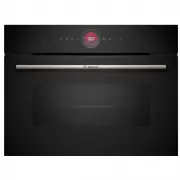 Bosch CMG7241B1A
User Manual
Bosch CMG7241B1A
User Manual
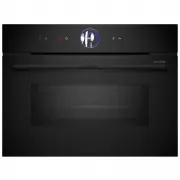 Bosch CMG936AB1A
User Manual
Bosch CMG936AB1A
User Manual
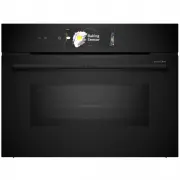 Bosch CMG978NB1A
User Manual
Bosch CMG978NB1A
User Manual
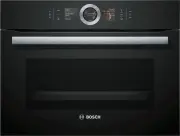 Bosch CSG656RB1A
User Manual
Bosch CSG656RB1A
User Manual
 Bosch CSG656RS1A
User Manual
Bosch CSG656RS1A
User Manual
 Bosch CSG656RS2A
User Manual
Bosch CSG656RS2A
User Manual
 Bosch CSG958DB1
User Manual
Bosch CSG958DB1
User Manual
 Bosch HBA11B150A
User Manual
Bosch HBA11B150A
User Manual
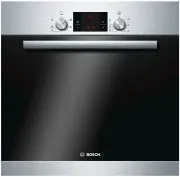 Bosch HBA13B150A
User Manual
Bosch HBA13B150A
User Manual
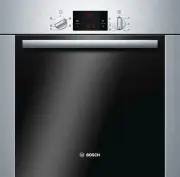 Bosch HBA13B253A
User Manual
Bosch HBA13B253A
User Manual
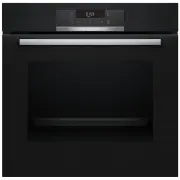 Bosch HBA172BB0A
User Manual
Bosch HBA172BB0A
User Manual
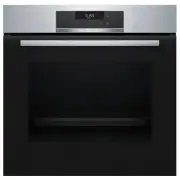 Bosch HBA172BS0A
User Manual
Bosch HBA172BS0A
User Manual
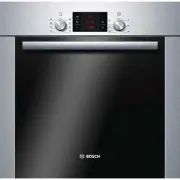 Bosch HBA22B250E
User Manual
Bosch HBA22B250E
User Manual
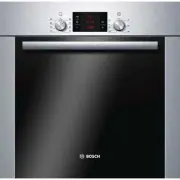 Bosch HBA22R251E
User Manual
Bosch HBA22R251E
User Manual
 Bosch HBA23B160R
User Manual
Bosch HBA23B160R
User Manual