Page 2 - Futher information and explanations are available online:; Table of contents; Safety; Observe the following safety instructions.
en Safety 2 Futher information and explanations are available online: Table of contents INFORMATION FOR USE 1 Safety ................................................................... 2 2 Preventing material damage .............................. 4 3 Environmental protection and saving en-ergy .....
Page 3 - WARNING ‒ Risk of fire!
Safety en 3 1.4 Safe use Always place accessories in the cooking com-partment the right way round. → "Accessories", Page 9 WARNING ‒ Risk of fire! Combustible objects that are left in the cook-ing compartment may catch fire. ▶ Never store combustible objects in thecooking compartment. ▶ If...
Page 4 - WARNING ‒ Risk of suffocation!; Preventing material damage
en Preventing material damage 4 An ingress of moisture can cause an electricshock. ▶ Do not use steam- or high-pressure clean-ers to clean the appliance. If the appliance or the power cord is dam-aged, this is dangerous. ▶ Never operate a damaged appliance. ▶ Never pull on the power cord to unplug ...
Page 5 - Environmental protection and saving energy; Disposing of packaging
Environmental protection and saving energy en 5 Sitting or placing objects on the appliance door maydamage it. ▶ Do not place, hang or support objects on the appli-ance door. ▶ Do not place cookware or accessories on the appli-ance door. With certain models, accessories may scratch the doorpane whe...
Page 6 - Familiarising yourself with your appliance; Digital setting ring
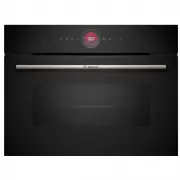
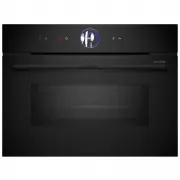
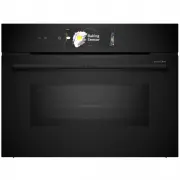
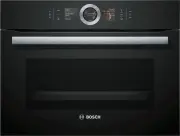
en Familiarising yourself with your appliance 6 4 Familiarising yourself with your appliance 4.1 Control panel You can use the control panel to configure all functionsof your appliance and to obtain information about theoperating status.On certain models, specific details such as colour andshape m...
Page 7 - Cooking compartment; Shelf supports; Lighting; Appliance door; Operating modes
Operating modes en 7 4.4 Cooking compartment Various functions in the cooking compartment providesupport when operating your appliance. Shelf supports The shelf supports in the cooking compartment enableyou to place accessories at different heights.→ "Accessories", Page 9 Your appliance ha...
Page 9 - Combining accessories
Accessories en 9 6 Accessories Use original accessories. These have been made espe-cially for your appliance. Note: Accessories may become deformed if they get hot. Deformation has no effect on function. As the ac-cessory cools down, it will regain its original shape. The accessories supplied may...
Page 10 - Other accessories; Before using for the first time; Switching on the appliance
en Before using for the first time 10 2. Insert the universal pan between the two guide rodsfor a shelf position. In so doing, the wire rack is ontop of the upper guide rod. Wire rackon univer-sal pan 6.3 Other accessories You can purchase other accessories from our after-sales service, specialist ...
Page 11 - Starting the operation; Changing the type of heating; Displaying information
Basic operation en 11 8.3 Starting the operation You must start each operation. ATTENTION! If there is water on the cooking compartment floorwhen operating the appliance at temperatures above120 °C, this will damage the enamel. ▶ Do not use the appliance if there is water on thecooking compartment ...
Page 12 - Rapid heating; Setting rapid heating; Cancelling rapid heating; 0 Time-setting options; Setting the cooking time; Changing the cooking time
en Rapid heating 12 4. Use "End time" to set the time at which the opera-tion should end. → "Setting the end time", Page 13 → "Time-setting options", Page 12 5. Place the food in the cooking compartment beforethe appliance starts to heat. 6. Press to start the operation. a...
Page 13 - Setting the end time; Changing the end time; Setting the timer; Changing the timer
Time-setting options en 13 4. To confirm the change, press on the display. a The change is applied. 10.2 Setting the end time You can delay the time at which the cooking time forthe operation is due to end by up to 24 hours. Notes ¡ To achieve good cooking results, do not delay thetime once the ope...
Page 14 - Cookware for dishes; Programmes; Overview of the dishes
en Dishes 14 11 Dishes The "Dishes" operating mode helps you to use your ap-pliance to prepare different meals by selecting the op-timum settings automatically. 11.1 Cookware for dishes The cooking result depends on the composition of themeat and the size of cookware.You should therefore u...
Page 15 - 2 Favourites
Favourites en 15 11.5 Automatic switch-off function The automatic switch-off function for the dishes allows you to bake and fry without any stress. When the operation has finished, the appliance auto-matically stops heating.To achieve an optimum cooking result, remove yourdish from the cooking comp...
Page 16 - Changing the basic settings
en Basic settings 16 Display Selection Standbyscreen ¡ On for a limited time ¡ On (this setting increases energyconsumption) ¡ Off 1 Clock ¡ Digital 1 ¡ Analogue Alignment ¡ Align the display horizontally andvertically. 1 Factory setting (may vary according to model) Tone Selection Button tone ¡ On...
Page 17 - 5 Home Connect; Setting up Home Connect
Home Connect en 17 15 Home Connect This appliance is network-capable. Connecting your ap-pliance to a mobile device lets you control its functionsvia the Home Connect app, adjust its basic settingsand monitor its operating status.The Home Connect services are not available in everycountry. The ava...
Page 18 - Remote diagnostics; 6 Cleaning and servicing; Cleaning products
en Cleaning and servicing 18 15.3 Operating the appliance with theHome Connect app You can use the Home Connect app to set and startthe appliance remotely. WARNING ‒ Risk of fire! Combustible objects that are left in the cooking com-partment may catch fire. ▶ Never store combustible objects in the ...
Page 19 - Suitable cleaning agents
Cleaning and servicing en 19 Using oven cleaner in a hot cooking compartmentdamages the enamel. ▶ Never use oven cleaner in the cooking compartmentwhen it is still warm. ▶ Remove all food remnants from the cooking com-partment and the appliance door before you nextheat up the appliance. If differen...
Page 20 - Cleaning the appliance; Regenerating self-cleaning surfaces in the
en Cleaning and servicing 20 Area Suitable cleaning agents Information Glass cover forthe oven light ¡ Hot soapy water Use oven cleaner to remove very heavy soiling. Shelf supports ¡ Hot soapy water Soak any heavily soiled areas and use a brush or steel wool. Note: To clean thoroughly, detach the ...
Page 21 - 7 Cleaning aid; Setting the cleaning aid; Drying the cooking compartment; Setting the drying process
Cleaning aid en 21 17 Cleaning aid The cleaning aid is a quick alternative for occasion-ally cleaning the cooking compartment. The cleaningaid softens dirt by evaporating the soapy water. It isthen easier to remove the dirt. 17.1 Setting the cleaning aid WARNING ‒ Risk of scalding! If there is wat...
Page 22 - 9 Appliance door; Detaching the appliance door; Attaching the appliance door; Removing the door panes
en Appliance door 22 19 Appliance door To clean the appliance door thoroughly, you can disas-semble the appliance door. 19.1 Detaching the appliance door WARNING ‒ Risk of injury! Components inside the appliance door may have sharpedges. ▶ Wear protective gloves. The hinges on the appliance door m...
Page 23 - Fitting the door panes
Appliance door en 23 1. Open the appliance door fully. 2. Open the locking levers on the left- and right-handhinges . a The locking levers are open. The hinges are now se-cured and cannot snap shut. 3. Close the appliance door fully . 4. Push on the left- and right-hand side of the doorcover fro...
Page 25 - 1 Troubleshooting
Rails en 25 20 Rails To thoroughly clean the rails and the cooking compart-ment, or to replace the rails, you can remove the rails. 20.1 Detaching the rails WARNING ‒ Risk of burns! The shelf supports get very hot ▶ Never touch the shelf supports when hot. ▶ Always allow the appliance to cool down...
Page 26 - Replacing the oven light bulb
en Troubleshooting 26 Fault Cause and troubleshooting The operation doesnot start or is inter-rupted. Different causes are possible. ▶ Check the notifications that appear on the display. → "Displaying information", Page 11 Malfunction ▶ Call the after-sales service. → "Customer Servic...
Page 27 - Disposing of old appliance; 3 Customer Service
Disposal en 27 WARNING ‒ Risk of electric shock! When changing the bulb, the bulb socket contacts arelive. ▶ Before replacing the bulb, ensure that the applianceis switched off in order to prevent a potential electricshock. ▶ Also unplug the appliance from the mains or switchoff the circuit breaker...
Page 28 - 4 Information regarding Free and Open Source Software; General cooking tips
en Information regarding Free and Open Source Software 28 24 Information regarding Free and Open Source Software This product includes software components that are li-censed by the copyright holders as free or opensource software.The applicable licence information is stored on yourhome appliance. ...
Page 29 - Shelf positions; Roasting, braising and grilling tips; Roasting on the wire rack
How it works en 29 ¡ The setting values for bread dough apply to bothdough placed on a baking tray and dough placed ina loaf tin. ATTENTION! When the cooking compartment is hot, any water in-side it will create steam. The change in temperaturemay cause damage. ▶ Never pour water into the cooking co...
Page 30 - Cooking instructions for ready meals; Recommended settings for various types of food
en How it works 30 Notes ¡ The grill element switches on and off continuously.This is normal. The grill setting that you use determ-ines how frequently this occurs. ¡ Smoke may be produced when grilling. 26.4 Cooking instructions for ready meals ¡ The cooking result greatly depends on the quality o...
Page 31 - Yoghurt
How it works en 31 Food Accessory/cookware Shelf pos- ition Type ofheating→ Page 7 Temperature in°C/grill setting Cooking time inmins Bread rolls, fresh Baking tray 3 180-190 20-30 Pizza, fresh, on a baking tray Baking tray 3 190-210 20-30 Pizza, fresh, on a baking tray,2 levels Universal pan+Baki...
Page 32 - Slow cooking; Air Fry
en How it works 32 Recommended settings for desserts and compote Food Accessory/cookware Shelf pos- ition Type ofheating→ Page 7 Temperature in°C Cooking time inmins Yoghurt Individual moulds Cookingcompart-ment floor 40-45 8–9 hrs 26.6 Special cooking methods and otherapplications Information and...
Page 33 - Baking
How it works en 33 ¡ Insert the accessory into the cooking compartmentat level 3. If you use the Air Fry accessory, you caninsert an empty universal pan at level 1 to protectagainst dirt. ¡ Turn the food halfway through cooking. If you arecooking larger quantities, turn the food twice. Tip: Do not...
Page 36 - Grilling; 7 Installation instructions; General installation instructions
en Installation instructions 36 Recommended settings for baking Food Accessory/cookware Shelf pos- ition Type ofheating→ Page 7 Temperature in°C Cooking time inmins Shortbread Baking tray 3 140-150 1 25-35 Shortbread Baking tray 3 140-150 1 20-30 Shortbread, 2 levels Universal pan+Baking tray 3+1 ...
Page 37 - Dimensions of the figures in mm.; Installation below a worktop
Installation instructions en 37 ¡ Check the appliance for damage after un-packing it. Do not connect the appliance ifit has been damaged in transit. ¡ Before starting up the appliance, removeany packaging material and adhesive filmfrom the cooking compartment and thedoor. ¡ Proceed in accordance wi...
Page 38 - Installation underneath a hob; Installation in a tall unit
en Installation instructions 38 27.4 Installation underneath a hob If the appliance is installed under a hob, the followingminimum dimensions must be adhered to (includingsubstructure, if applicable). The minimum worktop thickness a is based on therequired minimum clearance . Hob type a raised in ...
Page 39 - Corner installation; Electrically connect the appliance with the; Installing the appliance
Installation instructions en 39 ¡ Ensure that air exchange is guaranteed in accord-ance with the diagram. ¡ Only fit appliances up to a height that allows ac-cessories to be easily removed. 27.7 Corner installation Observe the installation dimensions and the installationinstructions when installing...
Page 40 - Removing the appliance
en Installation instructions 40 2. Screw the appliance into place. Note: The gap between the worktop and the appliance must not be closed by additional battens.Thermal insulation strips must not be fitted to the sidepanels of the surround unit. 27.10 For handleless kitchens with verticalbar handle...
Page 44 - Register your new device on MyBosch now and profit directly from:; • Expert tips & tricks for your appliance; Free and easy registration – also on mobile phones:; BSH Hausgeräte GmbH; A Bosch Company
Thank you for buying a Bosch Home Appliance! Register your new device on MyBosch now and profit directly from: • Expert tips & tricks for your appliance • Warranty extension options • Discounts for accessories & spare-parts • Digital manual and all appliance data at hand • Easy access to Bos...