Page 2 - Table of contents; Safety; Observe the following safety instructions.
en Safety 2 Table of contents USER MANUAL 1 Safety .................................................................... 2 2 Preventing material damage ............................... 4 3 Environmental protection and saving en-ergy .....................................................................
Page 3 - WARNING ‒ Risk of burns!
Safety en 3 Opening the appliance door creates adraught. Greaseproof paper may come intocontact with the heating element and catchfire. ▶ Never place greaseproof paper looselyover accessories when preheating the ap-pliance and while cooking. ▶ Always cut greaseproof paper to size anduse a plate or ...
Page 4 - Preventing material damage
en Preventing material damage 4 ▶ Do not let children play with packaging ma-terial. Children may breathe in or swallow smallparts, causing them to suffocate. ▶ Keep small parts away from children. ▶ Do not let children play with small parts. 1.5 Halogen bulb WARNING ‒ Risk of burns! The bulbs in t...
Page 5 - Environmental protection and saving energy; Disposing of packaging
Environmental protection and saving energy en 5 ▶ Do not store food in the cooking compartment. Leaving the appliance to cool down with the door openwill damage the front of neighbouring kitchen units overtime. ▶ Always allow the cooking compartment to cooldown with the door closed after cooking at...
Page 6 - Familiarising yourself with your appliance; Buttons and display
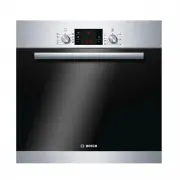
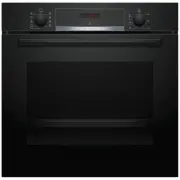
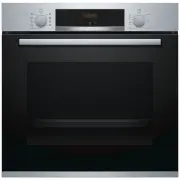
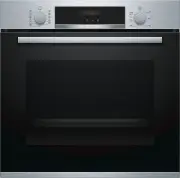
en Familiarising yourself with your appliance 6 4 Familiarising yourself with your appliance 4.1 Controls You can use the control panel to configure all functionsof your appliance and to obtain information about theoperating status. Note: On certain models, specific details such as col- our and s...
Page 7 - Other functions; Temperature and setting levels
Familiarising yourself with your appliance en 7 Symbol Type of heating What it's used for/how it works Gentle hot air Cook selected dishes gently on one level without preheating.The fan distributes the heat from the ring-shaped heating element in the backwall evenly around the cooking compartment. ...
Page 8 - Cooking compartment; Shelf supports; Cooling fan
en Accessories 8 Heat-up indicator The appliance indicates when it is heating up.When the appliance is heating, the symbol lights upon the display.When you are preheating the appliance, the optimaltime to place your food in the cooking compartment iswhen the symbol first goes out. Notes ¡ The heat...
Page 9 - Combining accessories; Other accessories
Accessories en 9 Accessories Use Grill tray Grilling food.To prevent splashes in the cooking compart-ment, use the grill tray when grilling food. Al-ways place the grill tray in the universal pan. 5.1 Locking function The locking function prevents the accessories from tilt-ing when they are pulled ...
Page 10 - Before using for the first time; Setting the time on the clock; Basic operation; Switching on the appliance; Changing the type of heating; Rapid heating
en Before using for the first time 10 6 Before using for the first time Configure the settings for initial start-up. Clean the ap-pliance and accessories. 6.1 Initial use You need to make settings for initial use before youcan use your appliance. Setting the time on the clock Once the appliance ha...
Page 11 - Setting rapid heating; Time-setting options; Setting the timer; Changing the timer; Setting the cooking time; Changing the cooking time
Time-setting options en 11 8.1 Setting rapid heating To ensure an even cooking result, do not place thefood in the cooking compartment until rapid heatinghas come to an end. 1. Use the function selector to select rapid heating . 2. Use the temperature selector to set the requiredtemperature. a Rap...
Page 12 - Cancelling the cooking time; Setting the end time; Changing the end time; Setting the time on the clock; Changing the time on the clock; Cookware for programmes
en Programme 12 Cancelling the cooking time You can cancel the cooking time at any time. Requirement: is highlighted on the display. ▶ Reset the cooking time to zero using the button. a After a few seconds, the appliance applies thechange and continues to heat without a cookingtime. 9.4 Setting t...
Page 14 - Preparing food for the programme; 1 Childproof lock; Overview of the basic settings
en Childproof lock 14 10.3 Preparing food for the programme Use fresh and, ideally, chilled food. 1. Weigh the food.The weight of the food is required in order to cor-rectly set the programme. 2. Add the food to the cookware. 3. Place the cookware onto the wire rack.Always place the cookware into t...
Page 15 - Changing basic settings; 3 Cleaning and servicing; Cleaning products; Suitable cleaning agents
Cleaning and servicing en 15 Display Basic setting Selection Time display = hide the time = display the time 1 Childproof lock can be adjusted = no = yes 1 = yes, with locked door Interior lighting during operation = no = yes 1 Cooling fan run-on time = short = medium 1 = long = extra-long ...
Page 17 - Cleaning the appliance; 4 Pyrolytic self-cleaning; Setting the cleaning function
Pyrolytic self-cleaning en 17 13.2 Cleaning the appliance In order to avoid damaging the appliance, you mustclean your appliance only as specified, and with suit-able cleaning products. WARNING ‒ Risk of burns! The appliance and its parts that can be touched be-come hot during use. ▶ Caution should...
Page 18 - 5 Cleaning assistance; Setting the cleaning assistance; Recleaning the cooking compartment
en Cleaning assistance 18 2. Use the temperature selector to set the cleaning set-ting. Cleaning set-ting Cleaninglevel Duration in hours 1 Lightly soiled Approx. 1:15 2 Medium Approx. 1:30 3 High Approx. 2:00 Select a higher cleaning setting for very heavy orolder soiling.The duration cannot be ch...
Page 19 - 6 Shelf supports; Detaching the shelf supports; Attaching the shelf supports; 7 Appliance door; Detaching the appliance door
Shelf supports en 19 16 Shelf supports To clean the rails and the cooking compartment, or toreplace the rails, you can remove these. 16.1 Detaching the shelf supports WARNING ‒ Risk of burns! The shelf supports get very hot ▶ Never touch the shelf supports when hot. ▶ Always allow the appliance to...
Page 20 - Attaching the appliance door; Removing the door panes
en Appliance door 20 2. WARNING ‒ Risk of injury! When the hinges are not secured, they can snapshut with great force. ▶ Make sure that the locking levers are alwayseither fully closed or (when detaching the ovendoor) fully open. Open the locking levers on the left- and right-handhinges. Locking le...
Page 21 - Fitting the door panes
Appliance door en 21 1. Open the appliance door slightly. 2. Push on the left- and right-hand side of the doorcover from the outside until it is released. 3. Remove the door cover . 4. Clean the door cover. → "Suitable cleaning agents", Page 15 5. Undoing and removing the left- and righ...
Page 22 - 8 Troubleshooting
en Troubleshooting 22 7. Open the appliance door slightly and remove thetea towel. 8. Screw both screws back in on the left and right ofthe appliance door. 9. Put the door cover in position and push down on it until you hear it click into place. 10. Close the appliance door. Note: Do not use the c...
Page 24 - 0 Customer Service; Notes on roasting and grilling
en Customer Service 24 This appliance is labelled in accord-ance with European Directive2012/19/EU concerning used elec-trical and electronic appliances(waste electrical and electronic equip-ment - WEEE).The guideline determines the frame-work for the return and recycling ofused appliances as appli...
Page 25 - Roasting and grilling on the wire rack
How it works en 25 ¡ Turn the poultry, meat or fish after approx. 1/2 to2/3 of the time listed. ¡ Add a little liquid to the poultry in the cookware.Cover the bottom of the cookware with approx. 1–2 cm of liquid. ¡ When you turn poultry, ensure that the breast sideor skin side is underneath to begi...
Page 26 - Preparing yoghurt
en How it works 26 Food Accessories/cookware Shelf pos-ition Type ofheating Temperaturein °C/grill set-ting Cookingtime in mins Pavlova Baking sheet on wirerack 3 100-110 4 150-180 Yorkshire pudding 12-cup tin 3 200–220 5 15–25 Pizza, home-made Baking tray 3 190–210 20–30 Pizza, home-made, thin bas...
Page 27 - Yoghurt; Baking
How it works en 27 Yoghurt Food Accessories/cookware Shelf position Type ofheating Temperature in°C Cookingtime inmins Yoghurt Individual moulds Cooking compartmentfloor 40–45 8–9 hrs 21.6 Test dishes These overviews have been produced for test institutesto facilitate appliance testing in accordanc...
Page 28 - Grilling; 2 Installation instructions; General installation instructions
en Installation instructions 28 Food Accessories/cookware Shelf pos-ition Type ofheating Temperature in°C Cook-ing timein mins Hot water sponge cake Springform cake tin,diameter 26 cm 2 160–170 30–35 Hot water sponge cake, 2 levels Springform cake tin,diameter 26 cm 3 + 1 150–160 2 35–50 1 Preheat ...
Page 29 - Appliance dimensions; Installation below a worktop; Installation in a tall unit; Electrically connect the appliance with the
Installation instructions en 29 22.2 Appliance dimensions You will find the dimensions of the appliance here 22.3 Installation below a worktop Observe the installation dimensions and the installationinstructions when installing below a worktop. ¡ To ventilate the appliance, the intermediate floormu...
Page 30 - Electrically connecting an appliance without a; Installing the appliance
en Installation instructions 30 Electrically connecting an appliance without a protective contact plug Note: Only a licensed professional may connect the ap- pliance. Damage caused by incorrect connection is notcovered under the warranty.An all-pole isolating switch must be integrated into theperm...
Page 32 - Register your new device on MyBosch now and profit directly from:; • Expert tips & tricks for your appliance; Free and easy registration – also on mobile phones:; Robert Bosch Hausgeräte GmbH; GERMANY
Thank you for buying a Bosch Home Appliance! Register your new device on MyBosch now and profit directly from: • Expert tips & tricks for your appliance • Warranty extension options • Discounts for accessories & spare-parts • Digital manual and all appliance data at hand • Easy access to Bos...