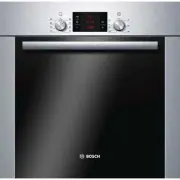
Page 2 - Futher information and explanations are available online:; Table of contents; Safety; Observe the following safety instructions.
en Safety 2 Futher information and explanations are available online: Table of contents INFORMATION FOR USE 1 Safety .................................................................... 2 2 Preventing material damage ............................... 5 3 Environmental protection and saving en-ergy ...
Page 3 - WARNING ‒ Risk of fire!
Safety en 3 1.4 Safe use Always place accessories in the cooking com-partment the right way round. → "Accessories", Page 8 WARNING ‒ Risk of fire! Combustible objects that are left in the cook-ing compartment may catch fire. ▶ Never store combustible objects in thecooking compartment. ▶ If...
Page 5 - Preventing material damage; Environmental protection and saving energy; Disposing of packaging
Preventing material damage en 5 2 Preventing material damage 2.1 General ATTENTION! Alcoholic vapours may catch fire in the hot cookingcompartment and cause permanent damage to the ap-pliance. The appliance door may spring open due toan explosion and it may fall off. The door panels mayshatter and...
Page 6 - Familiarising yourself with your appliance; Buttons and display
en Familiarising yourself with your appliance 6 If the cooking time is relatively long, you can switchthe appliance off 10 minutes before the cooking timeends. ¡ There will be enough residual heat to finish cookingthe dish. Remove any accessories that are not being used fromthe cooking compartment....
Page 7 - Types of heating and functions; Other functions; Temperature and setting levels
Familiarising yourself with your appliance en 7 4.3 Types of heating and functions To ensure that you always find the right type of heating to cook your food, we explain the differences and applica-tions below.When you select a type of heating, the appliance suggests a suitable temperature or setti...
Page 8 - Cooking compartment; Shelf supports
en Accessories 8 Notes ¡ The heat-up indicator only appears for types of heat-ing for which you can set a temperature. The heat-up indicator does not appear for grill settings, for ex-ample. ¡ Due to thermal inertia, the temperature displayedmay differ slightly from the actual temperature insidethe...
Page 9 - Combining accessories; Other accessories; Before using for the first time; Setting the time on the clock
Before using for the first time en 9 5.1 Locking function The locking function prevents the accessories from tilt-ing when they are pulled out.You can pull out the accessories approximately halfwaywithout them tipping. The accessories must be insertedinto the cooking compartment correctly for the t...
Page 10 - Basic operation; Switching on the appliance; Changing the temperature; Starting the appliance; Rapid heating; Setting rapid heating; Cancelling rapid heating
en Basic operation 10 3. Keep the room ventilated while the appliance isheating. 4. Set the type of heating and temperature. → "Basic operation", Page 10 Type of heat-ing 3D hot air Temperature Maximum Cooking time 1 hour 5. Switch off the appliance after the specified cookingtime. 6. ...
Page 11 - Time-setting options; Setting the timer; Changing the timer; Setting the cooking time; Changing the cooking time; Setting the end time
Time-setting options en 11 9 Time-setting options Your appliance has different time-setting options, withwhich you can control its operation. 9.1 Overview of the time-setting options With the button, select the different time-setting op-tions. Time-settingoption Use Timer The timer can be se...
Page 12 - Setting the time on the clock; Changing the time on the clock; Cookware for programmes
en Programme 12 Requirements ¡ The type of heating and temperature or setting areset. ¡ A cooking time must be set. 1. Press the button repeatedly until is highlighted in the display. 2. Press the or button. a The display shows the calculated end time. 3. Use the or button to del...
Page 14 - Setting a programme; 1 Childproof lock; Locking the oven door; 2 Basic settings; Overview of the basic settings
en Childproof lock 14 10.4 Setting a programme The appliance selects the optimal type of heating, tem-perature and cooking time. All you need to do is setthe weight. Notes ¡ You can set the weight only in the intended range. ¡ After the programme starts, you can no longerchange the programme and th...
Page 15 - Changing basic settings; 3 Cleaning and servicing; Cleaning products; Suitable cleaning agents
Cleaning and servicing en 15 Display Basic setting Selection Time display = hide the time = display the time 1 Childproof lock can be adjusted → "Childproof lock", Page 14 = no = yes 1 = yes, with locked door Interior lighting during operation = no = ...
Page 17 - Cleaning the appliance; 4 Pyrolytic self-cleaning; Setting the cleaning function
Pyrolytic self-cleaning en 17 13.2 Cleaning the appliance In order to avoid damaging the appliance, you mustclean your appliance only as specified, and with suit-able cleaning products. WARNING ‒ Risk of burns! The appliance and its parts that can be touched be-come hot during use. ▶ Caution should...
Page 18 - 5 Cleaning assistance; Setting the cleaning assistant; Removing heavy deposits of dirt
en Cleaning assistance 18 Cleaning set-ting Cleaninglevel Duration in hours 1 Low Approx. 1:15 2 Medium Approx. 1:30 3 High Approx. 2:00 For stubborn or older dirt, select a higher cleaningsetting.You cannot change the duration. 3. Touch . a The cleaning function starts after a few seconds andthe...
Page 19 - 6 Shelf supports; Detaching the shelf supports; Attaching the shelf supports; 7 Appliance door; Detaching the appliance door
Shelf supports en 19 16 Shelf supports To clean the rails and the cooking compartment, or toreplace the rails, you can remove these. 16.1 Detaching the shelf supports WARNING ‒ Risk of burns! The shelf supports get very hot ▶ Never touch the shelf supports when hot. ▶ Always allow the appliance to...
Page 20 - Attaching the appliance door; Removing the door panes
en Appliance door 20 2. WARNING ‒ Risk of injury! When the hinges are not secured, they can snapshut with great force. ▶ Make sure that the locking levers are alwayseither fully closed or (when detaching the ovendoor) fully open. Open the locking levers on the left- and right-handhinges. Locking le...
Page 21 - Fitting the door panes
Appliance door en 21 1. Open the appliance door slightly. 2. Push on the left- and right-hand side of the doorcover from the outside until it is released. 3. Remove the door cover . 4. Clean the door cover. → "Suitable cleaning agents", Page 15 5. Undoing and removing the left- and ...
Page 22 - 8 Troubleshooting
en Troubleshooting 22 7. Open the appliance door slightly and remove thetea towel. 8. Screw both screws back in on the left and right ofthe appliance door. 9. Put the door cover in position and push down on it until you hear it click into place. 10. Close the appliance door. Note: Do not use th...
Page 23 - Replacing the oven light bulb
Troubleshooting en 23 Fault Cause and troubleshooting The time does not ap-pear in the displaywhen the appliance isswitched off. The basic setting has been changed. ▶ Change the basic setting for the time display. → "Basic settings", Page 14 lights up in the dis- play and no settingscan...
Page 24 - Disposing of old appliance; 0 Customer Service
en Disposal 24 19 Disposal 19.1 Disposing of old appliance Valuable raw materials can be reused by recycling. 1. Unplug the appliance from the mains. 2. Cut through the power cord. 3. Dispose of the appliance in an environmentallyfriendly manner.Information about current disposal methods areavaila...
Page 25 - Notes on roasting and grilling; Roasting and grilling on the wire rack
How it works en 25 21.3 Notes on roasting and grilling The setting values are based on the assumption thatunstuffed, chilled, ready-to-roast poultry, meat or fish isplaced into a cold cooking compartment. ATTENTION! Acidic food may damage the grid ▶ Do not place acidic food, such as fruit or food w...
Page 26 - Preparing yoghurt
en How it works 26 Food Accessories/cookware Shelf pos-ition Type ofheating Temperaturein °C/grillsetting Cookingtime in mins Small yeast cakes Baking tray 3 150-170 20-30 Biscuits Baking tray 3 140-160 15-25 Biscuits, 2 or 3 levels Universal panBaking tray 3+15+3+1 140-160 15-25 Bread, 10...
Page 27 - Baking; Recommended settings for baking
How it works en 27 21.6 Test dishes These overviews have been produced for test institutesto facilitate appliance testing in accordance with EN60350-1. Baking Observe this information when baking test dishes. General information ¡ The settings apply to food that is placed into a coldcooking compart...
Page 28 - Recommended settings for grilling; 2 Installation instructions; General installation instructions
en Installation instructions 28 Recommended settings for grilling Food Accessories/cookware Shelf pos-ition Type ofheating Temperature in°C/grill setting Cook-ing timein mins Toasting bread Wire rack 5 3 1 5–6 1 Do not preheat the appliance. 22 Installation instructions Observe this information...
Page 29 - Appliance dimensions; Installation below a worktop; Installation in a tall unit
Installation instructions en 29 22.2 Appliance dimensions You will find the dimensions of the appliance here 22.3 Installation below a worktop Observe the installation dimensions and the installationinstructions when installing below a worktop. ¡ To ventilate the appliance, the intermediate floormu...
Page 30 - Corner installation
en Installation instructions 30 22.6 Corner installation Observe the installation dimensions and the installationinstructions when installing in a corner. ¡ To ensure that the appliance door can be opened,you must take the minimum dimensions into consid-eration when installing in a corner. The dime...
Page 31 - Removing the appliance
Installation instructions en 31 3. For handleless kitchens with vertical bar handlestrips: ‒ Attach a suitable filling piece in order to coverany sharp edges and to guarantee a safe install-ation. ‒ Pre-drill aluminium profiles to establish a screwconnection . ‒ Secure the appliance using a su...
Page 32 - Register your new device on MyBosch now and profit directly from:; • Expert tips & tricks for your appliance; Free and easy registration – also on mobile phones:; BSH Hausgeräte GmbH; A Bosch Company
Thank you for buying a Bosch Home Appliance! Register your new device on MyBosch now and profit directly from: • Expert tips & tricks for your appliance • Warranty extension options • Discounts for accessories & spare-parts • Digital manual and all appliance data at hand • Easy access to Bos...