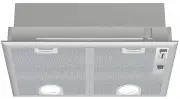
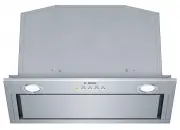
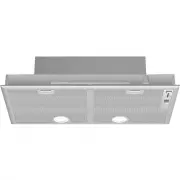
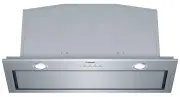
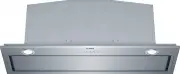
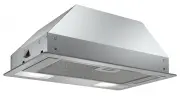
Page 2 - Further information and explanations are available online:; Table of contents; Safety; General information
en Safety 2 Further information and explanations are available online: Table of contents INFORMATION FOR USE 1 Safety ................................................................... 2 2 Avoiding material damage.................................. 5 3 Environmental protection and saving en-ergy ...
Page 3 - WARNING ‒ Risk of suffocation!
Safety en 3 WARNING ‒ Risk of suffocation! Children may put packaging material overtheir heads or wrap themselves up in it andsuffocate. ▶ Keep packaging material away from chil-dren. ▶ Do not let children play with packaging ma-terial. Children may breathe in or swallow smallparts, causing them to...
Page 5 - Avoiding material damage; Disposing of packaging; Operating modes; Air extraction mode
Avoiding material damage en 5 2 Avoiding material damage ATTENTION! Condensate may cause corrosion damage. ▶ To prevent condensation from building up, switch onthe appliance during cooking. If moisture gets into the controls, this may result indamage. ▶ Never clean controls with a wet cloth. Incor...
Page 6 - Air recirculation
en Operating modes 6 4.2 Air recirculation The air which is drawn in is cleaned by the grease fil-ters and an odour filter, and conveyed back into theroom. To bind odours in air recirculationmode, you must install an odour filter.The different options for operating theappliance in air circulation m...
Page 7 - Familiarising yourself with your appliance
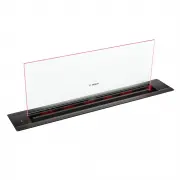
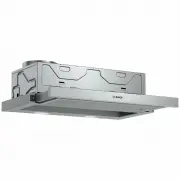
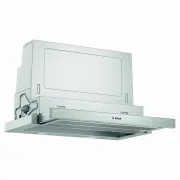
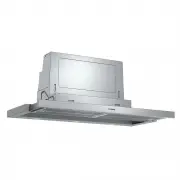
Familiarising yourself with your appliance en 7 5 Familiarising yourself with your appliance 5.1 Overall view You can find an overview of the parts of your appliancehere. 1 2 3 4 7 6 5 1 Glass plate 2 Grease filter 3 Filter cartridge 4 Appliance 5 Blower group 6 Cover plate 7 Drip tray 5.2 Control...
Page 8 - Before using for the first time
en Before using for the first time 8 6 Before using for the first time Configure the settings for initial start-up. Clean the ap-pliance and accessories. 6.1 Setting an operating mode Your appliance is set to air extraction mode by default. Note: When using it in circulating-air mode, you require...
Page 10 - Home Connect; Setting up Home Connect; Resetting the connection; Remote diagnostics
en Home Connect 10 8 Home Connect This appliance is network-capable. Connecting your ap-pliance to a mobile device lets you control its functionsvia the Home Connect app, adjust its basic settingsand monitor its operating status.The Home Connect services are not available in everycountry. The avai...
Page 11 - Cleaning products
Hob-based hood control en 11 8.5 Data protection Please see the information on data protection.The first time your appliance is registered on a homenetwork connected to the Internet, your appliance willtransmit the following types of data to theHome Connect server (initial registration): ¡ Unique a...
Page 12 - Cleaning controls and lights; Cleaning the glass panel
en Cleaning and servicing 12 If the appliance is operated by another person via theHome Connect app during cleaning, this increases therisk of injury. ▶ Before cleaning, disconnect the appliance from theHome Connect app.→ "Resetting the connection", Page 10 1. Observe the information regar...
Page 13 - Cleaning grease filters manually; Removing the grease filter cartridge
Cleaning and servicing en 13 2. Remove the grease filters. To avoid causing damage, do not bend the greasefilters. 10.7 Cleaning grease filters manually The grease filters filter the grease from the cooking va-pour. Regularly cleaned grease filters guarantee a highlevel of grease removal. We recomm...
Page 14 - 1 Troubleshooting
en Troubleshooting 14 5. Reset the saturation indicator.→ "Resetting the saturation indicator", Page 9 11 Troubleshooting You can rectify minor faults on your appliance yourself.Read the troubleshooting information before contactingafter-sales service. This will avoid unnecessary costs. W...
Page 15 - Disposing of old appliance; 3 Customer Service
Disposal en 15 Fault Cause and troubleshooting The bottom two LEDsflash in the left-handcontrol panel (6). The odour filters are saturated. ▶ Change the odour filter.→ "Familiarising yourself with your appliance", Page 7 Home Connect is notworking properly. Different causes are possible. ▶...
Page 16 - 5 Declaration of Conformity
en Declaration of Conformity 16 Accessories Order number 90° adapter piece –round/flat HEZ9VDSI1 Accessories Order number Adapter piece – round/flat HEZ9VDSI0 Connecting sleeve HEZ9VDSS1 15 Declaration of Conformity BSH Hausgeräte GmbH hereby declares that the appli-ance with Home Connect function...
Page 17 - Included with the appliance; Secure installation
Installation instructions en 17 17.1 Included with the appliance After unpacking all parts, check for any damage intransit and completeness of the delivery. 17.2 Appliance dimensions You will find the dimensions of the appliance here Observe the dimensions of the unit. 17.3 Secure installation Fol...
Page 19 - General information; Information on the installation situation; Flush installation of appliances with sharp
Installation instructions en 19 17.4 General information Follow these general instructions during the installation. ¡ For the installation, observe the currently valid build-ing regulations and the regulations of the local elec-tricity and gas suppliers. ¡ When discharging the exhaust air, the offi...
Page 20 - Instructions for the exhaust air pipe; Flat ducts
en Installation instructions 20 17.6 Instructions for the exhaust air pipe The appliance manufacturer does not provide any war-ranty for faults attributable to the pipeline. ¡ Use a short, straight exhaust air pipe with as large apipe diameter as possible. ¡ Long, rough exhaust air pipes, many pipe...
Page 21 - Installing the appliance
Installation instructions en 21 3. Screw the cover plate in tightly, depending on theinstallation situation. Installing the appliance WARNING ‒ Risk of injury! Components inside the appliance may have sharpedges. ▶ Wear protective gloves. The appliance is heavy. ▶ To move the appliance, two people ...
Page 24 - • Expert tips & tricks for your appliance; BSH Hausgeräte GmbH
Thank you for buying a Bosch Home Appliance! Register your new device on MyBosch now and profit directly from: • Expert tips & tricks for your appliance • Warranty extension options • Discounts for accessories & spare-parts • Digital manual and all appliance data at hand • Easy access to Bos...