Page 2 - Futher information and explanations are available online:; Table of contents; Safety; Observe the following safety instructions.
en Safety 2 Futher information and explanations are available online: Table of contents INFORMATION FOR USE 1 Safety ................................................................... 2 2 Preventing material damage .............................. 6 3 Environmental protection and saving en-ergy .....
Page 3 - WARNING ‒ Risk of fire!
Safety en 3 equate experience and/or knowledge,provided that they are supervised or havebeen instructed on how to use the appliancesafely and have understood the resultingdangers.Do not let children play with the appliance.Children must not perform cleaning or usermaintenance unless they are at lea...
Page 4 - WARNING ‒ Risk of electric shock!
en Safety 4 WARNING ‒ Risk of electric shock! Incorrect repairs are dangerous. ▶ Repairs to the appliance should only becarried out by trained specialist staff. ▶ Only use genuine spare parts when repair-ing the appliance. ▶ If the power cord of this appliance is dam-aged, it must be replaced by th...
Page 5 - WARNING ‒ Risk of scalding!
Safety en 5 sausages, may burst. Before heating, prickthe peel or skin. Heat is not distributed evenly through babyfood. ▶ Never heat baby food in closed containers. ▶ Always remove the lid or teat. ▶ Stir or shake well after heating. ▶ Check the temperature before giving thefood or drink to a chil...
Page 6 - Never remove the casing.; Preventing material damage
en Preventing material damage 6 Never operate the appliance if the cookingcompartment door or the door seal is dam-aged. Microwave energy may escape. ▶ Never use the appliance if the cookingcompartment door, the door seal or theplastic door frame is damaged. ▶ Any repair work must only be carried o...
Page 7 - Environmental protection and saving energy; Disposing of packaging
Environmental protection and saving energy en 7 Operating the appliance without food in the cookingcompartment may lead to overloading. ▶ Do not switch on the microwave unless there is foodinside. The only exception to this rule is when per-forming a short cookware test. If you prepare microwave po...
Page 8 - Familiarising yourself with your appliance; Digital setting ring; Settings area
en Familiarising yourself with your appliance 8 4 Familiarising yourself with your appliance 4.1 Control panel You can use the control panel to configure all functionsof your appliance and to obtain information about theoperating status.On certain models, specific details such as colour andshape m...
Page 9 - Cooking compartment; Shelf supports; Lighting; Operating modes
Operating modes en 9 Note: A blue marking "new" or a blue dot on a function indicates that a new function, a new favourite or an up-date was downloaded to your appliance using theHome Connect app. 4.4 Cooking compartment Various functions in the cooking compartment providesupport when oper...
Page 11 - Microwave output settings
Accessories en 11 5.2 Temperature With most types of heating , you can read the currenttemperature in the cooking compartment from ap-prox. 30 °C and the set temperature side-by-side onthe display during heating, e.g. 120|210 °C.When you are preheating the appliance, the optimaltime to place the fo...
Page 12 - Information on accessories; Microwave accessories; Other accessories
en Accessories 12 6.1 Information on accessories Some accessories are only suitable for certain types ofheating. Microwave accessories The wire rack that is supplied is only suitable for opera-tion solely using the microwave.Baking trays, e.g. the universal pan or the baking tray,may create sparks ...
Page 13 - Before using for the first time; Switching on the appliance
Before using for the first time en 13 7 Before using for the first time Configure the settings for initial start-up. Clean the ap-pliance and accessories. 7.1 Performing initial start-up After connecting the appliance to the power supply,you must configure the settings for its initial start-up. It...
Page 14 - Changing the type of heating; Displaying information
en Basic operation 14 4. To change the setting values, use the digital settingring: ‒ Swipe over the setting ring clockwise or anti-clockwise, as required. ‒ Or press a specific position on the setting ring. 5. Use to confirm the setting. 6. Press to start the operation. 7. If the operation is ende...
Page 15 - Rapid heating; Setting rapid heating; Cancelling rapid heating; 0 Time-setting options; Setting the cooking time; Changing the cooking time; Setting the end time
Rapid heating en 15 9 Rapid heating To save time, rapid heating can shorten the preheat-ing time for set temperatures over 100 °C.Rapid heating is possible for the following types ofheating: ¡ 4D hot air ¡ Top/bottom heating 9.1 Setting rapid heating To ensure an even cooking result, do not place ...
Page 16 - Changing the end time; Setting the timer; Changing the timer
en Microwave 16 If required, use to reset the setting value. 4. To confirm the set time, press on the display. 5. Press to start the operation. a The display shows the time remaining until the oper-ation starts. The appliance is in standby mode. a Once the start time has been reached, the appli-anc...
Page 17 - Testing cookware for microwave suitability; Setting options with the microwave; Microwave-only operation; Added microwave; Setting the microwave
Microwave en 17 Cookware when adding microwave to an operatingmode If you switch on the microwave for another operatingmode, metal is also an option, in addition tomicrowave-safe cookware and accessories: ¡ Metal cookware and bakewareMetal must be kept at least 2 cm from the cookingcompartment wall...
Page 18 - Changing the microwave output; Setting added microwave; Changing added microwave; Setting the ventilation function; Cancelling the ventilation function
en Ventilation function "Crisp Finish" 18 a When the time has elapsed, a signal sounds. A noti-fication appears on the display confirming that theoperation has finished. 10. Once the cooking time has elapsed: ‒ If required, you can select other settings and re-start the operation. ‒ When th...
Page 19 - Cookware for dishes; Programmes; Overview of the dishes
Dishes en 19 2. Press "Crisp Finish". a The symbol changes back to white. a The operation continues without the ventilation func-tion. 13 Dishes The "Dishes" operating mode helps you to use your ap-pliance to prepare different meals by selecting the op-timum settings automaticall...
Page 20 - 4 Favourites; Saving favourites; Deleting favourites
en Favourites 20 13.4 Setting a dish 1. Press "Dishes" in the menu. 2. Press the required category. 3. Press the required food. 4. Press the required dish. Tip: For some dishes, you can select a preferred cooking method. → "Setting options for the dishes", Page 19 a The settings f...
Page 21 - 5 Childproof lock; Activating the childproof lock; 6 Basic settings; Overview of the basic settings
Childproof lock en 21 15 Childproof lock You can secure your appliance to prevent childrenfrom accidentally switching it on or changing the set-tings. 15.1 Activating the childproof lock The childproof lock can be activated regardless ofwhether the appliance is on or off. ▶ Press and hold for appr...
Page 22 - Changing the basic settings; 7 Home Connect; Setting up Home Connect
en Home Connect 22 Personalisa-tion Selection Dishes ¡ All 1 ¡ No pork ¡ Kosher only Childprooflock ¡ Button lock only 1 ¡ Deactivated Automaticrapid heating ¡ off ¡ On 1 1 Factory setting (may vary according to model) Factory set-tings Selection Factory set-tings ¡ Restore Info Display Appliance i...
Page 24 - 8 Cleaning and servicing; Cleaning products; Suitable cleaning agents
en Cleaning and servicing 24 17.6 Data protection Please see the information on data protection.The first time your appliance is registered on a homenetwork connected to the Internet, your appliance willtransmit the following types of data to theHome Connect server (initial registration): ¡ Unique ...
Page 25 - Cleaning the appliance
Cleaning and servicing en 25 Area Suitable cleaning agents Information Stainless steel in-terior door frame ¡ Stainless steel cleaner Discolouration can be removed using stainless steel cleaner. Do not use stainless steel care products. Door handle ¡ Hot soapy water To avoid permanent stains, immed...
Page 26 - 9 Cleaning aid; Setting the cleaning aid
en Cleaning aid 26 ATTENTION! If you do not clean the self-cleaning surfaces regularly,they may become damaged. ▶ If dark stains are visible on the self-cleaning sur-faces, heat up the cooking compartment. ▶ Do not use oven cleaner or abrasive cleaning aids.If oven cleaner accidentally comes into c...
Page 27 - Drying the cooking compartment; Setting the drying process; 1 Appliance door; Removing the door cover
Drying en 27 20 Drying To prevent residual moisture, dry the cooking compart-ment following microwave-only operation and after us-ing the cleaning aid. ATTENTION! If there is water on the cooking compartment floorwhen operating the appliance at temperatures above120 °C, this will damage the enamel...
Page 28 - Fitting the door panes; Detaching the rails
en Rails 28 6. WARNING ‒ Risk of serious harm to health! If the screws are undone, the safety of the appliancecan no longer be guaranteed. Microwave energymay escape. ▶ Never undo the screws. Never unscrew the four black screws on the frame. 21.3 Fitting the door panes WARNING ‒ Risk of injury! The...
Page 29 - Fitting the retainers; 3 Troubleshooting
Troubleshooting en 29 22.2 Fitting the retainers The retainers may fall out when you detach the rails. Note: The retainers at the front differ from those at the rear. 1. Hook the front retainers with the hook into the roundhole at the top and set them at a slight angle . 2. Hook the front retainer...
Page 31 - Disposing of old appliance; 5 Customer Service
Disposal en 31 Fault Cause and troubleshooting The cooking result isnot satisfactory. Settings were unsuitable.Adjustment values, e.g. temperature or cooking time, depend on the recipe, quantity andfood. ▶ Next time, set lower or higher values. Tip: A lot of other information about the food prepar...
Page 32 - 7 Declaration of Conformity; General cooking tips; Shelf positions
en Declaration of Conformity 32 27 Declaration of Conformity BSH Hausgeräte GmbH hereby declares that the appli-ance with Home Connect functionality conforms to theessential requirements and other relevant provisions ofDirective 2014/53/EU.A detailed RED Declaration of Conformity can be foundonlin...
Page 33 - Roasting, braising and grilling tips; Roasting on the wire rack; Microwave cooking
How it works en 33 Baking on 2 levels Height Universal panBaking tray 31 Baking tins/dishes on two wire racks 3 1 Use the 4D hot air heating function. Notes ¡ Items that are placed in the appliance on bakingtrays or in baking tins/dishes at the same time willnot necessarily be ready at the same tim...
Page 34 - Cooking, braising or steaming using the; Cooking instructions for ready meals; Recommended settings for various types of food
en How it works 34 Cooking, braising or steaming using the microwave mode ¡ Use microwave-safe cookware with a lid. Alternat-ively, you can use a plate or special microwaveablefilm to cover the dish. ¡ For cereal products, e.g. rice, use deep cookwarewith a lid. Cereal products foam a lot during co...
Page 36 - Desserts
en How it works 36 Food Accessories/cook-ware Shelf pos-ition Type ofheating→ Page 10 Temperature in°C/grill setting Microwavepower settingin W Cookingtime inmins Sirloin, medium, 1.5 kg Uncovered cook-ware 1 240-260 180 30-40 Burger, 3–4 cm thick Wire rack 2 3 - 20-30 2 Leg of lamb, boned, me-diu...
Page 37 - Slow cooking
How it works en 37 Recommended settings for desserts and compote Food Accessory/cook-ware Shelf pos-ition Type ofheating→ Page 10 Temperature in°C Microwavepower settingin W Cookingtime inmins Blancmange made fromblancmange powder Covered cookware 1 - 600 5-8 1 Yoghurt Individual moulds Cookingcom...
Page 39 - Warming up food using the microwave mode
How it works en 39 Food Accessory/cook-ware Shelf pos-ition Type ofheating→ Page 10 Temperature in°C Microwavepower settingin W Cookingtime inmins Meat, whole, e.g. joint,raw meat, 1 kg Uncovered cook-ware 1 - 1. 180 2. 90 1. 15 2. 20-30 1 Minced meat, mixed,500 g Uncovered cook-ware 1 - 1. 180 2....
Page 40 - Keeping food warm; Baking
en How it works 40 Food Accessory/cook-ware Shelf pos-ition Type ofheating→ Page 10 Temperature in°C Microwavepower settingin W Cookingtime inmins Side dishes, e.g. pasta,dumplings, potatoes,rice, chilled Covered cookware 1 - 600 5-10 Plated meal, frozen,1 portion Covered cookware 1 - 600 11-15 So...
Page 43 - Grilling; Microwave cooking
How it works en 43 Food Accessory/cook-ware Shelf pos-ition Type ofheating→ Page 10 Temperature in°C Microwavepower settingin W Cookingtime inmins Small cakes Baking tray 1 150 1 - 20-30 Small cakes, 2 levels Universal pan+Baking tray 3+1 140 1 - 30-40 Hot water sponge cake Springform caketin, dia...
Page 44 - 9 Installation instructions; General installation instructions
en Installation instructions 44 29 Installation instructions 29.1 General installation instructions Follow these instructions before you start withthe installation of the appliance. ¡ The installation cabinet must not have aback panel behind the appliance. Thereshould be a gap of at least 35 mmbe...
Page 45 - Installation below a worktop
Installation instructions en 45 29.3 Installation below a worktop Observe the installation dimensions and the installationinstructions when installing below a worktop. ¡ To ventilate the appliance, the intermediate floormust have a ventilation cut-out. ¡ The worktop must be secured to the fitted un...
Page 46 - Installation in a tall unit; Electrically connect the appliance with the
en Installation instructions 46 29.5 Installation in a tall unit Observe the installation dimensions and the installationinstructions when installing in a tall unit. ¡ To ventilate the appliance, the intermediate floorsmust have a ventilation cut-out. ¡ In order to ensure sufficient ventilation of ...
Page 47 - Installing the appliance
Installation instructions en 47 29.8 Installing the appliance 1. Slide the appliance in fully and centre it. 2. Screw the appliance into place. Note: The gap between the worktop and the appliance must not be closed by additional battens.Thermal insulation strips must not be fitted to the sidepanel...
Page 48 - Register your new device on MyBosch now and profit directly from:; • Expert tips & tricks for your appliance; Free and easy registration – also on mobile phones:; BSH Hausgeräte GmbH; A Bosch Company
Thank you for buying a Bosch Home Appliance! Register your new device on MyBosch now and profit directly from: • Expert tips & tricks for your appliance • Warranty extension options • Discounts for accessories & spare-parts • Digital manual and all appliance data at hand • Easy access to Bos...
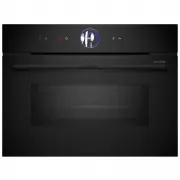


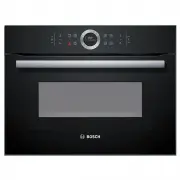 Bosch CMG633BB1A
User Manual
Bosch CMG633BB1A
User Manual
 Bosch CMG633BS1B
User Manual
Bosch CMG633BS1B
User Manual
 Bosch CMG656RS1A
User Manual
Bosch CMG656RS1A
User Manual
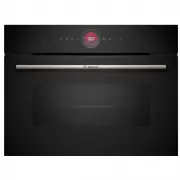 Bosch CMG7241B1A
User Manual
Bosch CMG7241B1A
User Manual
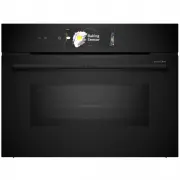 Bosch CMG978NB1A
User Manual
Bosch CMG978NB1A
User Manual
 Bosch CSG656RB1A
User Manual
Bosch CSG656RB1A
User Manual
 Bosch CSG656RS1A
User Manual
Bosch CSG656RS1A
User Manual
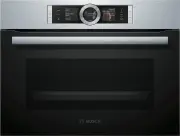 Bosch CSG656RS2A
User Manual
Bosch CSG656RS2A
User Manual
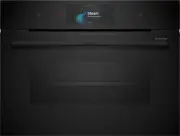 Bosch CSG958DB1
User Manual
Bosch CSG958DB1
User Manual
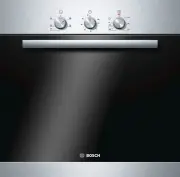 Bosch HBA11B150A
User Manual
Bosch HBA11B150A
User Manual
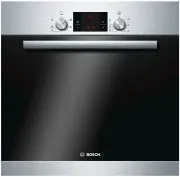 Bosch HBA13B150A
User Manual
Bosch HBA13B150A
User Manual
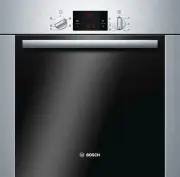 Bosch HBA13B253A
User Manual
Bosch HBA13B253A
User Manual
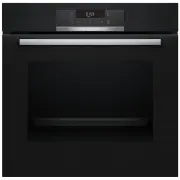 Bosch HBA172BB0A
User Manual
Bosch HBA172BB0A
User Manual
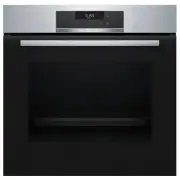 Bosch HBA172BS0A
User Manual
Bosch HBA172BS0A
User Manual
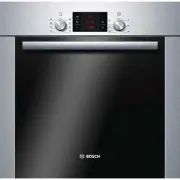 Bosch HBA22B250E
User Manual
Bosch HBA22B250E
User Manual
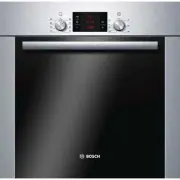 Bosch HBA22R251E
User Manual
Bosch HBA22R251E
User Manual
 Bosch HBA23B160R
User Manual
Bosch HBA23B160R
User Manual
 Bosch HBA23B450
User Manual
Bosch HBA23B450
User Manual