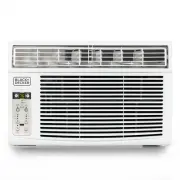
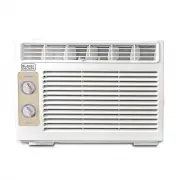
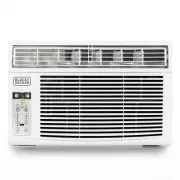
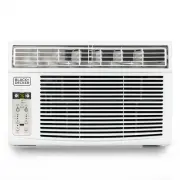
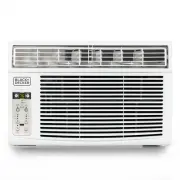
Page 2 - CONTENTS; SAFETY INFORMATION; PRODUCT REGISTRATION; Window Air Conditioner
Page 3 CONTENTS SAFETY INFORMATION Important Safety Instructions ..........................................................................................................................................................4 Battery Information ..............................................................
Page 3 - IMPORTANT SAFETY INSTRUCTIONS; CAUTION; SAVE THESE INSTRUCTIONS; HOUSEHOLD USE ONLY
IMPORTANT SAFETY INSTRUCTIONS WARNING WARNING - Hazards or unsafe practices which COULD result in severe personal injury or death DANGER DANGER - Immediate hazards which WILL result in severe personal injury or death CAUTION CAUTION - Hazards or unsafe practices which COULD result in minor personal ...
Page 4 - BATTERY INFORMATION
Page 5 BATTERY INFORMATION KEEP OUT OF REACH OF CHILDREN. Swallowing may lead to serious injury or death. Severe burns can occur within 2 hours of ingestion. Immediately see a doctor and have the doctor phone (202) 625- 3333 collect. Keep in original package until ready to use. Dispose of used batte...
Page 5 - ELECTRICAL REQUIREMENTS
Page 6 SAFETY INFORMATION GROUNDING INSTRUCTIONS ELECTRICAL REQUIREMENTS In the event of malfunction or breakdown, grounding provides a path of least resistance for electric current to reduce the risk of electric shock. The appliance must be connected to a cord having an equipment- grounding conduct...
Page 7 - SAFETY GUIDELINES
Page 8 SAFETY GUIDELINES To prevent injury to the user or other people and property damage, the following instructions must be followed. Incorrect operation due to ignoring of instructions may cause harm or damage. ALWAYS DO THIS NEVER DO THIS ENERGY SAVE • Your air conditioner should be used in suc...
Page 8 - WINDOW REQUIREMENTS:; SUGGESTED TOOLS FOR INSTALLATION
Page 9 SET UP & USE NOTE: All the illustrations in this manual are for explanation purpose only. The air conditioner you have may be slightly different. WINDOW REQUIREMENTS: Your air conditioner is designed to install in standard double hung windows with opening widths of 23 to 36 inches (584mm ...
Page 9 - PREPARE THE WINDOW; PREPARE AIR CONDITIONER; Packaging
Page 10 SET UP & USE PREPARE THE WINDOW through the condenser, for heat removal. The rear of the unit must be outdoors, not inside a building or garage. MOUNTING HARDWARE PREPARE AIR CONDITIONER B: Remove top rail from the packaging material as shown in Fig. A. Use 2 people to lift. TOP RAIL HAR...
Page 11 - INSTALL SUPPORT BRACKET
ooden Windows OUTSIDE H:About 3/4 to 1 for 5 to 8K); 3 H:About 1 to 1 / for 10 to12K); 8 H inyl-Clad Windows OUTSIDE H:About 3/4 to 1 for 5 to 8K); Measure from the cabinet edge 3 H:About 1 to 1 / for 10 to12K); 8 H window frame ooden Windows OUTSIDE H:About 3/4 to 1 for 5 to 8K); 3 H:About 1 to 1 /...
Page 13 - AIR CONDITIONER FEATURES; AIR DIRECTIONAL LOUVERS
Page 14 SET UP & USE AIR CONDITIONER FEATURES WARNING: IMPORTANT SAFETY INSTRUCTIONS before operating this appliance. CAUTION: Please always wait 3 minutes when turning unit off then on again, and when changing from cool to fan and back to cool. This prevents compressor from overheating & po...
Page 15 - BATTERY INSTRUCTIONS
Page 16 SET UP & USE BATTERY INSTRUCTIONS Note: CR2032 Battery Not Included Step 1: Insert a coin vertically in the groove on the battery cover, clockwise rotation of 45 degrees, make sure that the groove is aligned with the “unlock” sign as shown below and remove the battery cover. Step 2: Inst...
Page 16 - REMOTE CONTROL
Page 17 SET UP & USE REMOTE CONTROL TIMER SPEED ONE TOUCH SLEEP ENERGY SAVER MODE Power Button Mode Button Temp Up + Speed Button Sleep Button Temp Down - Timer button Energy SaverOne Touch POWER BUTTON Operation starts when this button is pressed and stops when the button is pressed again. NOTE...
Page 17 - TO ADJUST FAN SPEEDS:; CHECK FILTER FEATURE:; ENERGY SAVER FEATURE:
Page 18 SET UP & USE OPERATING INSTRUCTIONS The unit can be controlled by the unit control alone or with the remote. NOTE: The outline of the operation panel is based on typical model, the function is the same with your air conditioner while there may be some slight differences in appearance. TO...
Page 20 - CUSTOMER SERVICE; IMPORTANT; DO NOT RETURN THIS PRODUCT TO THE STORE
Page 21 TROUBLESHOOTING & WARRANTY BEFORE YOU CALL FOR SERVICE IF THE AIR CONDITIONER FAILS TO OPERATE: A) Check to make sure that the air conditioner is plugged in securely. If it is not, remove the plug from the outlet, wait 10 seconds and plug it in again securely. B) Check for a blown circui...
Page 21 - TROUBLESHOOTING & WARRANTY; TROUBLESHOOTING
E N GLI S H TROUBLESHOOTING & WARRANTY TROUBLE ANALYSIS Air conditioner does not start • House fuse blown or circuit breaker tripped. Replace fuse with time delay type or reset circuit breaker. • Plug Current Device Tripped. Press the RESET button.• Power is OFF. Turn power ON. Air from unit doe...
Page 23 - Printed in China
BLACK & DECKER, BLACK+DECKER, the BLACK & DECKER and BLACK+DECKER logos and product names and the orange and black color scheme are trademarks of The Black & Decker Corporation, used under license. All rights reserved.Product in this box may differ slightly from that pictured. Does not a...