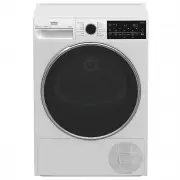
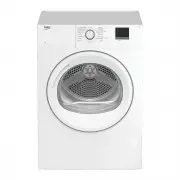
Page 2 - Please read this user manual first!; Explanation of symbols
This product was manufactured using the latest technology in environmentally friendly conditions. Please read this user manual first! Dear Customer, Thank you for prefering a Beko product. We hope that your product which has been manufac- tured with high quality and technology will give you the best...
Page 3 - Authorized Service Agent.
3 / EN Dryer / User Manual 1 Important safety and environmental instructions This section contains safety instructions that will help protect from risk of personal injury or property damage. Failure to follow these instructions shall void any warranty. 1.1 General safety • Dryer can be used by the c...
Page 8 - Mounting over a washing machine; Installation Table for Washing Machine and Dryer
8 / EN Dryer / User Manual Important instructions for safety and environment 1.2 Mounting over a washing machine • A fixing device should be used between the two machines when installing the dryer above a washing machine. The fitting device must be installed by the authorized service agent. • Total ...
Page 10 - Compliance with the WEEE regulation and disposing of the
10 / EN Dryer / User Manual Important instructions for safety and environment ENHeight (Min. / Max.) 84,6 cm / 86,6 cm* Width 59,5 cm Depth 60,9 cm Capacity (max.) 8 kg** Net weight (plastic front door usage) 50,5 kg Net weight (glass front door usage) 52,5 kg Voltage See type label*** Rated power i...
Page 11 - Your Dryer
11 / EN Dryer / User Manual 2 Your Dryer 2.1 Package Contents 1 2 3 5 4 1. Water drain hose * 2. Filter drawer spare sponge* 3. User Manual 4. Drying basket* 5. Drying basket user manual* *It can be supplied with your machine depending on its model.
Page 12 - Installation; Appropriate installation; on the; transportation safety
12 / EN Dryer / User Manual 3 Installation Before the calling the nearest Authorized Service for the installation of the dryer, en- sure that electrical installation and water drain is appropriate referring to the user’s manual. (See 3.3 Connecting to the drain and 3.5 Electrical connection) If they...
Page 13 - Connecting to the drain; Connecting the water drain hose; Adjusting the feet
13 / EN Dryer / User Manual Installation 3.3 Connecting to the drain In products equipped with condenser unit, water accumulates in the water tank during the drying cycle. You should drain accumu- lated water after each drying cycle. You can directly drain accumulated water through the water drain h...
Page 14 - Warnings about sounds
14 / EN Dryer / User Manual Installation 3.7 Warnings about sounds C It is normal to hear a metallic noise from the compressor some- times during operation. C Water collected during operation is pumped to water tank. It is nor- mal to hear pumping noise during this process. 3.8 Changing the illumina...
Page 15 - Preparation; LAUNDRY DRYING SYMBOLS
15 / EN Dryer / User Manual 4 Preparation 4.1 Laundry suitable for drying in the dryer • Always obey the instructions given on the garment tags. Dry only the laundry having a label stating that they are suitable for drying in a dryer and make sure that you select the appropriate programme. Drying Se...
Page 16 - Correct load capacity
16 / EN Dryer / User Manual Preparation • Clean the lint filter before or after each drying cycle. (See 6.1 Cleaning Lint Filter / Loading Door Inner Surface) • Clean the filter periodically when there is visible air collection on it or when the symbol lights up, if there is a filter drawer cleaning...
Page 17 - Operating the product
17 / EN Dryer / User Manual 5 Operating the product 5.1 Control panel 1. Programme Selection knob 2. Dryness Level Adjustment button 3. Audio Warning Level button 4. Display 5. On /Off/Cancel button 6. Start/Pause button 7. End Time button 8. Favourite button 9. Timer Programmes Selection button 10....
Page 18 - Preparing the machine; • Cottons; Additional programmes; • Jeans
18 / EN Dryer / User Manual Operating the product 5.3 Preparing the machine 1. Plug in your machine. 2. Place the laundry in the machine. 3. Press the On/Off/Cancel button for 1 second (long). 4. When your machine is operated for the first time, it starts with the declaration programme (wardrobe dry...
Page 20 - Programme selection and consumption table; Energy
20 / EN Dryer / User Manual Operating the product 5.7 Programme selection and consumption table * : Energy Label standard program (EN 61121:2012) “All the filters must be cleaned prior to test series.” All values given in the table have been fixed according to EN 61121:2012 Standard. These val- ues ...
Page 21 - Auxiliary functions; Audio Warning; Volume level low; Drying level damp
21 / EN Dryer / User Manual Operating the product 5.8 Auxiliary functions Audio Warning The machine will give an audio warning when the programme comes to an end. Use the Audio Warning Level button to adjust the sound level. C You can change the sound level either before the programme starts or whil...
Page 22 - Favourite selection button; End time; Anti-creasing 0 minute
22 / EN Dryer / User Manual Operating the product C Press Anti-creasing button to activate this function. C Anti-creasing symbol will illuminate at the end of the programme if Anti-creasing function is activated. Favourite selection button A programme with the set auxiliary function is saved with Fa...
Page 23 - Changing the End time; Draining the water tank; Cleaning the filter drawer
23 / EN Dryer / User Manual Operating the product Press End Time button to set the desired time delay. • Press Start/Pause button. Time Delaying starts countdown and the time delaying symbol lights up on the display. The “:” in the middle of the displayed delay time will flash. • Additional laundry ...
Page 24 - Loading door open; Starting the programme; To activate the Child Lock:; Changing the programme; Adding / removing laundry while the
24 / EN Dryer / User Manual Operating the product Loading door open This warning symbol Pause appears and pro- gramme progress symbol flashes when the loading door of the dryer is open. 5.10 Starting the programme Press the Start/Pause button to start the program. Start symbol will light up to indic...
Page 25 - Canceling the programme; End of programme
25 / EN Dryer / User Manual Operating the product C Any laundry added after the drying process has started may cause the clothes that are already dried in the machine intermingle with wet clothes and the result will be wet laundry after the drying process is over. C You may repeat laundry adding or ...
Page 26 - Maintenance and cleaning; Loading Door Inner Surface
26 / EN Dryer / User Manual 6 Maintenance and cleaning Service life of product extends and frequent- ly experienced problems will be reduced if it is cleaned at regular intervals. 6.1 Cleaning Lint Filter / Loading Door Inner Surface Lint and fiber released from the laundry to the air during the dry...
Page 27 - Cleaning the sensor
27 / EN Dryer / User Manual Maintenance and cleaning 6.2 Cleaning the sensor There are dampness sensors in the dryer that detect whether the laundry is dry or not. To clean the sensors: • Open the loading door of the dryer. • Allow the machine to cool down if it is still hot due to the drying proces...
Page 28 - Cleaning the filter drawer
28 / EN Dryer / User Manual Maintenance and cleaning C If the direct water draining is used as an option, there is no need to empty the water tank. 6.4 Cleaning the filter drawer Lint and fiber that could not be captured by the lint filter are blocked in the filter drawer behind the kick plate. Filt...
Page 29 - Cleaning the evaporator
29 / EN Dryer / User Manual Maintenance and cleaning • Place the sponge back into its place. • Close the filter drawer as to lock the red button. • Place the filter drawer back into its place, turn the filter drawer cover in the arrow direction and close it securely. • Close the kick plate cover. A ...
Page 30 - Troubleshooting
30 / EN Dryer / User Manual 7 Troubleshooting Drying process takes too much time.• Pores of the lint filter are clogged. >>> Wash the lint filter with warm water. • Filter drawer is clogged. >>> Clean the sponge and the filter cloth in the filter drawer. • Ventilation grids on the ...