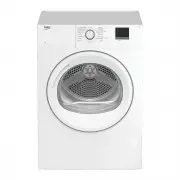
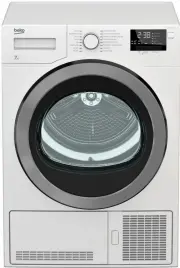
Page 2 - Symbols and Remarks; NOTICE
.This product was manufactured using the latest technology in environmentally friendly conditions Dear Customer, Please read this guide prior to use this product! Thank you for choosing Beko product. We would like you to achieve the optimal efficiency from this high quality product which has been ma...
Page 5 - Safety Instructions; Safety of children, vulnerable persons and pets
5 Dryer / User Manual 1 Safety Instructions This section includes the safety instructions necessary to prevent the risk of personal injury or material damage. • Our company shall not be held responsible for damages that may occur if these instructions are not observed. • Installation and repair oper...
Page 7 - Installing safety
7 Dryer / User Manual 1.5 Installing safety • To prepare the product ready for installation, ensure that the electrical installation and water drain is proper by checking the information in the user manual. If it is not suitable for installation, call a qualified electrician and plumber to arrange t...
Page 10 - Maintenance and cleaning safety; filter and the inner surface of the loading door.
10 Dryer / User Manual 1.7 Maintenance and cleaning safety • Do not wash the product by spraying or pouring water on it. Do not use a pressure cleaner, steam cleaner, hose or pressurised gun to clean the product. • Do not use sharp or abrasive tools to clean the product.• Do not use materials such a...
Page 11 - Environmental instructions; Compliance with the WEEE Regulations and Waste Disposal; not damaged during operation and transportation.; Packaging information; Frequency Band; following internet address:
11 Dryer / User Manual 2 Environmental instructions 2.1 Compliance with the WEEE Regulations and Waste Disposal This product does not contain the dangerous and prohibited materials indicated in the “Regulation on The Control of Waste Electrical and Electronic Equipment” published by Ministry of Envi...
Page 12 - Your drying machine; Technical specifications; changed without prior notice.; Width
12 Dryer / User Manual 3 Your drying machine 3.1 Technical specifications * Min. height: Height with the adjustable stand closed. Max. height: Height with the adjustable stand opened at maximum height. ** Weight of dry laundry before washing. *** Data plate is under the door on the drying machine. I...
Page 13 - General appearance; Kick plate handle; Scope of delivery
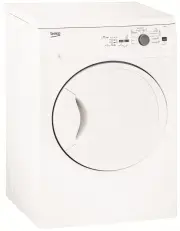
13 Dryer / User Manual 3.2 General appearance 11 10 1 2 3 4 5 6 7 8 9 1. Top panel 2. Control panel 3. Loading door 4. Kick plate handle 5. Ventilation grids 6. Adjustable feet 7. Kick plate 8. Rating plate 9. Lint filter 10. Water tank drawer 11. Power cord 3.3 Scope of delivery 1. Water discharge ...
Page 14 - Installation; Ignore following warning if your; Removing the shipping safety group; Right place for installation
14 Dryer / User Manual 4 Installation • Once the drying machine is installed, the connections must stay stable. After placing the drying machine, ensure that the back wall does not come in contact with any extrusion (a water tap, electrical outlet etc.). • Place the drying machine with at least 1 cm...
Page 15 - Adjusting the stands
15 Dryer / User Manual 4.3 Connection of water drain hose on products with vapour feature You can directly drain accumulated water through the water drain hose supplied with the product instead of periodically draining the water collected in the water tank NOTICE Follow the diagram below to connect ...
Page 17 - Preparation; Do not dry
17 Dryer / User Manual 5 Preparation Read the “Safety Instructions” first! 5.1 Laundry suitable for drying in drying machine NOTICE Laundry that are not drying machine safe may damage the appliance and the laundry during drying. Follow the instructions on the labels on the laundry to be dried. Only ...
Page 18 - Correct load capacity
18 Dryer / User Manual • If you are using environment friendly filter, you are not required to clean the filter after every cycle. When the environment friendly icon is lit on the screen, change the filter cloth. 5.5 Correct load capacity NOTICE If the laundry in the product exceed maximum load capa...
Page 19 - Running the product; Preparation of drying machine; without jamming them.; • Select the desired program by using
19 Dryer / User Manual 6.1 Control Panel 6.2 Symbols 6 Running the product 1. Program selection button.2. On / Off button.3. Start / Pause button.4. End time selection button.5. Timer program and wrinkle prevention selection button. 6. Buzzer selection button. 7. Express Dry (RapiDry) button and chi...
Page 20 - Program selection and consumption chart; Table of steam functioned cycles; Table of non-steam functioned cycles
20 Dryer / User Manual 6.4 Program selection and consumption chart EN Table of steam functioned cycles Programmes Programme Description Capacity (kg) Spin speed in washing machine (rpm) Drying T ime (minutes) Steam Drying T ime (Min.) RapiDry (Min.) Ready to Wear* Is a cycle aimed to reduce the wrin...
Page 21 - Downloaded Program
21 Dryer / User Manual Time Setting You may select from time programmes between 10 and 160 minutes to achieve the desired drying level at low temperature. In this programme, tumble drier’s operation lasts for the set time independently from the dryness of laundry. - - - - - Night In this programme t...
Page 22 - Energy consumption values
22 Dryer / User Manual Energy consumption values Programmes Capacity (kg) Energy consumption value kWh per year Energy rating star Cottons, Dryness Level 4** 9 152 8 “If you regularly dry the 9 Kg maximum load of Cottons we suggest to connect the drain hose to prevent the dryer stopping mid-cycle in...
Page 26 - HomeWhiz Function
26 Dryer / User Manual This symbol indicates that you can run the drying cycle with a maximum load of 1.5 kg (6 pieces). To be able to dry 1 piece or 3 pieces of laundry, you need to tap the ‘Steam’ option on the screen to make the required adjustment in loading level settings. 3 Pieces 1Pieces Once...
Page 27 - Getting the Homewhiz Application
27 Dryer / User Manual • The remote control is cancelled when the door is opened. • The remote control is cancelled when the program button is turned • If the Wifi icon is illuminated continuously, it means that it is active and connected to network • If the Wifi icon is flashing continuously, it me...
Page 28 - Maintenance and cleaning; Surface of the Loading Door
28 Dryer / User Manual 7 Maintenance and cleaning with the brush on the air deflector. You can clean the hair in the filters with a vacuum cleaner. • Clean both filters under water running in reverse direction of fibre accumulation or with a soft brush. Dry the filter before placing it back. • Inser...
Page 30 - Cleaning the condenser
30 Dryer / User Manual Drain the water in the tank. If fibre is accumulated in the funnel on the water tank, remove it under running water. Place back the water tank. If direct discharge option is used, water tank is not required to be drained. 7.4 Cleaning the condenser The hair and the fibre that ...
Page 32 - Troubleshooting
32 Dryer / User Manual 8 Troubleshooting Drying operation takes too long.Fibre filter (interior and exterior filter) pores may be clogged. >>> Wash the fibre filters with warm water and dry.Condenser front side may be clogged. >>> Clean the front side of the condenser.The ventilati...