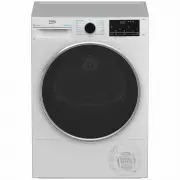
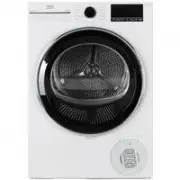
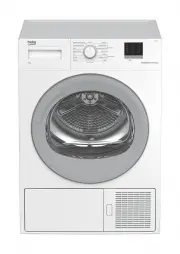
Page 2 - Symbols and Remarks; NOTICE
Dear Customer, Please read this guide prior to use this product! Thank you for choosing Beko product. We would like you to achieve the optimal efficiency from this high quality product which has been manufactured with state of the art technology. Please make sure you read and understand this guide a...
Page 3 - Table Of Contents
Table Of Contents 1 Safety Instructions ............................................................................. 5 1.1 Intended use ..................................................................................................... 51.2 Safety of children, vulnerable persons and pets ...........
Page 5 - Safety Instructions; Safety of children, vulnerable persons and pets
5 Dryer / User manual 1 Safety Instructions This section includes the safety instructions necessary to prevent the risk of personal injury or material damage. • Our company shall not be held responsible for damages that may occur if these instructions are not observed. • Installation and repair oper...
Page 6 - Electrical Safety
6 Dryer / User manual • Electrical products are dangerous for children and pets. Children and pets shall not play with the product, climb on or get inside the product. • Keep the product door closed even when not operated. Children or pets could be locked inside the product and suffocate. • Cleaning...
Page 11 - Maintenance and cleaning safety
11 Dryer / User manual 1.7 Maintenance and cleaning safety • Do not wash the product by spraying or pouring water on it. Do not use a pressure cleaner, steam cleaner, hose or pressurised gun to clean the product. • Do not use sharp or abrasive tools to clean the product.• Do not use materials such a...
Page 12 - Environmental instructions; Compliance with the WEEE Regulations and Waste Disposal; Frequency Band
12 Dryer / User manual 2 Environmental instructions 2.1 Compliance with the WEEE Regulations and Waste Disposal This product does not contain the dangerous and prohibited materials indicated in the “Regulation on The Control of Waste Electrical and Electronic Equipment” published by Ministry of Envi...
Page 13 - Your drying machine; Technical specifications; Width
13 Dryer / User manual 3 Your drying machine 3.1 Technical specifications * Min. height: Height with the adjustable stand closed. Max. height: Height with the adjustable stand opened at maximum height.** Weight of dry laundry before washing.*** Data plate is under the door on the drying machine. In ...
Page 15 - Installation; Right place for installation; shipping safety group
15 Dryer / User manual 4 Installation Read the “Safety Instructions” first! Before consulting the nearest Authorized Service for installing the drying machine, see the information in the user guide and make sure the electric and water utilities are as required. If not, call an electrician and plumbe...
Page 16 - Adjusting the stands
16 Dryer / User manual 4.3 Connection of water drain hose on products with vapour feature You can directly drain accumulated water through the water drain hose supplied with the product instead of periodically draining the water collected in the water tank NOTICE Follow the diagram below to connect ...
Page 18 - Preparation
18 Dryer / User manual Read the “Safety Instructions” first! 5.1 Laundry suitable for drying in drying machine NOTICE Laundry that are not drying machine safe may damage the appliance and the laundry during drying. Follow the instructions on the labels on the laundry to be dried. Only dry the laundr...
Page 19 - Correct load capacity
19 Dryer / User manual • If you are using environment friendly filter, you are not required to clean the filter after every cycle. When the environment friendly icon is lit on the screen, change the filter cloth. 5.5 Correct load capacity NOTICE If the laundry in the product exceed maximum load capa...
Page 20 - Running the product; drying machine
20 Dryer / User manual 6.1 Control Panel 6 Running the product 4 5 6 3 2 7 8 9 1 1. On/Off/Program Selection button.2. Start / Stand-by button.3. Remote control button 4. End time selection button. 5. Steam selection button.6. Reverse drum and time program selection button.7. Buzzer and child lock s...
Page 21 - Program selection and consumption chart
21 Dryer / User manual 6.4 Program selection and consumption chart EN Table of steam functioned cycles Programmes Programme Description Capacity (kg) Spin speed in washing machine (rpm) Drying T ime (minutes) Steam Drying T ime Ready to Wear* Is a cycle aimed to reduce the wrinkle level on shirts an...
Page 27 - How to activate the steam cycle:; HomeWhiz Function
27 Dryer / User manual How to activate the steam cycle: When you turn on the machine and the rotate the cycle navigator to the ‘Ready to Wear’ or ‘Steam Refresh’ cycles, the indicator shown on the image below will turn on. This symbol indicates that you can run the drying cycle with a maximum load o...
Page 29 - Maintenance and cleaning; of the Interior Surface
29 Dryer / User manual 7 Maintenance and cleaning Read the “Safety Instructions” first! 7.1 Lint filters (internal and external filters) / Cleaning of the Interior Surface of the Loading Door The hair and fibres that are separated from the laundry during drying process is collected by the Lint filte...
Page 31 - Cleaning the condenser
31 Dryer / User manual Condensed water is not potable water! Do not remove the water tank as a program is running! If you do not empty the water tank, during the next drying sessions the machine will stop operating due to the water tank being full and a Water Tank warning icon will blink. In this ca...
Page 33 - Troubleshooting
33 Dryer / User manual 8 Troubleshooting Drying operation takes too long.Fibre filter (interior and exterior filter) pores may be clogged. >>> Wash the fibre filters with warm water and dry.Condenser front side may be clogged. >>> Clean the front side of the condenser.The ventilati...