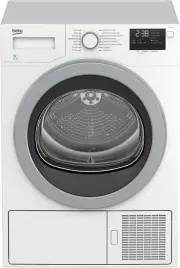
Page 2 - Please read this user manual first!; Explanation of symbols
Please read this user manual first! Dear Customer, Thank you for prefering a Beko Euromed product. We hope that your product which has been manufactured with high quality and technology will give you the best results. We advise you to read through this manual and the other accompanying documentation...
Page 3 - Authorized Service
3 / EN Dryer / User Manual 1 Important instructions for safety and environment This section contains safety instructions that will help protect from risk of personal injury or property damage. Failure to follow these instructions shall void any warranty. 1.1 General safety • The dryer can be used by...
Page 5 - Points to be taken into consideration for fire
5 / EN Dryer / User Manual Important instructions for safety and environment B Damaged mains cable should be changed notifying the Authorized Service. B If the dryer is faulty, it must not be operated unless it is repaired by an authorized service agent! There is the risk of electric shock! 1.1.2 Pr...
Page 6 - Below specified laundry or items must not be
6 / EN Dryer / User Manual Important instructions for safety and environment Below specified laundry or items must not be dried in the dryer due to the fire hazard: • Garments or pillows bolstered with rubber foam (latex foam), shower bonnets, water resistant textiles, materials with rubber reinforc...
Page 8 - Mounting over a washing machine; Installation Table for Washing Machine and Dryer
8 / EN Dryer / User Manual Important instructions for safety and environment • Exhaust air must not be discharged into a flue which is used for exhausting fumes from appliances burning gas or other fuels. • The final step of the drying cycle (cool-down cycle) occurs without applying heat to ensure t...
Page 10 - Compliance with the WEEE regulation
10 / EN Dryer / User Manual Important instructions for safety and environment 1.5 Compliance with the WEEE regulation and disposing of the waste product This product complies with EU WEEE Directive (2012/19/EU). This product bears a classification symbol for waste electrical and electronic equipment...
Page 11 - Technical Specifications
11 / EN Dryer / User Manual Important instructions for safety and environment 1.8 Technical Specifications * Min. height: Height with adjustable feet are closed. Max. height: Height with adjustable feet are opened maximum. ** Dry laundry weight before washing. *** Type label is located behind the lo...
Page 12 - Your Dryer
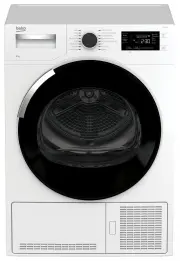
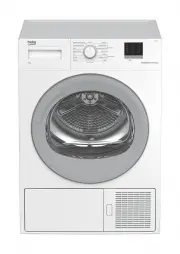
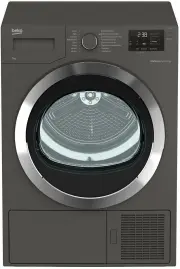
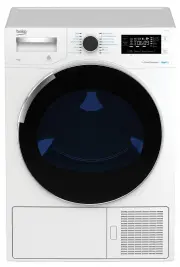
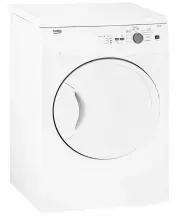
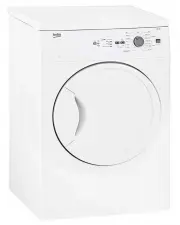
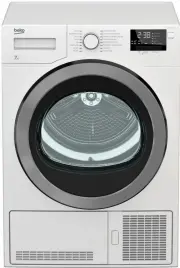
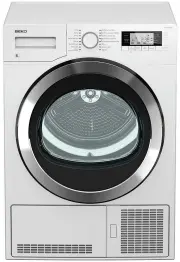
12 / EN Dryer / User Manual 2 Your Dryer 2.1 Overview 11 10 1 2 3 4 5 6 7 8 9 1. Top panel 2. Control panel 3. Loading door 4. Kick plate opening button 5. Ventilation grids 6. Adjustable legs 7. Kick plate 8. Type label 9. Lint filter 10. Water tank drawer 11. Power cord 2.2 Package Contents 1 2 3 ...
Page 13 - Installation; Appropriate installation
13 / EN Dryer / User Manual 3 Installation Before the calling the nearest Authorized Service for the installation of the dryer, ensure that electrical installation and water drain is appropriate referring to the user’s manual . If they are not suitable, contact a qualified electrician and technician...
Page 14 - Changing the illumination; Transportation of the dryer
14 / EN Dryer / User Manual Installation 3.6 Changing the illumination lamp In case an illumination lamp is used in your laundry dryer.To change the Bulb/LED used for illumination of your tumble dryer, call your Authorized Service.The lamp(s) used in this appliance is not suitable for household room...
Page 15 - Preparation
15 / EN Dryer / User Manual 4.1 Laundry suitable for drying in the dryer Always obey the instructions given on the garment tags. Dry only the laundry having a label stating that they are suitable for drying in a dryer and make sure that you select the appropriate programme. Do not dry with dryer At ...
Page 17 - Operating the product
17 / EN Dryer / User Manual 5 Operating the product 1. Programme Selection knob 2. Dryness Level Adjustment button 3. Audio Warning Level button 4. Display 5. On /Off/Cancel button 6. Start/Pause button 7. End Time button 8. Favourite button 9. Timer Programmes Selection button 10. Anti-creasing but...
Page 18 - Preparing the machine; Additional programmes
18 / EN Dryer / User Manual Operating the product 5.3 Preparing the machine 1. Plug in your machine. 2. Place the laundry in the machine. 3. Press the On/Off/Cancel button for 1 second (long). 4. When your machine is operated for the first time, it starts with the declaration programme (wardrobe dry...
Page 20 - Programme selection and consumption table
20 / EN Dryer / User Manual Operating the product 5.7 Programme selection and consumption table * : Energy Label standard program (AS/NZS 2442) All values given in the table have been fixed according to standard laboratory conditions. These values may deviate from the table according to the laundry ...
Page 21 - Auxiliary functions; Audio Warning; Volume level low; Dryness level adjustment selection; Drying level damp
21 / EN Dryer / User Manual Operating the product 5.8 Auxiliary functions Audio Warning The machine will give an audio warning when the programme comes to an end. Use the Audio Warning Level button to adjust the sound level. C You can change the sound level either before the programme starts or whil...
Page 22 - Anti-creasing 0 minute; Favourite selection button; Lint filter cleaning
22 / EN Dryer / User Manual Operating the product Anti-creasing 0 minute Anti-creasing 30 minute Anti-creasing 60 minute Anti-creasing 120 minute C Press Anti-creasing button to activate this function. C Anti-creasing symbol will illuminate at the end of the programme if Anti-creasing function is ac...
Page 23 - Cleaning the condenser; End time; Changing the; Starting the programme
23 / EN Dryer / User Manual Operating the product Cleaning the condenser Warning symbol flashes with certain intervals to remind that the condenser needs to be cleaned. Loading door open This warning symbol Pause appears and programme progress symbol flashes when the loading door of the dryer is ope...
Page 24 - Changing the programme
24 / EN Dryer / User Manual Operating the product 5.12 Child Lock Machine is equipped with a Childproof Lock which prevents interfering with the current programme flow by pressing any button. All buttons except the On/Off/Cancel button on the control panel are deactivated when the Child-proof Lock i...
Page 25 - Canceling the programme
25 / EN Dryer / User Manual Operating the product 5.14 Canceling the programme If you want to stop drying and cancel the programme for any reason after the machine has started to run, press and hold the On/ Off/Cancel button for 3 seconds. A CAUTION: As the inside of the machine will be excessively ...
Page 26 - Cleaning the sensors; Maintenance and cleaning; Inner Surface
26 / EN Dryer / User Manual C Clean the entire inner surface of the loading door and loading door gasket. 6.2 Cleaning the sensors There are dampness sensors in the machine that detect whether the laundry is dry or not. To clean the sensors: 1. Open the loading door of the machine. 2. Allow the mach...
Page 27 - aintenance and cleaning; Draining the water tank
27 / EN Dryer / User Manual M aintenance and cleaning C Do not use metal tools when cleaning metal surfaces of the sensors. A CAUTION: Never use solvents, cleaning agents or similar substances for cleaning due to the risk of fire and explosion! 6.3 Draining the water tank Dampness of the laundry is ...
Page 29 - Troubleshooting
29 / EN Dryer / User Manual 7 Troubleshooting Drying operation takes too long. • Fibre filter pores might be clogged. >>> Wash the filter with warm water.• Filter drawer might be clogged. >>> Clean the sponge and filter cloth (if any) in the filter drawer. (for the products with a ...