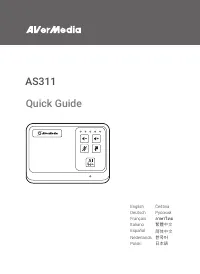
Page 2 - Disclaimer; Copyright and Trademark Information
2 Disclaimer All pictures contained in this documentation are example images only. The images may vary depending on the product and software version. Information presented in this documentation has been carefully checked for reliability; however, no responsibility is assumed for inaccuracies. The in...
Page 3 - Important Safety Instructions; 重要安全說明
3 Important Safety Instructions 1. Read these instructions. 2. Keep these instructions. 3. Follow all instructions. 4. Heed all warnings. 5. Do not use the apparatus on uneven or unstable surfaces. 6. Do not use this apparatus in a wet environment or near water. 7. Unplug the apparatus before cleani...
Page 4 - 重要安全说明
4 重要安全说明 1. 仔细阅读这些说明。 2. 妥善保存这些说明。 3. 遵守所有的指示。 4. 注意所有的警告。 5. 请勿将本产品安装于不平稳的表面。 6. 请勿在潮湿或靠近水的地方使用本产品。 7. 清洁前请拔除电源。仅使用干布清洁。 8. 请于通风的环境使用本产品。请勿堵住通风口。 9. 请于规格温度范围 32–104°F (0–40°C) 使用本产品。 10. 请使用额定电压范围内的电源。 11. 请勿放置重物于本产品上。 12. 请勿安装于热源附近如暖器或火炉旁。 13. 请勿破坏极性或接地插头的安全防护设计。 14. 请保护电源线,勿使其被踩踏或碾压,特别是与插头或变压器的连接...
Page 5 - Quick Guide
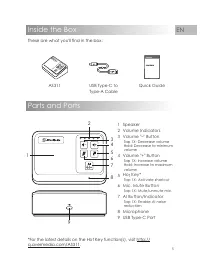
5 EN Parts and Ports Inside the Box These are what you'll find in the box: Quick Guide USB Type-C to Type-A Cable AS311 *For the latest details on the Hot Key function(s), visit http:// q.avermedia.com/AS311 . 2 45 1 3 6 8 9 7 1 Speaker2 Volume Indicators3 Volume "–" Button Tap 1X: Decrease ...
Page 6 - Connection; Connect AS311 to your computer via the included USB cable. Once; LED Indications; Volume Indicators; Flashing blue; AI Indicator; Solid blue
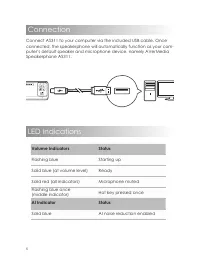
6 Connection Connect AS311 to your computer via the included USB cable. Once connected, the speakerphone will automatically function as your com- puter’s default speaker and microphone device, namely AVerMedia Speakerphone AS311. LED Indications Volume Indicators Status Flashing blue Starting up Sol...
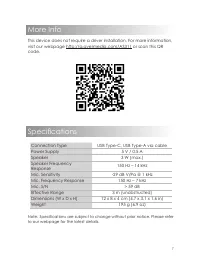
Page 7 - Specifications; More Info
7 Specifications Connection Type USB Type-C, USB Type-A via cable Power Supply 5 V / 0.5 A Speaker 3 W (max.) Speaker Frequency Response 150 Hz – 14 kHz Mic. Sensitivity -29 dB V/Pa @ 1 kHz Mic. Frequency Response 150 Hz – 7 kHz Mic. S/N > 59 dB Effective Range 3 m (unobstructed) Dimensions (W x ...
Page 8 - Deutsch; Français
8 Deutsch Verpackungsinhalt Inhalt der Schachtel: • AS311 • USB Typ-C an Typ-A-Kabel • Schnellanleitung Teile und Anschlüsse 1. Lautsprecher 2. Lautstärkeanzeigen 3. Lautstärke "–" Taste 1 x Antippen: Lautstärke verringern Halten: Mindestlautstärke 4. Lautstärke "+" Taste 1 x Antippe...
Page 10 - Nederlands
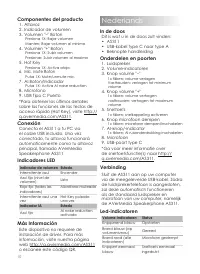
10 Componentes del producto 1. Altavoz 2. Indicador de volumen 3. Volumen "–" Boton Presiona 1X: Bajar volumen Manten: Bajar volumen al minimo 4. Volumen "+" Boton Presiona 1X: Subir volumen Presionar: Subir volumen al maximo 5. Hot Key Presiona 1X: Activa atajo 6. Mic. Mute Boton Pu...
Page 11 - Meer informatie; van een stuurprogramma. Ga voor; Polski; W pudełku; na stronie; Połączenia; komputera, a mianowicie AVerMedia; Wskazania LED; Więcej informacji; Čeština; Obsah balení; Následuje obsah balení:; Popis částí; Kontrolky hlasitosti
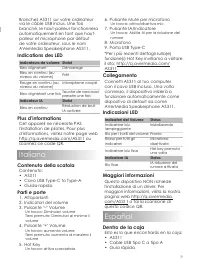
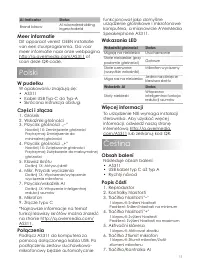
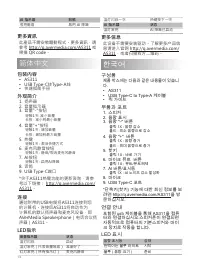
11 AI-indicator Status Brand blauw AI ruisonderdrukking ingeschakeld Meer informatie Dit apparaat vereist GEEN installatie van een stuurprogramma. Ga voor meer informatie naar onze webpagina http://q.avermedia.com/AS311 of scan deze QR-code. Polski W pudełku W opakowaniu znajdują się: • AS311 • Kabe...
Page 12 - Připojení; Kontrolky; Další informace; Pусский; Комплектация; AVerMedia Speakerphone AS311.; Светодиодная индикация; Дополнительная информация
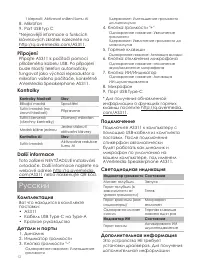
12 1 klepnutí: Aktivovat snížení šumu AI 8. Mikrofon 9. Port USB typ C *Nejnovější informace o funkcích klávesových zkratek naleznete na http://q.avermedia.com/AS311 . Připojení Připojte AS311 k počítači pomocí přiloženého kabelu USB. Po připojení bude hlasitý telefon automaticky fungovat jako výcho...
Page 13 - Подключение; ภาษาไทย; 包裝內容; • 快速安裝手冊; 外觀簡介; 使用包裝內含的USB線連接電腦和; LED 指示
13 Удержание: Уменьшение громкости до минимума 4. Кнопка громкости "+" Однократное нажатие: Увеличение громкости Удержание: Увеличение громкости до максимума 5. Горячие клавиши Однократное нажатие: Активация вкладки 6. Кнопка отключения микрофона Однократное нажатие: отключение звука/включен...
Page 14 - 更多資訊; 简体中文; 包装内容; 了解更多产品信; 한국어; 구성품; 제품 박스에는 다음과 같은 내용물이 있습니; 부품과 포트; 포함된 usb 케이블을 통해 AS311을 컴퓨; LED 표시
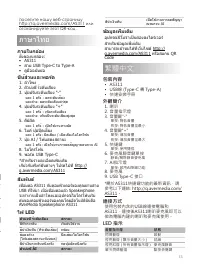
14 AI 指示燈 狀態 恆亮藍燈 啟用 AI 降噪 更多資訊 此產品不需安裝驅動程式。更多資訊,請 參考 http://q.avermedia.com/AS311 或 掃描 QR code。 简体中文 包装内容 • AS311 • USB Type-C转Type-A线 • 快速指南手册 外观简介 1. 扬声器 2. 音量指示器 3. 音量"-"按钮 轻触1次: 减小音量 长按 : 减小到最小音量 4. 音量"+"按钮 轻触1次 : 增加音量 长按 : 增加到最大音量 5. 热键 轻触1次 : 激活快捷方式 6. 麦克风静音按钮 轻触1次 : 静音/取消麦克风静...
Page 15 - 추가 정보; 이 장치는 드라이버를 설치할 필요가 없; 日本語; パッケージ内容物
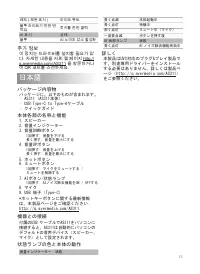
15 레드 ( 모든 표시 ) 마이크 뮤트 블루 라이트가 한번 번 쩍임 핫키를 한번 클릭 AI 표시 상태 블루 AI 노이즈 감소 활성화 추가 정보 이 장치는 드라이버를 설치할 필요가 없 다. 자세한 내용을 저희 웹 페이지 http:// q.avermedia.com/AS311 을 방문하거나 이 QR 코드를 스캔하세요. 日本語 パッケージ内容物 パッケージに、以下のものが含まれます。• AS311(AS311本体)• USB Type-C to Type-Aケーブル• クイックガイド 本体各部の名称と機能 1. スピーカー2. 音量インジケーター3. 音量DOW...
Page 16 - Waste Electrical and Electronic Equipment Directive; Technical Regulations of the Customs Union
16 European Community Compliance Statement Class B This product is herewith confirmed to comply with the requirements set out in the Council Directives on the approximation of the laws of the Member States relating to Electromagnetic Compatibility Directive (EMC) 2014/30/EU. Federal Communications C...
Page 17 - China RoHS
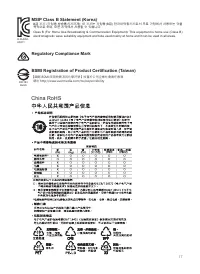
17 MSIP Class B Statement (Korea) B급 기기 (가정용 방송통신기자재): 이 기기는 가정용(B급) 전자파적합기기로서 주로 가정에서 사용하는 것을 목적으로 하며, 모든 지역에서 사용할 수 있습니다. Class B (For Home Use Broadcasting & Communication Equipment): This equipment is home use (Class B) electromagnetic wave suitability equipment and tobe used mainly at home ...