AVer AS311 - User Manual
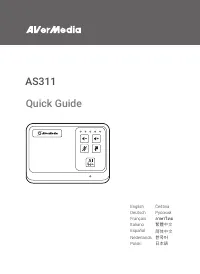
AVer AS311 Telephone – User Manual, read for free online in PDF format. We hope this helps you resolve any issues you may have. If you have further questions, please contact us through the contact form.
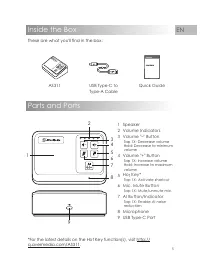
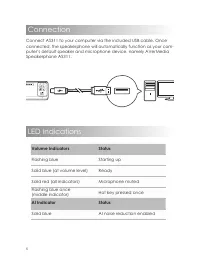
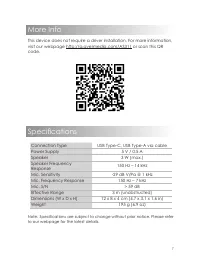

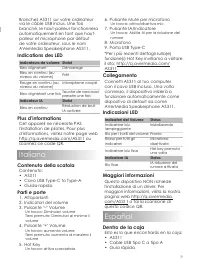
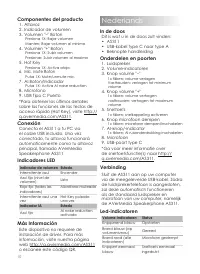
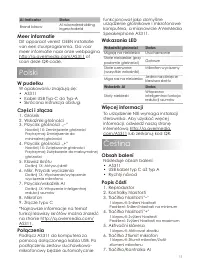
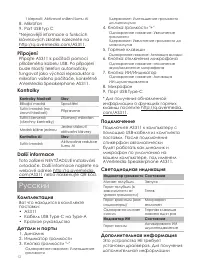
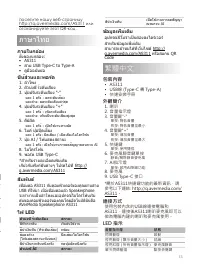
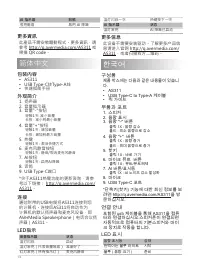
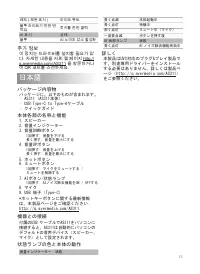



Table of Contents:
- Page 2 – Disclaimer; Copyright and Trademark Information
- Page 3 – Important Safety Instructions; 重要安全說明
- Page 4 – 重要安全说明
- Page 5 – Quick Guide
- Page 6 – Connection; Connect AS311 to your computer via the included USB cable. Once; LED Indications; Volume Indicators; Flashing blue; AI Indicator; Solid blue
- Page 7 – Specifications; More Info
- Page 8 – Deutsch; Français
- Page 10 – Nederlands
- Page 11 – Meer informatie; van een stuurprogramma. Ga voor; Polski; W pudełku; na stronie; Połączenia; komputera, a mianowicie AVerMedia; Wskazania LED; Więcej informacji; Čeština; Obsah balení; Následuje obsah balení:; Popis částí; Kontrolky hlasitosti
- Page 12 – Připojení; Kontrolky; Další informace; Pусский; Комплектация; AVerMedia Speakerphone AS311.; Светодиодная индикация; Дополнительная информация
- Page 13 – Подключение; ภาษาไทย; 包裝內容; • 快速安裝手冊; 外觀簡介; 使用包裝內含的USB線連接電腦和; LED 指示
- Page 14 – 更多資訊; 简体中文; 包装内容; 了解更多产品信; 한국어; 구성품; 제품 박스에는 다음과 같은 내용물이 있습니; 부품과 포트; 포함된 usb 케이블을 통해 AS311을 컴퓨; LED 표시
- Page 15 – 추가 정보; 이 장치는 드라이버를 설치할 필요가 없; 日本語; パッケージ内容物
- Page 16 – Waste Electrical and Electronic Equipment Directive; Technical Regulations of the Customs Union
- Page 17 – China RoHS
Quick Guide
AS311
English
Čeština
Deutsch
Pусский
Français
ภาษาไทย
Italiano
繁體中文
Español
简体中文
Nederlands
한국어
Polski
日本語
"Loading the manual" means you need to wait until the file loads and becomes available for online reading. Some manuals are very large, and the time they take to appear depends on your internet speed.
Summary
2 Disclaimer All pictures contained in this documentation are example images only. The images may vary depending on the product and software version. Information presented in this documentation has been carefully checked for reliability; however, no responsibility is assumed for inaccuracies. The in...
3 Important Safety Instructions 1. Read these instructions. 2. Keep these instructions. 3. Follow all instructions. 4. Heed all warnings. 5. Do not use the apparatus on uneven or unstable surfaces. 6. Do not use this apparatus in a wet environment or near water. 7. Unplug the apparatus before cleani...
4 重要安全说明 1. 仔细阅读这些说明。 2. 妥善保存这些说明。 3. 遵守所有的指示。 4. 注意所有的警告。 5. 请勿将本产品安装于不平稳的表面。 6. 请勿在潮湿或靠近水的地方使用本产品。 7. 清洁前请拔除电源。仅使用干布清洁。 8. 请于通风的环境使用本产品。请勿堵住通风口。 9. 请于规格温度范围 32–104°F (0–40°C) 使用本产品。 10. 请使用额定电压范围内的电源。 11. 请勿放置重物于本产品上。 12. 请勿安装于热源附近如暖器或火炉旁。 13. 请勿破坏极性或接地插头的安全防护设计。 14. 请保护电源线,勿使其被踩踏或碾压,特别是与插头或变压器的连接...