August AUGSL05-M01-G01 - Manuals
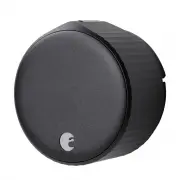
August AUGSL05-M01-G01 Electronic Deadbolt – User Manual in PDF format online.
Summary
Page 2 - Inside the box; Getting started; What you need
Inside the box Getting started • August Wi-Fi Smart Lock (4th gen) • DoorSense® sensor • CR123 batteries • Lock adapter & mounting hardware* • Tape What you need • Phillips Screwdriver • August App for iOS or Android • iOS or Android smartphone • Wi-Fi internet connection (802.11 b/g/n 2.4GHz) ©...
Page 3 - Installation
Prepare the mounting plate The included Mounting Plate has two adjustable screw-holes that can be repositioned as needed. Use the two screws from the thumbturn, and insert it through the screw-holes. 3 Installation © 2021 August Home Inc. Page 2 of 7 Remove your existing thumbturn Use a Philips Scre...
Page 4 - Optional: Determine if you need the Cover Plate; Choose your
Installation © 2021 August Home Inc. Page 3 of 7 Optional: Determine if you need the Cover Plate For oversized deadbolt holes, an optional cover plate is included with your smart lock. If your smart lock’s mounting plate does not fully cover the hole left by the removed thumbturn, you may want to us...
Page 5 - Attach the
Installation © 2021 August Home Inc. Page 4 of 7 Attach the adapter Place the adapter onto the tail piece. One of the triangle shaped teeth should be facing up if you have the correct adapter. Make sure the non teeth side of the adapter goes in through the tail piece first. 6 Rotate to unlocked posi...
Page 6 - Attach the August
Installation © 2021 August Home Inc. Page 5 of 7 Attach the August Smart Lock Before placing the August Smart Lock on the door, ensure the thumbturn is in the correct unlocked position. Slide the smart lock over the tailpiece and attach it to the mounting plate. To secure the smart lock, clamp down ...
Page 8 - Use the August
Installation © 2021 August Home Inc. Page 7 of 7 Use the August Home App to complete setup Download the free August App from the App Store or Google Play Store. Create an account. From the menu, tap “Set up a device.” Then tap “Set up a smart lock” and choose “WI-FI SMART LOCK 4TH GENERATION.” Tap “...