August AUGSL05-M01-G01 - User Manual
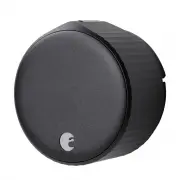
August AUGSL05-M01-G01 Electronic Deadbolt – User Manual, read for free online in PDF format. We hope this helps you resolve any issues you may have. If you have further questions, please contact us through the contact form.


Table of Contents:
- Page 2 – Inside the box; Getting started; What you need
- Page 3 – Installation
- Page 4 – Optional: Determine if you need the Cover Plate; Choose your
- Page 5 – Attach the
- Page 6 – Attach the August
- Page 8 – Use the August
Installation Guide
August Wi-Fi Smart Lock
August is committed to ensuring you have a smooth setup experience.
To learn more about your new smart device go to support.august.com
© 2021 August Home Inc.
"Loading the manual" means you need to wait until the file loads and becomes available for online reading. Some manuals are very large, and the time they take to appear depends on your internet speed.
Summary
Inside the box Getting started • August Wi-Fi Smart Lock (4th gen) • DoorSense® sensor • CR123 batteries • Lock adapter & mounting hardware* • Tape What you need • Phillips Screwdriver • August App for iOS or Android • iOS or Android smartphone • Wi-Fi internet connection (802.11 b/g/n 2.4GHz) ©...
Prepare the mounting plate The included Mounting Plate has two adjustable screw-holes that can be repositioned as needed. Use the two screws from the thumbturn, and insert it through the screw-holes. 3 Installation © 2021 August Home Inc. Page 2 of 7 Remove your existing thumbturn Use a Philips Scre...
Installation © 2021 August Home Inc. Page 3 of 7 Optional: Determine if you need the Cover Plate For oversized deadbolt holes, an optional cover plate is included with your smart lock. If your smart lock’s mounting plate does not fully cover the hole left by the removed thumbturn, you may want to us...


