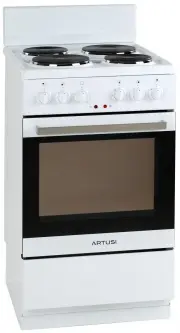
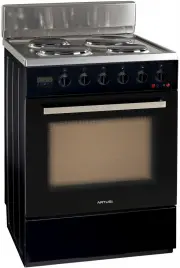
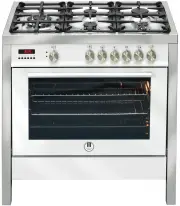
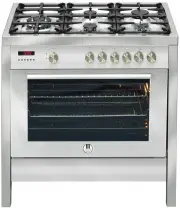
Page 2 - KEEP THE DOCUMENTATION OF THIS PRODUCT FOR FUTURE REFERENCE.
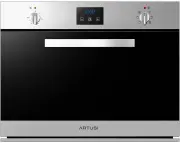
Congratulations, you are now the proud owner of an ARTUSI cooking appliance. Thank you for purchasing ARTUSI and welcome to the ARTUSI Family. This instruction manual has been specially created to inform you of the full range of features your ARTUSI appliance has to offer and serves as an introducti...
Page 4 - IMPORTANT
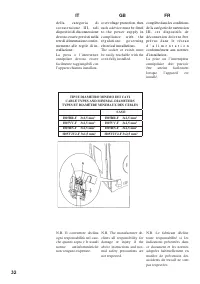
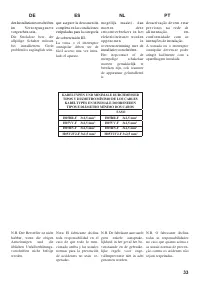
IT GB FR 2 IMPORTANTE La targhetta delle caratte- ristiche del forno è accessi- bile anche ad apparecchio installato. In questa targhet- ta, visibile aprendo la porta, sono riportati tutti i dati di identificazione dell’appa- recchio a cui si dovrà fare riferimento per richiesta di ricambi. Durante ...
Page 6 - INDICE; CONTENTS; INDEX
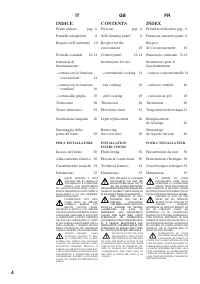
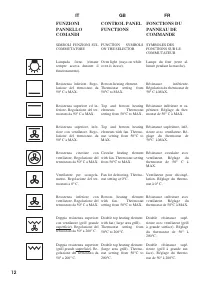
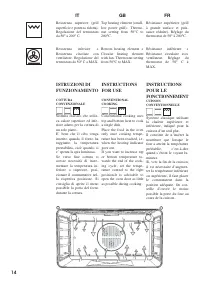
IT GB FR 4 INDICE Primo utilizzo pag. 6 Pannelli autopulenti 8 Rispetto dell’ambiente 10 Frontale comandi 12-14 Istruzioni di funzionamento: - cottura con la funzione “convenzione” 14 - cottura con la funzione “ventilato” 16 - cottura alla griglia 18 Termostato 20 Timer elettronico 22 Sostituzione l...
Page 7 - INHOUD
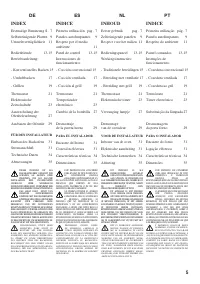
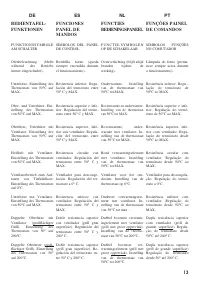
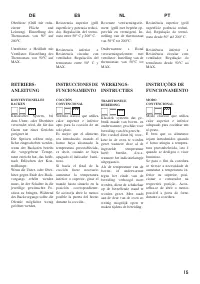
ES NL PT DE 5 INDICE Primera utilización pag. 7 Paneles autolimpiantes 9 Respeto por el medio ambiente 11 Panel de control 13-15 Instrucciones de funcionamiento: - Cocción convencional 15 - Cocción ventilada 17 - Cocción al grill 19 Termostato 21 Temporizador electrónico 23 Cambio de la bombilla 27 ...
Page 41 - TIMER TOUCH CONTROL; Figura 1; Italiano
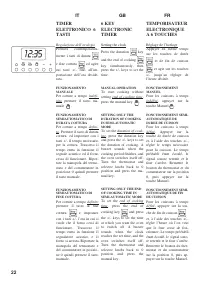
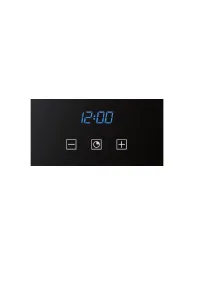
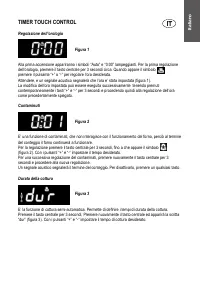
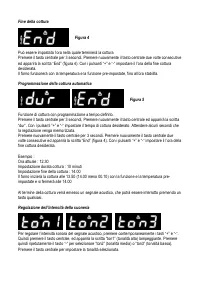
TIMER TOUCH CONTROL Regolazione dell’orologio Figura 1 Alla prima accensione appariranno i simboli “Auto” e “0:00” lampeggianti. Per la prima regolazione dell’orologio, premere il tasto centrale per 3 secondi circa. Quando appare il simbolo premere il pulsante “+” o “-“ per regolare l’ora desiderata...
Page 43 - Figure 1; English
TIMER TOUCH CONTROL Setting the clock Figure 1 “Auto” and “0:00” will start flashing when the unit is switched on for the first time. To set the clock, press the central button for about 3 seconds. When appears, press “+” or “-“ to set the correct time. Wait until a beep tells you that the clock has...
Page 45 - TOUCH CONTROL TIMER; Abbildung 1; Deutsch
TOUCH CONTROL TIMER Uhr einstellen Abbildung 1 Wird die Uhr zum ersten Mal eingeschaltet, blinken die Symbole „Auto“ und „0:00“. Zur ersten Zeiteinstellung drücken Sie ungefähr drei Sekunden die mittlere Taste. So wie das Symbol erscheint, drücken Sie auf die „+“ oder „-“ Taste, um die gewünschte Uh...
Page 47 - Español
TIMER TOUCH CONTROL Regulación del reloj Figura 1 Al encender el reloj por primera vez aparecerán los símbolos “Auto” y “0:00” intermitentes. Para efectuar la primera regulación del reloj, pulsar la tecla central por unos 3 segundos. Cuando aparezca el símbolo pulsar el pulsador “+” o “-“ para regul...
Page 49 - Português
TIMER TOUCH CONTROL Regulação do relógio Figura 1 Quando se acende o forno pela primeira vez aparecem os símbolos “Auto” e “0:00” a piscar. Para o primeiro acerto do relógio, pressionar a tecla central por aproximadamente 3 segundos. Quando aparece o símbolo pressionar o botão “+” o “-“ para acertar...
Page 51 - Figuur 1; Nederlands
TIMER TOUCH CONTROL Instelling van de klok Figuur 1 Bij de eerste keer aanzetten knipperen de symbolen “Auto” en “0:00”. Om de klok de eerste keer in te stellen moet u de middelste toets ongeveer 3 seconden lang ingedrukt houden. Als het symbool verschijnt moet u de toets “+” of “-“ indrukken om de ...
Page 53 - MINUTEUR À TOUCHES SENSITIVES; Français
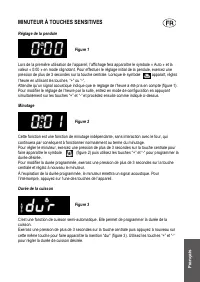
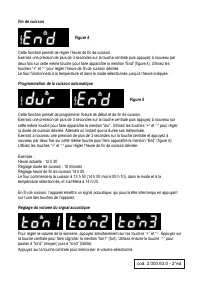
MINUTEUR À TOUCHES SENSITIVES Réglage de la pendule Figure 1 Lors de la première utilisation de l’appareil, l’affichage fera apparaître le symbole « Auto » et la valeur « 0:00 » en mode clignotant. Pour effectuer le réglage initial de la pendule, exercez une pression de plus de 3 secondes sur la tou...
Page 55 - Warranty Card; ffi
Warranty Card Worldwide Appliances Pty Limited A.B.N. 45868077422O ffi ce: 48-50 Moore Street, Leichhardt N.S.W 2040 Post:Locked Bag 3000, Annandale, N.S.W 2038 P: 1300 694 583WARRANTY REGISTRATION Your ongoing satisfaction with your artusi product is important to us. We ask that you complete the en...
Page 56 - MODEL NUMBER; (a) These terms and conditions do not affect your; continued
4 Please complete and send to ARTUSI at: REPLY PAID 83617 LEICHHARDT NSW 2040 Last Name: First Name: Address: State: Postcode: Email: Home Phone: Mobile: Purchase Date: / / (Please attach proof of purchase to validate warranty) MODEL NUMBER SERIAL NUMBER (if you cannot locate the serial number pleas...
Page 58 - DISCLAIMER
A R T U S I .C O M . A U P : 1 3 0 0 6 4 9 5 8 3 NSW & ACT ( HEAD OFFICE ) 48-50 MOORE STREET LEICHHARDTF 02 8569 4699 QLD 1 / 42 CAVENDISH ROAD COORPAROOF 07 3397 0850 VIC , TAS & SA 1211 TOORAK ROAD CAMBERWELLF 03 9809 2155 WA & NTUNIT 10 / 55 HOWE STREET OSBORNE PARKF 08 9201 9188 NZP...