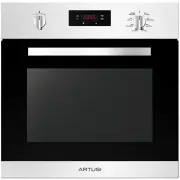
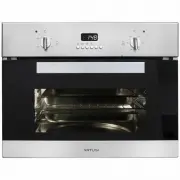
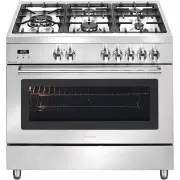
Page 4 - Safety Warnings; WARNING - Accessible parts will become hot when in use.
Safety Warnings Built-In Oven - 750SPYKTI • The appliance is not intended for use by persons (including children) with reduced physical, sensory or mental capabilities, or lack of experience and knowledge, unless they have been given supervised or instruction concerning use of the appliance by a res...
Page 6 - - Safety instructions; The oven’s data plate is accessible even with the oven fully
EN 2 • Do not disassemble any parts prior to having disconnected the oven from the mains. • Do not use the appliance if any part is broken (for example a glass). Disconnect it from the mains and call service. • Before using the oven, it is recommended to make it operate at noload at the maximum temp...
Page 8 - - Installation of the oven; WARNING; As the apparatus is to be fitted in your kitchen; Electricals; Maximum absorbed power:
EN 4 2 - Installation of the oven To install the oven into the kitchen a cutout should be made in accordance with the dimensions shown in Fig. 1.The apparatus is to be fastened to the top by means of the two screws provided in the kit through the holes made on the oven uprights.The cabinet in which ...
Page 10 - - Connection to the electrical power mains; This apparatus must be earthed.
EN 6 3 - Connection to the electrical power mains WARNING This apparatus must be earthed. The oven is only for domestic use.The feed voltage and the absorbed power are as indicated on the data plate attached to the left-hand side upright, which can be seen when the oven door is open.Connecting must ...
Page 11 - - Instructions for use; The first time you use the oven; Make sure you do not force it to avoid damage
EN 7 4 - Instructions for use The first time you use the oven Clean the oven thoroughly with soapy water and rinse well.Operate the oven for about 30 minutes at maximum temperature to burn off all traces of grease which might otherwise create unpleasant smells when cooking. Oven Racks WARNING Never ...
Page 13 - - Electronic control; Control panel description; OVEN CONTROL PANEL
EN 9 6 - Electronic control Control panel description The oven control panel is made with one display and two knobs. • Time & Temperature display. • Time & Temperature knob (Push & Shuttle). • Mode (oven functions) knob. The push & shuttle knob is mainly for clock or temperature sett...
Page 14 - Programming time functions; Setting the time of day; Tone Buzzer Setting; Temperature & Time Format
EN 10 Programming time functions At every power-up, the control shows the time of day blinking, set at 12:00AM as the initial value, and the buzzer will sound 3 times. The time increases every minute. The only possible action is the “Clock Regulation”, all other oven operations are inhibited.In gene...
Page 16 - - Cooking with the Convection Oven; Advantages of Convection Cooking
EN 12 7 - Cooking with the Convection Oven In a conventional oven, the heat sources cycle on and off to maintain an average temperature in the oven cavity.As the temperature gradually rises and falls, gentle air currents are produced within the oven. This natural convection tends to be inefficient b...
Page 17 - CAVITY STYLES
EN 13 8 - Oven Modes The following illustrations give an overview of what happens in the oven with each mode setting. The arrows represent the location of the heat sources during specific modes. The lower element is concealed under the oven floor. In maximum setting time for heating, it is until 11 ...
Page 18 - - Cooking functions; Icon
EN 14 9 - Cooking functions Each type of oven is provided for various cooking systems. A system can be selected by bringing the pointer of knob to the relating symbol. The Fig. 8 shows the controls available on the different oven models. Icon Mode Description Used for… All the cooking modes are OFF ...
Page 20 - 1 - Setting an oven function manually; Setting an automatic oven function
EN 16 11 - Setting an oven function manually Turn the mode knob into the desired position, the clock display shows On for a few seconds. The oven will work for a maximum time (12hours). Depending on the oven model, the number and type of available functions can be different.If the clock display func...
Page 21 - Foods recommended for Convection Bake mode:; 2 - Convection Bake Tips and Techniques
EN 17 Reduce recipe baking temperatures by 15 ˚ C (25 ˚ F). • For best results, foods should be cooked uncovered, in low-sided pans to take advantage of the forced air circulation. Use shiny aluminum pans for best results unless otherwise specified. • Heatproof glass or ceramic can be used. Reduce t...
Page 22 - Convection Bake Chart
EN 18 Convection Bake Chart • Reduce standard recipe temperature by 15 ˚ C (25 ˚ F) for Convection Bake. • Temperatures have been reduced in this chart. FOOD ITEM RACK POSITION TEMP. °C (°F) (PREHEATED OVEN) TIME (Min.) Cake CupcakesBundt CakeAngel Food 211 165 (325)165 (325)165 (325) 16-2037-4325-3...
Page 23 - 3 - Bake Tips and Techniques; General Guidelines; Bake Chart
EN 19 13 - Bake Tips and Techniques Baking is cooking with heated air. Both upper and lower elements in the oven are used to heat the air but no fan is used to circulate the heat. Follow the recipe or convenience food directions for baking temperature, time and rack position. Baking time will vary w...
Page 24 - 4 - Convection Broil Tips and Techniques; Convection Broil Chart
EN 20 14 - Convection Broil Tips and Techniques • Place rack in the required position needed before turning on the oven. • Use Convection Broil mode with the oven door closed. • Do not preheat oven. (This mean, “PREHEAT” indication is automatically appear when the Convection Broil mode is selected, ...
Page 25 - 5 - Broil Tips and Techniques; Broil Chart
EN 21 15 - Broil Tips and Techniques • Place rack in the required position needed before turning on the oven. • Use Broil mode with the oven door closed. • Preheat oven for 5 minutes before use. • Use the 2-piece broil pan. (Without 2 Pans may have risk of fire with drip of the fat from the meat.) •...
Page 26 - 6 - Convection Roast Tips and Techniques; Convection Roast Chart; IMPORTANT
EN 22 16 - Convection Roast Tips and Techniques Convection Roast Chart MEATS WEIGHT lb (kg) RACK POSITION OVEN TEMP. °C (°F) TIME (Min. per lb) INTERNAL TEMP. °C (°F) Beef Rib Roast Rib Eye Roast, (boneless) Rump, Eye, Tip, Sirloin (boneless) Tenderloin Roast 4-6 (2-3) 4-6 (2-3) 3-6 (1,5-3) 2-3 (1-1...
Page 27 - 7 - Dehydrate Tips and Techniques; Dehydrate Chart
EN 23 17 - Dehydrate Tips and Techniques • Dehydrating can be done using the a lower temperature is used and the circulating heated air slowly removes the moisture for food preservation. • Choose convection bake as the heating mode when dehydrating • The Dehydrate temperatures recommended are 50˚C (...
Page 28 - 8 - Oven Care and Cleaning; Self-Cleaning the Oven; Preparing the Oven for Self-Cleaning
EN 24 18 - Oven Care and Cleaning Self-Cleaning the Oven This oven features a pyrolytic Self-Cleaning function that eliminates the difficult and time consuming manual scrubbing of the oven interior. During Self-Cleaning, the oven uses a very high temperature (approx. 460 ˚C / 860˚°F) to burn away fo...
Page 29 - ATTENTION; CAUTION
EN 25 19 - Setting the Self-Cleaning Mode Before using the Self-Cleaning Mode please read the Oven Care and Cleaning page carefully and follow the Preparing the Oven for Self-Cleaning first. (see page 24) ATTENTION Once the pyrolysis (self-clean) function has started, when the flashing padlock symbo...
Page 30 - Sabbath Mode; Modes or features disabled while in Sabbath; Meat Probe Function if present; The following modes can be selected to work
EN 26 20 - Sabbath Mode & Meat Probe Function Sabbath Mode 1. Rotate selector to BAKE and set the desired temperature by the +/- knob. 2. Press and hold +/- knob for 5 seconds. “SAb” will appear and flash on oven control knob indicating Sabbath mode has been initiated. From this point it is no l...
Page 31 - 1 - General Oven Care
EN 27 How to Use the Cleaning Chart 1. Locate the number of the part to be cleaned in the illustration on this page. 2. Find the part name in the Cleaning Chart. 3. Match the letter with the cleaning method on following page. Cleaning Chart Part Cleaning Method Part Cleaning Method Stainless Stell O...
Page 33 - 3 - Replacing an Oven Light; To Replace a Light Bulb; OVEN LIGHT
EN 29 23 - Replacing an Oven Light • Each oven is equipped with two halogen lights located in the lateral walls of the oven. • The lights are switched on when the door is opened or when the oven is in a cooking cycle. • The oven lights are not illuminated during SELF- CLEAN. • Each light assembly co...
Page 34 - 4 - Solving Baking Problems
EN 30 24 - Solving Baking Problems With either Bake or Convection Bake, poor results can occur for many reasons other than a malfunction of the oven. Check the chart below for causes of the most common problems. Since the size, shape and material of baking utensils directly affect the baking results...
Page 35 - 5 - Solving Operational Problems; Cooktop Problem
EN 31 25 - Solving Operational Problems Before contacting service, check the following to avoid unnecessary service charges. Cooktop Problem Problem Solving Steps E008 Error appears in the display window. A problem with latch mechanism occurred. Remove power and turn it back on again after a few sec...
Page 36 - 6 - Guidance temperature an time schedule for cooking
EN 32 FOOD Mode Rack position (from the bottom) Traditional cooking Hot-air cooking system Temperature °C Cooking time in minutes Temperature °C Cooking time in minutes Poork, calf (roast) etc. 3th 180 ÷ 190 25 ÷ 35 170 ÷ 180 20 ÷ 30 Poork, calf (roast) etc. 3th L3 25 ÷ 35 215 ÷ 230 20 ÷ 30 Fillet, ...
Page 37 - 7 - Removing the “FULL GLASS” panoramic door
EN 33 27 - Removing the “FULL GLASS” panoramic door WARNING Make sure that: • The oven is cool and power to the oven has been turned off before removing the door. Failure to do so could result in electrical shock or burns. • The oven door is heavy and fragile. Use both hands to remove the oven door....
Page 38 - 8 - How to remove the inner glass of the “FULL GLASS” panoramic door
EN 34 1. Wear protective gloves. 2. Place the door on a flat horizontal surface face down on a soft cloth to avoid scratching the visible part. 3. Simultaneously press the keys of the two side covers, removing the upper strip. 4. Slide out the pack of 3 panes of internal glass as shown below. Remove...
Page 39 - 9 - Replacement of the oven light
EN 35 29 - Replacement of the oven light WARNING Make sure that: • The oven and lights are cool and power to the oven has been turned off before replacing the light bulb(s). Failure to do so could result in electrical shock or burns. • The lenses must be in place when using the oven. • The lenses se...
Page 40 - Warranty Card; ffi
Warranty Card Worldwide Appliances Pty Limited A.B.N. 45868077422O ffi ce: 48-50 Moore Street, Leichhardt N.S.W 2040 Post:Locked Bag 3000, Annandale, N.S.W 2038 P: 1300 694 583WARRANTY REGISTRATION Your ongoing satisfaction with your artusi product is important to us. We ask that you complete the en...
Page 41 - MODEL NUMBER; (a) These terms and conditions do not affect your; continued
4 Please complete and send to ARTUSI at: REPLY PAID 83617 LEICHHARDT NSW 2040 Last Name: First Name: Address: State: Postcode: Email: Home Phone: Mobile: Purchase Date: / / (Please attach proof of purchase to validate warranty) MODEL NUMBER SERIAL NUMBER (if you cannot locate the serial number pleas...