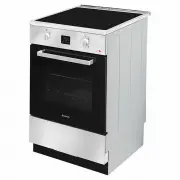
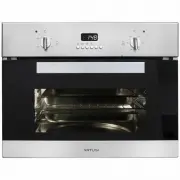
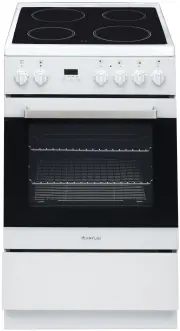
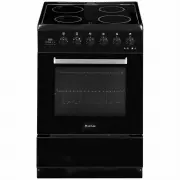
Page 2 - DEAR CUSTOMER; This cooker is exceptionally easy to use and extremely e; Caution; Do not use the cooker until you have read this instruction manual.
2 DEAR CUSTOMER This cooker is exceptionally easy to use and extremely e ffi cient. After reading the instruction manual, operating the cooker will be easy. Before being packaged and leaving the manufacturer, the cooker was thoroughly checked regarding safety and functionality. Before using the applia...
Page 3 - TABLE OF CONTENTS
3 TABLE OF CONTENTS Safety instructions .......................................................................................... 4 Unpacking ...................................................................................................... 5 Disposal of the appliance .............................
Page 4 - SAFETY INSTRUCTIONS; Failure to follow this advice could result in burns or scalds.
4 SAFETY INSTRUCTIONS l The appliance becomes hot during operation. Take care not to touch the hot parts insidethe oven. l Always keep children away from the cooker. W hile in operation direct contact with thecooker may cause burns! l Ensure that small items of household equipment, including connect...
Page 5 - Never use your appliance for warming or heating the room.; UNPACKING; recyclable and are marked with the appropriate symbol.; be kept out of reach of children.; DISPOSAL OF THE APPLIANCE
5 SAFETY INSTRUCTIONS electronic devices (e.g., computers, MP3 players) near the appliance, as they may be affected by its electromagnetic field. l Never use your appliance for warming or heating the room. l After use, always turn off the cooking zones and the cooktop as described in this manualby u...
Page 6 - DESCRIPTION OF THE APPLIANCE; selection knob
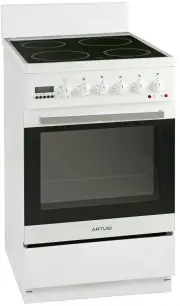
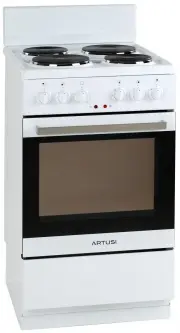
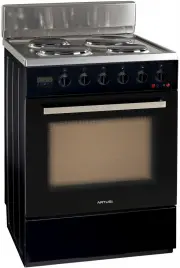
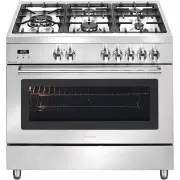
6 DESCRIPTION OF THE APPLIANCE 7. Induction hob 1.Temperaturecontrol knob 3. Electronic timer 5. Oven door handle 2.Oven function selection knob 4.Oven operation signal light 6. Oven door 8.Drawer Panel
Page 7 - INSTALLATION; Installing the cooker; *Fix the cooker to the back wall with 2 chains
7 INSTALLATION The following instructions are addressed to the qualified specialist installing the cooker. These instructions aim to ensure that installation is performed as professionally as possible. Installing the cooker l The kitchen where the appliance is to be installed must be dry and well ve...
Page 8 - OPERATION; Button1; Electronic programmer; Function
OPERATION 8 E G Button1 Button2 Button3 Electronic programmer D F Display field Seconds Icon C - Buttons D Timer E Current time F Cooking time G End of cooking time MODE Function To decrease the numbers on the digital display To increase the numbers on the digital display
Page 9 - After 5 seconds the timer is set.
OPERATION 9 4 “12.00" The current time can be set with buttons 1 and 3. After 5 seconds the new time set will be saved. and alarm signal will go off. Or the alarm signal will be turned off automatically after 2 minutes. . The timer can be set for any time and function. The timer can be set from ...
Page 11 - The display will go off.
OPERATION 11 1. Set the oven function knob and thetemperature knob to the required operationsetting.2. Press button 2 and the oven will start to work . will flash. 3. Press buttons 1 or 3 to adjust the cookingtime within a range of 1 minute to 10 hours.4. After 5 seconds the time will be set and the...
Page 12 - At 7.00 the oven will start; End of cooking time > current time; At least more than one minute cooking; If the cooking time is set to be 0 or the end; After the auto function is off, and the
OPERATION 12 4. At 7.00 the oven will start . 5. At 10.00 the alarm will ring, and the oven will switch off. ● End of cooking time > current time + cooking time <= 10 hours ● At least more than one minute cooking time, cooking time and end of cooking time must be set. ● If the cooking time is ...
Page 13 - Oven functions and operation; Defrost; Fan assisted; Static Grill; Possible settings of the oven; When the knob is turned to this position,; Base Heat
OPERATION 13 Oven functions and operation (Only for main oven) Oven is controlled by the temperature and the function knobs. 0 50 Fan forced (Rear Heat + Rear Fan) A heating element around the fan enables the most uniform heating possible. This mode minimizes preheating time and is also the best for...
Page 14 - Zone heating; RODUCT OVERVIEW TECHNICAL DATA Top View
OPERATION 14 Zone heating 140mm Heating area (Max. 1200W zone) 210mmHeating area (Max. 1500W zone) 180mm Heating area (Max. 1500W zone) 140mm Heating area (Max. 1200W zone) Control panel P RODUCT OVERVIEW TECHNICAL DATA Top View 1. Heating zone control 2. Power / Timer regulating key 3. Keylock cont...
Page 17 - 000-watt maximum power setting
OPERATION 17 ! ! Using the Timer • You can set it to turn one cooking zone off after the set time is up.• You can set the timer up to 99 minutes. Setting the timer to turn onecooking zone off. Cooking zones set for this feature will: 1. Touch the heating zone selection control that you want to set t...
Page 19 - W arning; OVEN OPERATION; Oven guide levels
OPERATION 19 This function allows a higher temperature at the top of the cooking area which gives a more intense browning of the food and for larger portions to be grilled. W arning ! When using the grill, it is recommended that the oven door is closed. When the grill is in use accessible parts can ...
Page 20 - CLEANING AND MAINTENANCE; Hob; NOTE; Oven; The oven should be cleaned after every use.
CLEANING AND MAINTENANCE 20 Hob 1. Everyday soiling on glass (fingerprints, marks, stains left by food of non-sugary spillovers on theglass). 1) Switch the power to the cooktop off. 2) Apply a cooktop cleaner while the glass is still warm (but not hot!) 3) Rinse and wipe dry with a clean cloth or pa...
Page 21 - Steam cleaning; Replacement of the oven light bulb; Changing the bulb; IMPORTANT
21 CLEANING AND MAINTENANCE l Cool the oven completely before cleaning. l Never clean the appliance with pressurized hot steam cleaner! l The oven chamber should only be washed with warm water and a small amount of washing-up liquid. l Steam cleaning -Pour 250ml of water (1 glass) into a bowl placed...
Page 22 - Tilting the hinge safety catches; Removal of the internal glass panel; Removal of the internal panel; Install door; Door removal
CLEANING AND MAINTENANCE 22 To obtain easier access to the oven chamber for cleaning, it is possible to remove the door. To do this, tilt the safety catch part of the hinge upwards. Close the door lightly, lift and pull it out towards you. To fit the door back on to the cooker, do the inverse. When ...
Page 23 - Operation in case of emergency; Regular inspections; OPERATION IN CASE OF EMERGENCY; Failure Display and Inspection
23 Operation in case of emergency Ø Regular inspections Besides keeping the cooker clean, you should: • Carry out periodic inspections of the control elements and cooking units of the cooker. Afterthe warranty has expired you should have a technical inspection of the cooker carried outby a service c...
Page 25 - TECHNICAL INFORMATION; MODEL
25 TECHNICAL INFORMATION MODEL AFI607X Dimensions (height/width/depth) cm 90/60/60 Oven Temperature regulator / function mode switch 1/1 Guide levels 5 140 induction hobs(W) 2*1200 180induction hobs(W) 1*1500 210 induction hobs(W) 1*1500 Top/bottom heater(kW) 0,85/1,15 Grill heater(kW) 1.1 Oven illu...
Page 26 - Electrical connection; compliance with the instruction manual.; cable; control switch
26 Electrical connection Warning: All electrical work must be carried by a suitably qualified and authorized electrician. No alterations or willful changes in the electricity supply should be carried out. The unit must only be installed according to municipal or government regulations and in complia...
Page 27 - Warranty Card; Worldwide Appliances Pty Limited; with any specified instructions for use or
Warranty Card Worldwide Appliances Pty Limited A.B.N. 45868077422 Distributed by Eurolinx pty Ltd Office: 48-50 Moore Street, Leichhardt N.S.W 2040 Post: Locked Bag 3000, Annandale, N.S.W 2038 P: 1300 694 583 WARRANTY REGISTRATION Your ongoing satisfaction with your artusi product is important to us...
Page 28 - (a) These terms and conditions do not affect your; All warranty service calls must be booked via; continued; Please complete and send to ARTUSI at: REPLY PAID 83617; MODEL NUMBER; WARRANTY REGISTRATION CARD; Warranty Card tear off
4. Time for Claim under the Warranty You must make any claim under this Warranty within twenty eight (28) days after the occurrence of an event which gives rise to a claim pursuant to the Warranty, by booking a service call on the telephone number below. 5. Proof of Purchase Customers must retain pr...