AOPEN 24MV1YPbmiipx - Manuals
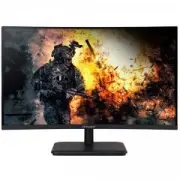
User Manual AOPEN 24MV1YPbmiipx
1

2
3

4

5

6

7

8
9
10
11
12
13

14

15
16

17

18
19

20
21
22

23

24

25
26
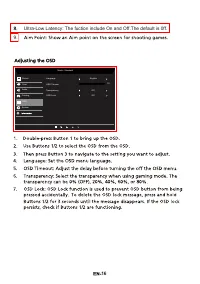
27

28

29

30
31
32

Summary
Page 18 - 5Hz
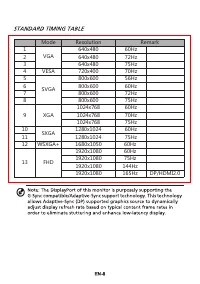
Mode Resolution z H 0 6 0 8 4 x 0 4 6 1 z H 2 7 0 8 4 x 0 4 6 2 z H 5 7 0 8 4 x 0 4 6 34 VESA 720x400 70Hz z H 6 5 0 0 6 x 0 0 8 5 z H 0 6 0 0 6 x 0 0 8 6 z H 2 7 0 0 6 x 0 0 8 7 z H 5 7 0 0 6 x 0 0 8 8 1024x768 60Hz 1024x768 70Hz 1024x768 75Hz 10 1280x1024 60Hz 11 1280x1024 75Hz 12 WSXGA+ 1680 x 10...
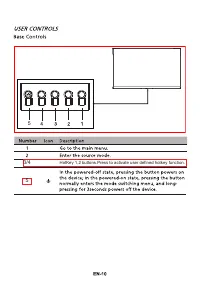
Page 20 - HotKey 1,2 buttons.Press to activate user defined hotkey function.
HotKey 1,2 buttons.Press to activate user defined hotkey function. 5 3/4 5
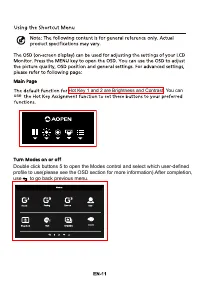
Page 21 - use to go back previous menu.; Hot Key 1 and 2 are Brightness and Contrast. You can
HDR Double click buttons 5 to open the Modes control and select which user-defined profile to use(please see the OSD section for more information).After completion, use to go back previous menu. Hot Key 1 and 2 are Brightness and Contrast. You can use