AOPEN 24MV1YPbmiipx - User Manual
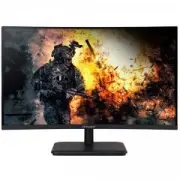
AOPEN 24MV1YPbmiipx Monitor – User Manual, read for free online in PDF format. We hope this helps you resolve any issues you may have. If you have further questions, please contact us through the contact form.




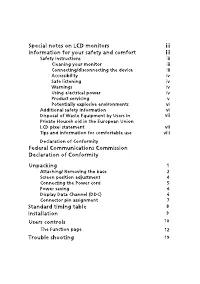




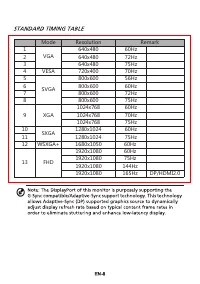

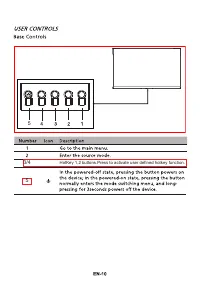
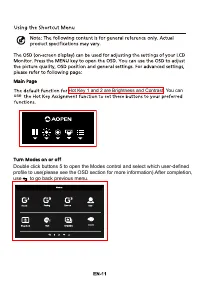


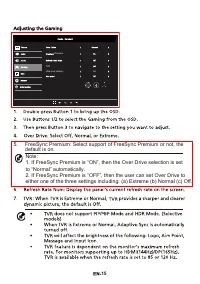



Table of Contents:
- Page 18 – 5Hz
- Page 20 – HotKey 1,2 buttons.Press to activate user defined hotkey function.
- Page 21 – use to go back previous menu.; Hot Key 1 and 2 are Brightness and Contrast. You can
- Page 22 – image by
- Page 23 – Color Space: Select your prefered Color Space.
- Page 25 – FreeSync Premium: Select support of FreeSync Premium or not, the
- Page 30 – Declaration of Conformity; AOPEN Smartview Incorporated; Class B; Date
"Loading the manual" means you need to wait until the file loads and becomes available for online reading. Some manuals are very large, and the time they take to appear depends on your internet speed.
Was this manual helpful?
About this manual
- Brand
- AOPEN
- Model
- 24MV1YPbmiipx
- Document type
- User Manual
- Category
- Monitor
- Language(s)
- English
- Pages
- 32
- File size
- 6 MB
- Format
Summary
Mode Resolution z H 0 6 0 8 4 x 0 4 6 1 z H 2 7 0 8 4 x 0 4 6 2 z H 5 7 0 8 4 x 0 4 6 34 VESA 720x400 70Hz z H 6 5 0 0 6 x 0 0 8 5 z H 0 6 0 0 6 x 0 0 8 6 z H 2 7 0 0 6 x 0 0 8 7 z H 5 7 0 0 6 x 0 0 8 8 1024x768 60Hz 1024x768 70Hz 1024x768 75Hz 10 1280x1024 60Hz 11 1280x1024 75Hz 12 WSXGA+ 1680 x 10...
HotKey 1,2 buttons.Press to activate user defined hotkey function. 5 3/4 5
HDR Double click buttons 5 to open the Modes control and select which user-defined profile to use(please see the OSD section for more information).After completion, use to go back previous menu. Hot Key 1 and 2 are Brightness and Contrast. You can use