ADATA XPG 256 - Manuals
ADATA XPG 256 RAM & Storage – User Manual in PDF format online.
Manuals:
User Manual ADATA XPG 256


Summary
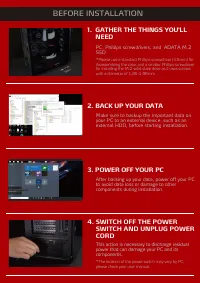
1. GATHER THE THINGS YOU'LL NEED *Please use a standard Phillips screwdriver (3.5mm) for disassembling the case; and a smaller Phillips screwdriver for installing the M.2 solid state drive as it uses screws with a diameter of 1.85-1.98mm PC, Phillips screwdrivers, and ADATA M.2 SSD 2. BACK UP YOUR D...
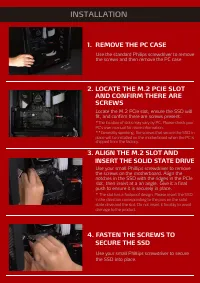
*The location of slots may vary by PC. Please check your PC's user manual for more information. **Generally speaking, the screws that secure the SSD in place will be installed on the motherboard when the PC is shipped from the factory. * The slot has a foolproof design. Please insert the SSD in the ...
5. RESEMBLE THE CASE *Do not overtighten the screws as it may damage the screws ad back plate 6. PLUG IN THE POWER CORD AND POWER ON THE PC TO COMPLETE INSTALLATION CUSTOMER SERVICE AND TECHNICAL SUPPORT Contact Us: https://www.adata.com/en/support/online/