Bosch GSN33VI3A - User Manual
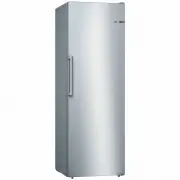
Bosch GSN33VI3A Freezer – User Manual, read for free online in PDF format. We hope this helps you resolve any issues you may have. If you have further questions, please contact us through the contact form.


Table of Contents:
- Page 2 – en Table of contents
- Page 3 – Safety and warning; Before you switch ON the
- Page 6 – Disposal of packaging; Scope of delivery
- Page 7 – Installation location; Distance from wall; Ambient temperature; Ventilation
- Page 8 – Electrical connection
- Page 9 – Controls; Switching the
- Page 10 – Operating tips; Setting; Freezer; Alarm functions; Door alarm; Switching off the alarm
- Page 11 – Usable capacity; Freezer compartment; Max. freezing capacity
- Page 12 – Purchasing frozen food; Freezing smaller amounts of; Freezing fresh food; Packing frozen food
- Page 13 – Shelf life of frozen food; Super freezing; Switching on super freezing
- Page 14 – Switching off super freezing; Thawing frozen food; Interior fittings; Ice maker
- Page 16 – Cleaning the appliance
- Page 17 – Quite normal noises
- Page 18 – Eliminating minor faults yourself
- Page 20 – Customer service; Repair order and advice
"Loading the manual" means you need to wait until the file loads and becomes available for online reading. Some manuals are very large, and the time they take to appear depends on your internet speed.
Was this manual helpful?
About this manual
- Brand
- Bosch
- Model
- GSN33VI3A
- Document type
- User Manual
- Category
- Freezer
- Language(s)
- English
- Pages
- 24
- File size
- 1.4 MB
- Format
Summary
en Table of contents Safety and warning information ........... 3Information concerning disposal ......... 6Scope of delivery ................................... 6Installation location ................................ 7Ambient temperature and ventilation . 7Connecting the appliance ....................
en 3 enTable of contents enInstructions for useFreezer Safety and warning information Before you switch ON the appliance Please read the operating and installation instructions carefully! They contain important information on how to install, use and maintain the appliance.The manufacturer is not lia...
en 6 Information concerning disposal * Disposal of packaging The packaging protects your appliance from damage during transit. All utilised materials are environmentally safe and recyclable. Please help us by disposing of the packaging in an environmentally friendly manner.Please ask your dealer or ...
Ask a question
Related manuals
More Bosch Freezers models


Other Bosch appliances
 Bosch 3 Manual
 Bosch 3.21.0002 Manual
 Bosch 4 Manual
 Bosch 17e Manual
 Bosch 18V-10, (06019J4004) User Manual
- Bosch 20 Manual
 Bosch 24i junior Manual
 Bosch 34 Manual
 Bosch 36 Manual
 Bosch 44 Manual
- Bosch 45 Manual
- Bosch 46 Manual
- Bosch 46 HBN 44 Manual
 Bosch 50 Manual
 Bosch 86 Manual
 Bosch 100 Manual
 Bosch 125 Manual
 Bosch 125B LPL Manual