AWOCO RH-IT06-M30 - User Manual
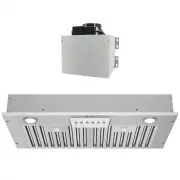
AWOCO RH-IT06-M30 Range Hood – User Manual, read for free online in PDF format. We hope this helps you resolve any issues you may have. If you have further questions, please contact us through the contact form.


Range Hood
OWNER'S MANUAL
Split Insert Series
RH-IT, RH-IT-M, RH-IT-R Models
Ver. RH-IT-2021B
*The Adapter is pre-assembled upside-down on the hood body to save packaging space,
please remove the screws and flip the Adapter over for the correct assembling position.
X
DO NOT plug in the Power
Cord if the 5 wires in Step
1 are NOT connected to
the Blower Unit !
Step 1:
Connect the 5 wires from the
Hood Unit to the Blower Unit,
matching the wire colors
from both ends.
Electrical
Hazzard
Electrical
Hazzard
Exposed unconnected
wires will cause
personal injury and
electrical damage
to the motor that is
not covered by the
warranty.
Test Run
Before
Installation
Important!
Make sure to manually spin the fan wheel to check if it's running without any obstacles before the test run.
If the fan wheel is unbalanced or in contact with the casing, refer to Page 11 for how to re-seat the fan wheel.
"Loading the manual" means you need to wait until the file loads and becomes available for online reading. Some manuals are very large, and the time they take to appear depends on your internet speed.


