Asus Xonar DGX - User Manual
Asus Xonar DGX – User Manual, read for free online in PDF format. We hope this helps you resolve any issues you may have. If you have further questions, please contact us through the contact form.
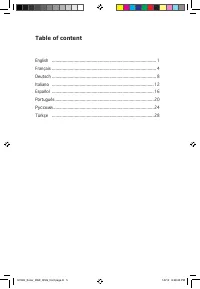


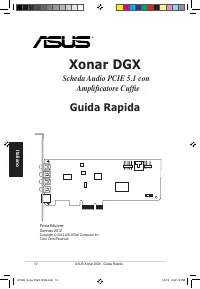
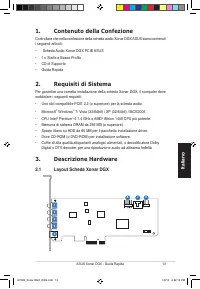
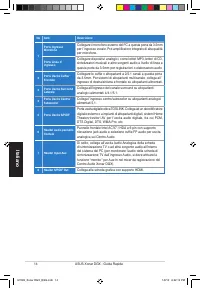
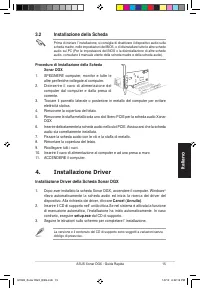


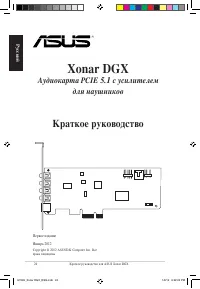
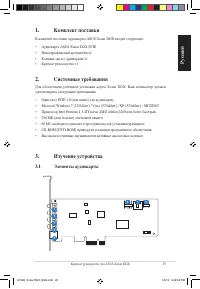


Table of Contents:
- Page 2 – Table of content
- Page 3 – English; Package contents; Hardware introduction; Xonar DGX card layout
- Page 5 – Driver installation; Installing the Xonar DGX card driver; Card installation
- Page 6 – Français; Xonar DGX; Guide de démarrage rapide
- Page 7 – Contenu de la boîte; Introduction au matériel; Diagramme de la carte Xonar DGX
- Page 9 – Installation du pilote; Installer le pilote de la carte Xonar DGX; Installation de la carte
- Page 10 – Deutsch; Schnellstartanleitung
- Page 11 – Verpackungsinhalt; Xonar DGX-Kartenansicht
- Page 13 – Treiberinstallation; Installieren der Xonar DGX-Kartentreiber; Karte Installieren
- Page 14 – Italiano; Scheda Audio; Guida Rapida
- Page 15 – Contenuto della Confezione; Descrizione Hardware; Layout Scheda Xonar DGX
- Page 17 – Installazione Driver; Installazione Driver della Scheda Xonar DGX; Installazione della Scheda
- Page 18 – Español; Tarjeta de sonido PCIE 5.1 y; Guía de instalación rápida
- Page 19 – Contenido del paquete; Diseño de la tarjeta Xonar DGX
- Page 21 – Instalar el controlador; Instalar el controlador de la tarjeta Xonar DGX
- Page 22 – Português; Placa de som PCIE 5.1 com; Guia de instalação rápida
- Page 23 – Conteúdo da embalagem; Esquema da placa Xonar DGX
- Page 25 – Instalação do controlador; Instalar o controlador da placa Xonar DGX
- Page 26 – Русский; Аудиокарта PCIE 5.1 с усилителем; Краткое руководство
- Page 27 – Комплект поставки; Системные требования; Элементы аудиокарты
- Page 29 – Установка драйвера; Установка драйвера для Xonar DGX; Установка карты
- Page 30 – Türkçe; Ses Kartı; Hızlı Kurulum Kılavuzu
- Page 31 – Paket içeriği; Xoner Esence STX kart düzeni
- Page 33 – Sürücü kurulumu
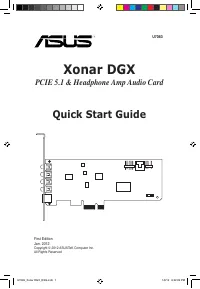
First Edition
Jan. 2012
Copyright © 2012 ASUSTeK Computer Inc.
All Rights Reserved
Xonar DGX
PCIE 5.1 & Headphone Amp Audio Card
Quick Start Guide
U7083
U7083_Xonar DGX_QSG.indb 1
1/9/12 6:42:03 PM
"Loading the manual" means you need to wait until the file loads and becomes available for online reading. Some manuals are very large, and the time they take to appear depends on your internet speed.
Was this manual helpful?
Helpful for 3 of 3 readers
About this manual
- Brand
- Asus
- Model
- Xonar DGX
- Document type
- User Manual
- Language(s)
- German, English, Spanish, French, Italian, Russian
- Pages
- 33
- File size
- 1.3 MB
- Format
Other Manuals for Asus Xonar DGX
Summary
Table of content English ....................................................................................... 1Français ....................................................................................... 4Deutsch ...................................................................................
1 ASUS Xonar DGX Quick Start Guide English 1. Package contents Check your ASUS Xonar DGX audio card package for the following items:• ASUS Xonar DGX PCIE audio card• Low Profile Bracket x1• Support CD x1• Quick Start Guide x1 2. System requirements To ensure a successful installation of the Xonar DG...
3 ASUS Xonar DGX Quick Start Guide English 4. Driver installation Installing the Xonar DGX card driver 1. After you have installed the Xonar DGX card, turn on your computer. Windows ® automatically detects the audio card and searches for device drivers. When prompted for the drivers, click Cancel . ...
Ask a question
Related manuals
Popular Asus Other


More Asus Other models
 Asus X750LB User Manual
 Asus XG Station User Manual
 Asus Xonar D1 User Manual
 Asus Xonar D2 Manual
 Asus Xonar D2/PM User Manual
 Asus Xonar DG User Manual
 Asus Xonar DS User Manual
 Asus Xonar DSX User Manual
 Asus Xonar DX User Manual
 Asus Xonar Essence One User Manual
 Asus XONARESSENCEST Manual
 Asus XONAR ESSENCE ST User Manual