Asus RT-N66W - User Manual

Asus RT-N66W – User Manual, read for free online in PDF format. We hope this helps you resolve any issues you may have. If you have further questions, please contact us through the contact form.


Table of Contents:
- Page 2 – NOTE; : For more details, refer to the user manual included in the
- Page 5 – Positioning your wireless router; for the network devices.
- Page 6 – Mounting to the stand; • Align and insert the stand’s mounting hooks; Before you proceed; and release your computer’s outmoded IP address.
- Page 7 – Ensure that the WAN and LAN LEDs are blinking.
- Page 8 – Getting started
- Page 9 – FAQs
- Page 11 – B. Set the TCP/IP settings to automatically obtain an IP address.; then click
- Page 14 – Cannot find the router:; Cannot access the Internet via wireless LAN adapter.; ASUS
- Page 15 – Where can I find more information about the wireless router?; • Technical Support site:; Canada; Brazil
- Page 16 – in our products at ASUS REACH website at; Federal Communications Commission Statement; that may cause undesired operation.
- Page 17 – Prohibition of Co-location; Radiation Exposure Statement:; CE Mark Warning
- Page 18 – interference that may cause undesired operation of the device.; Radio Frequency (RF) Exposure Information; normal operation is minimized.; Informations concernant l’exposition aux fréquences radio (RF); fonctionnement normal.
- Page 19 – Canada rendezvous sur :; NCC 警語; 經型式認證合格之低功率射頻電機,非經許可,公司、商號或使用者均不得
- Page 20 – Networks Global Hotline Information; Region
- Page 22 – For more information, visit the ASUS support site at:
- Page 25 – VIP Member Warranty Notice; Thank you for purchasing an ASUS product!; For Australian Warranty Statement Only; Australian Consumer Law.
- Page 26 – VIP Member Copy VIP; Product Information
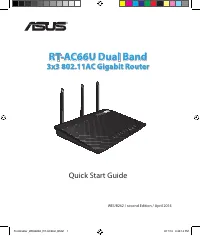
Quick Start Guide
RT-N66W Dual Band 3x3
Wireless-N900 Gigabit Router
®
E8665/ First Edition / Sept. 2013
E8665_RT-N66W_QSG.indd 1
9/17/13 12:43:38 PM
"Loading the manual" means you need to wait until the file loads and becomes available for online reading. Some manuals are very large, and the time they take to appear depends on your internet speed.
Was this manual helpful?
About this manual
- Brand
- Asus
- Model
- RT-N66W
- Document type
- User Manual
- Language(s)
- English
- Pages
- 26
- File size
- 2.1 MB
- Format
Summary
NOTE : For more details, refer to the user manual included in the support CD. E8665_RT-N66W_QSG.indd 2 9/17/13 12:43:39 PM
5 Positioning your wireless router For the best wireless signal transmission between the wireless router and the network devices connected to it, ensure that you: • Place the wireless router in a centralized area for a maximum wireless coverage for the network devices. • Keep the device away from me...
6 Mounting to the stand • Align and insert the stand’s mounting hooks to the wireless router’s mounting holes. Before you proceed 1. Unplug and disconnect the wires/cables from your existing modem setup and release your computer’s outmoded IP address. a: Unplug the AC adapter from the power outlet a...