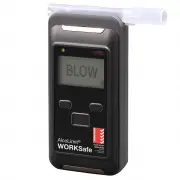
Page 3 - WORKSafe; AlcoLimit; pg; CONTENTS; Description
WORKSafe © AlcoLimit © pg -3 CONTENTS Description Page Parts of your breathalyser ................................................................ 4Specifications ...................................................................................... 5Set-up your breathalyser ...........................
Page 4 - IMPORTANT INFORMATION; inaccurate and your warranty may become void.; PARTS OF YOUR BREATHALYSER
pg -4 WORKSafe © AlcoLimit © IMPORTANT INFORMATION If you do not follow the instructions for use your test results may be inaccurate and your warranty may become void. For most accurate results, it’s important to wait at least 20 minutes after smoking, eating or drink- ing before testing. This is a ...
Page 5 - SPECIFICATIONS; Australia; Mouthpiece
pg -4 pg -5 WORKSafe © WORKSafe © AlcoLimit © SPECIFICATIONS Recommended Usage Professional Sensor Type Electrochemical Fuel Cell Accuracy Conforms to Australian Standard AS3547 Range %BAC 0.000 - 0.500 Display LCD Warm-up time 5 seconds - 2 minutes Breath Sampling Time 5 seconds Temperature Operati...
Page 6 - SET-UP YOUR BREATHALYSER; Inserting the batteries; Attaching the mouthpiece for
pg -6 SET-UP YOUR BREATHALYSER Inserting the batteries Open the rear battery cover by sliding the top latch to the right and press the battery cover downward. Insert 2 x AA 1.5v alkaline batteries or 2 x 1.2v rechargeable batteries. Ensure the polarity is correct. Replace the battery cover. (Hook th...
Page 7 - BASIC OPERATION - NORMAL MODE / FAST MODE
pg -6 pg -7 BASIC OPERATION - NORMAL MODE / FAST MODE WORKSafe © AlcoLimit © Depress the ON/OFF button for 2 seconds until the breathalyser turns on. The initial screen will display the Date, Time & Serial Number of the device The word WAIT will appear on the display along with the number of tes...
Page 8 - Turning off the power
pg -8 WORKSafe © AlcoLimit © In NORMAL MODE operation a 3 decimal place result will appear on the display and remain for 15 seconds. eg. 0.051%BAC If you wish to retest, press the On/Off button again. In FAST MODE operation either the word PASS or FAIL will appear on the display indicating the prese...
Page 9 - TROUBLESHOOTING GUIDE; System Error 1 or 2
pg -8 pg -9 WORKSafe © AlcoLimit © TROUBLESHOOTING GUIDE Indication on display Solution Insufficient breath has been detected by the sensor. Restart the breathalyser and ensure you are blowing a strong consistent breath. Continue blowing until the beeping sound stops. This indicates it has received ...
Page 10 - ACCESSING THE MENU; Navigating the menu
pg -10 WORKSafe © AlcoLimit © ACCESSING THE MENU To access the MENU turn the breathalyser on by press- ing the ON/OFF button then press the ‘M’ button (down arrow on left hand side). User PIN Code should appear on the display. If you hold the button down too long then Administrator PIN Code will app...
Page 11 - Lasts Tests Data
pg -10 pg -11 WORKSafe © AlcoLimit © Lasts Tests Data Provides the results of the last 500 breath tests including date, time, result in %BAC, the test number and data number (eg. test 250 out of 500). Use the up and down arrows to move from one data set to another. Last Maintenance Displays the last...
Page 12 - Measurement Mode
pg -12 WORKSafe © AlcoLimit © Measurement Mode Displays the usage mode of either Normal Mode or Fast Mode Normal Mode - requires a full lung of air and provides a 3 decimal place numerical %BAC read- out. eg 0.051. A standard one-use mouthpiece is used for this mode. Fast Mode - requires a small sam...
Page 13 - Backlight; Select the method by which the printer wil connect.
pg -12 pg -13 WORKSafe © AlcoLimit © Backlight Backlight may be turned ON or OFF. When battery is low then OFF is recommended. Printer Select the method by which the printer wil connect. To print the last data recorded via a specified mode, select the mode and then chose Last Data. Press the Menu/En...
Page 14 - will appear on the display.
pg -14 WORKSafe © AlcoLimit © To print multiple data sets at once, select ‘Range’ and input the number range corresponding to the data numbers you require. Press the up and down arrows to increase and decrease the numbers. Then select NEXT (by pressing Menu/Enter button) to print the whole selection...
Page 15 - Select Last Data and press the Menu/Enter button to print.; Save to SD Card
pg -14 pg -15 WORKSafe © AlcoLimit © Select Last Data and press the Menu/Enter button to print. The IrDA and Bluetooth options must be enabled in the printer itself in order to communicate with the breathalyser. The switch is located under the batteries in the back of the breathalyser. 2nd switch OF...
Page 16 - Change User PIN; Allows you to change the user PIN number to any 4 digit number.; Set Contrast
If an SD Card is not inserted in the breathalyser or is not inserted correctly the following error will appear. Bluetooth (optional function) Displays the Bluetooth settings and indicates whether Bluetooth is ON Change User PIN Allows you to change the user PIN number to any 4 digit number. Highligh...
Page 17 - STORAGE CONDITIONS
WARNINGS (Please read carefully) • Closed rooms with poor ventilation, pollution, smoke or air conditioning may delay the time for resetting between tests. • Avoid testing in the presence of any substances that contain methyl alcohol, isopropyl alcohol or acetone. These substances may interfere with...
Page 18 - RECALIBRATION
WORKSafe © AlcoLimit © pg -18 RECALIBRATION The calibration period of ALCOLIMIT WORKSafe is 6 months. If you receive erratic or high readings your breathalyser sensor may need recalibration. If you have any doubt about the readings you are receiving from your ALCOLIMIT WORKSafe then your sensor may ...
Page 19 - WARRANTY; DISCLAIMER
WORKSafe © AlcoLimit © pg -18 pg -19 You may pay with credit card online via PAYPAL on our ‘SERVICING’ page at: www.alcolimit.com.au/servicing Or you may call us on 1300 667 661 to pay with credit card. If you have any questions regarding recalibration, please call us on 1300 667 661 or +612 9939 30...
Page 20 - Disclaimer cont’d
Disclaimer cont’d The manufacturer assumes no responsibility in circumstances where a person who has used the device and received an indication of the presence of alcohol in his/her exhaled breath is later found to be under the influence of or their judgment has been impaired by alcohol; and will un...
Page 21 - RECALIBRATION SERVICE RECORD; Date of
RECALIBRATION SERVICE RECORD Date of Recalibration Service Details Technician For service records to be updated, please send your instructions with your sensor each time it is recalibrated. Alternatively, you may request a Calibration Certificate at a cost of $22 (recommended for workplaces). pg -20...