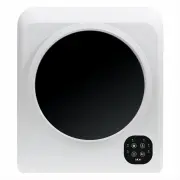
Page 2 - After Sales Support; Contents; General Safety Instructions
2 After Sales Support (AU) 1300 886 649 (NZ) 0800 836 761 | tempo.org/support Contents 03 General Safety Instructions 07 Product Overview 09 Installation14 Getting Started 15 Instructions18 FAQs and Troubleshooting Guide 20 Other Useful Information
Page 3 - Electrical safety and cord handling; • Separate circuit:
3 After Sales Support (AU) 1300 886 649 (NZ) 0800 836 761 | tempo.org/support General Safety Instructions IMPORTANT! READ CAREFULLY AND KEEP FOR FUTURE REFERENCE Read this manual thoroughly before first use, the safety precautions enclosed herein reduce the risk of fire, electric shock and injury wh...
Page 4 - Usage conditions and restrictions; • Domestic use only:
4 After Sales Support (AU) 1300 886 649 (NZ) 0800 836 761 | tempo.org/support General Safety Instructions (Cont.) Usage conditions and restrictions • Domestic use only: This appliance is intended for household use only. It is not suitable for commercial, industrial or trade use. Do not use it for an...
Page 6 - Important notes regarding installation; Do not overload
6 After Sales Support (AU) 1300 886 649 (NZ) 0800 836 761 | tempo.org/support General Safety Instructions (Cont.) Important notes regarding installation • Install the dryer in a dry, well ventilated area, away from heat and direct sunlight.• Do NOT install the appliance: : Behind a lockable door, sl...
Page 7 - Product Overview; Scope of delivery; Front view
7 After Sales Support (AU) 1300 886 649 (NZ) 0800 836 761 | tempo.org/support Product Overview Scope of delivery Front view 1 2 3 4 7 6 b c a f g h e d i j Clothes dryer 1 Door lock 2 Viewing window 3 Front housing 4 Lint filter 5 Drying drum 6 Air intake filter 7 Control panel a POWER button b EXTR...
Page 8 - Installation hardware; Also supplied but not shown:; Documentation
8 After Sales Support (AU) 1300 886 649 (NZ) 0800 836 761 | tempo.org/support Product Overview (Cont.) NOTE: Due to continued product improvement, images and illustrations in this manual may vary slightly from the product purchased. All images in this manual are for reference purposes only. Parts ar...
Page 9 - Installation; Unpacking
9 After Sales Support (AU) 1300 886 649 (NZ) 0800 836 761 | tempo.org/support Installation Unpacking • This product has been packaged to protect it against transportation damage. Remove all packaging materials from around and inside the appliance and keep the packaging materials in a safe place. It ...
Page 10 - Wall-mounted installation; Clearances
10 After Sales Support (AU) 1300 886 649 (NZ) 0800 836 761 | tempo.org/support Wall-mounted installation CAUTION! This appliance is heavy. Ensure you have at least one helper to move and install it. Move cautiously when moving the dryer. Do not grasp any salient parts of the machine. Do not attempt ...
Page 13 - Freestanding, floor level installation; Electrical connection
13 After Sales Support (AU) 1300 886 649 (NZ) 0800 836 761 | tempo.org/support Installation (Cont.) Freestanding, floor level installation The dryer can also be installed on the floor; small feet are fitted to the bottom of the appliance for floor level use. • Make sure the floor surface is firm, fl...
Page 14 - Getting Started; Quick start guide; Preparation; Smart Program
14 After Sales Support (AU) 1300 886 649 (NZ) 0800 836 761 | tempo.org/support Getting Started Quick start guide The pictorial quick start guide below only contains basic information. For detailed operating instructions, please read the corresponding content on the following pages. Please ensure the...
Page 15 - Instructions; Loading the dryer; Do not overload the dryer: the maximum amount of dry textile
15 After Sales Support (AU) 1300 886 649 (NZ) 0800 836 761 | tempo.org/support Instructions Loading the dryer • Prior to loading the dryer, check that none of the items have the following symbols anywhere on them, which indicate that items are UNSUITABLE for clothes drying (Fig. 7). CAUTION! Make su...
Page 16 - Control panel; Power button; Temperature button; Program
16 After Sales Support (AU) 1300 886 649 (NZ) 0800 836 761 | tempo.org/support Instructions (Cont.) Control panel The control panel at the front of the clothes dryer has four buttons and six indicators (Fig. 9). Power button Press the POWER button to turn on the dryer.When the dryer is on, press the...
Page 17 - Smart; Trial run
17 After Sales Support (AU) 1300 886 649 (NZ) 0800 836 761 | tempo.org/support Start/pause button • Press the START/PAUSE button to start operation. The dryer will start after two seconds. • During operation, press the START/PAUSE button to pause the dryer, for example, to add an item or to remove o...
Page 18 - Problem; Troubleshooting guide; FAQs and Troubleshooting Guide
18 After Sales Support (AU) 1300 886 649 (NZ) 0800 836 761 | tempo.org/support Problem Possible cause Solution The dryer does not start. Is the power plug inserted firmly?Is the door closed?Is the power switched on at the wall socket?Have you pressed the POWER and START/PAUSE buttons? Insert the pow...
Page 19 - Safety reset; Prevent overheating
19 After Sales Support (AU) 1300 886 649 (NZ) 0800 836 761 | tempo.org/support FAQs and Troubleshooting Guide (Cont.) Safety reset The dryer has a safety cut-out switch, which shuts down the power supply to the unit if the temperature inside the unit is too high. Should you notice that this has happ...
Page 20 - Other Useful Information; Cleaning the lint filter; Cleaning and maintenance
20 After Sales Support (AU) 1300 886 649 (NZ) 0800 836 761 | tempo.org/support Other Useful Information Cleaning the lint filter 1. To remove the filter, insert your fingers around the middle part of the exhaust vent shroud and pull out the filter assembly, turning it slightly. The filter assembly c...
Page 21 - Cleaning the air intake filter
21 After Sales Support (AU) 1300 886 649 (NZ) 0800 836 761 | tempo.org/support Other Useful Information (Cont.) Cleaning the cabinet and drum • Use a soft, dry or damp cloth to wipe the dryer cabinet and/or the drum, if necessary.• If using a damp cloth, make sure it is not too wet. Leave the applia...
Page 22 - Storage
22 After Sales Support (AU) 1300 886 649 (NZ) 0800 836 761 | tempo.org/support Other Useful Information (Cont.) Storage If you are not going to use the appliance for an extended period of time, unplug it and store it upright in the original packaging to protect it from dust. Store the unit in a dry ...
Page 23 - Technical specifications; government requirements for the safety of electrical devices.; Responsible disposal
23 After Sales Support (AU) 1300 886 649 (NZ) 0800 836 761 | tempo.org/support Other Useful Information (Cont.) Technical specifications Product 5 kg Vented Clothes Dryer Model Number AK-5KCD Rated capacity 5 kg Voltage & Frequency 220-240 V~ 50–60 Hz Rated Power 1500 W Ingress Protection IPX4 D...
Page 24 - Warranty returns; claim, make sure to include all accessories with the product.; Product does not work?; to your expectations, make sure to contact our After Sales Support
24 After Sales Support (AU) 1300 886 649 (NZ) 0800 836 761 | tempo.org/support Warranty returns Should you for any reason need to return this product for a warranty claim, make sure to include all accessories with the product. Product does not work? If you encounter problems with this product, or if...