Page 2 - After Sales Support; Contents
After Sales Support (AU) 1300 886 649 (NZ) 0800 836 761 | tempo.org/support 2 Contents 03 General Safety Instructions 07 Unpacking 08 Product Overview 09 Installation 12 Instructions 22 Wi-Fi Connection 25 FAQs and Troubleshooting Guide 27 Other Useful Information
Page 3 - General Safety Instructions; Electrical safety and cord handling; If such a device must be used, the cord or outlet device must be
After Sales Support (AU) 1300 886 649 (NZ) 0800 836 761 | tempo.org/support 3 General Safety Instructions IMPORTANT SAFETY INSTRUCTIONS READ CAREFULLY AND KEEP FOR FUTURE REFERENCE Read this manual thoroughly before first use, the safety precautions enclosed herein reduce the risk of fire, electric ...
Page 4 - Usage conditions and restrictions; • Do NOT install the appliance:
After Sales Support (AU) 1300 886 649 (NZ) 0800 836 761 | tempo.org/support 4 General Safety Instructions (Cont.) Usage conditions and restrictions • Domestic use only: This appliance is intended for household use only. It is not suitable for commercial, industrial or trade use. Do not use it for an...
Page 5 - CAUTION
After Sales Support (AU) 1300 886 649 (NZ) 0800 836 761 | tempo.org/support 5 General Safety Instructions (Cont.) • WARNING! The lint filter must be in place when drying. It must be cleaned before or after each use. • Cool down: The final part of a clothes dryer cycle occurs without heat (cooling ph...
Page 6 - The items listed below are UNSUITABLE for clothes drying.
After Sales Support (AU) 1300 886 649 (NZ) 0800 836 761 | tempo.org/support 6 CAUTION! The items listed below are UNSUITABLE for clothes drying. They can cause fire in the dryer or extensive damage. DO NOT place them in the clothes dryer. : Items containing foam rubber (also known as latex foam) or ...
Page 7 - Unpacking
After Sales Support (AU) 1300 886 649 (NZ) 0800 836 761 | tempo.org/support 7 Unpacking • This product has been packaged to protect it against transportation damage. Remove all packaging materials from inside and around the appliance. • Keep the original packaging carton and materials in a safe plac...
Page 8 - Product Overview; Scope of delivery; Digital heat pump dryer
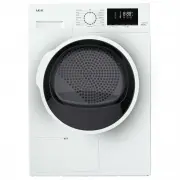
After Sales Support (AU) 1300 886 649 (NZ) 0800 836 761 | tempo.org/support 8 Product Overview Scope of delivery Digital heat pump dryer 1 Water container 2 Control panel 3 Drum 4 Door 5 Lint filter 6 Maintenance cover 7 Levelling feet (one under each corner) 2 1 3 4 5 7 6 NOTE: Due to continued pro...
Page 9 - Installation; Important notes regarding installation
After Sales Support (AU) 1300 886 649 (NZ) 0800 836 761 | tempo.org/support 9 Installation Important notes regarding installation • Do NOT install the appliance: : behind a lockable door, sliding door or a door with a hinge on the opposite side of the dryer, in such a way that a full opening of the ...
Page 10 - Levelling the appliance
After Sales Support (AU) 1300 886 649 (NZ) 0800 836 761 | tempo.org/support 10 Installation (Cont.) Levelling the appliance The appliance must be installed level, otherwise its operation will be impaired. When you have placed the dryer in its permanent position, press on the top frame (in both direc...
Page 11 - Earthing; This is a Category I electrical product which must be earthed.; Electrical connection
After Sales Support (AU) 1300 886 649 (NZ) 0800 836 761 | tempo.org/support 11 Installation (Cont.) Earthing WARNING: This is a Category I electrical product which must be earthed. In the event of a malfunction or breakdown, earthing will reduce the risk of an electric shock by providing a path of l...
Page 12 - Instructions; Dry Level buttons for several seconds. When the child lock
After Sales Support (AU) 1300 886 649 (NZ) 0800 836 761 | tempo.org/support 12 Instructions Control panel buttons (Fig. 4) Heat Pump 3 1 5 4 9 2 7 8 10 11 6 1 Program dial: Turn the program dial (knob) clockwise or anticlockwise to switch on the appliance and select the required program (see page 18...
Page 13 - Table 1: Display icons
After Sales Support (AU) 1300 886 649 (NZ) 0800 836 761 | tempo.org/support 13 Display icons and indicator lights (Fig. 5) Instructions (Cont.) Table 1: Display icons SY-DH80S5UW-001 SY-DH80S5UW-001 Shows the program duration and remaining time (in hours: minutes counted down), delay time (in hours ...
Page 14 - Before each drying; Checking the machine; UNSUITABLE for tumble; SUITABLE for tumble drying.; Preparing the drying load
After Sales Support (AU) 1300 886 649 (NZ) 0800 836 761 | tempo.org/support 14 Before each drying Checking the machine Make sure you have read all safety precautions in this manual and are aware of the items (listed on page 6) that cause a hazard if placed in the clothes dryer. The clothes dryer is ...
Page 15 - Easy care items such as; Maximum loads; cotton, linen: drum full but not too tightly packed
After Sales Support (AU) 1300 886 649 (NZ) 0800 836 761 | tempo.org/support 15 Instructions (Cont.) Preparing the drying load • The laundry must be thoroughly spun before tumble drying. Easy care items such as shirts should be briefly pre-spun before drying. • To avoid a static charge when drying is...
Page 17 - Trial run; Program dial to the “Time” program.; Time button and set a 30 minute drying time.; Start/Pause button and let the program run to the end.; Child lock; Time and Dry Level; Time and Dry Level buttons for several; Automatically controlled drying
After Sales Support (AU) 1300 886 649 (NZ) 0800 836 761 | tempo.org/support 17 Trial run In order to remove any dust and grease, which may be in the drum from the manufacture and transportation processes, we recommend you run the dryer with some clean, damp rags before using it for the first time wi...
Page 18 - Program options; after; before; Buzzer; Anti-Crease and Delay Start buttons for three to five seconds to; Dry level; Dry Level button and set the drying level to; Delay start; Delay Start button again. The
After Sales Support (AU) 1300 886 649 (NZ) 0800 836 761 | tempo.org/support 18 Instructions (Cont.) Program options Depending on the program, you can select a number of options after you have selected the program and before pressing the Start/Pause button. Buzzer The buzzer can be set to ON or OFF; ...
Page 19 - Start/Pause button or open the door while
After Sales Support (AU) 1300 886 649 (NZ) 0800 836 761 | tempo.org/support 19 Instructions (Cont.) Step-by-step guide to using the dryer (a) Loading Open the door and load the dryer following the guidelines on page 15. The total weight of the load to be dried depends on the program chosen. All maxi...
Page 20 - Door opening; Program dial to the OFF [ O ] position to switch the machine off before
After Sales Support (AU) 1300 886 649 (NZ) 0800 836 761 | tempo.org/support 20 Instructions (Cont.) CAUTION! • To avoid scalding and creating a fire risk, do not stop the clothes dryer before the end of the drying cycle, as parts of the appliance may get hot during use. • If you must remove items du...
Page 21 - Energy saving tips; help protect the environment,; DRYING TIME; Table 2 on page 16 gives the default drying times for each program.
After Sales Support (AU) 1300 886 649 (NZ) 0800 836 761 | tempo.org/support 21 Instructions (Cont.) Energy saving tips Compared with a traditional, vented type of dryer, this heat pump dryer is significantly more energy efficient, boasting a 7 start energy efficiency rating. To further reduce your e...
Page 22 - How it works; AKAI Home
After Sales Support (AU) 1300 886 649 (NZ) 0800 836 761 | tempo.org/support 22 Wi-Fi Connection This AKAI Home 8 kg Digital Heat Pump Dryer features Wi-Fi technology, which enables you to keep track of every drying stage remotely from whereever you are—elsewhere in your home or on the go—using your ...
Page 23 - Alternative pairing mode; Using the; AKAI; Smartphone and Wi-Fi specification requirements; Minimum smartphone specifications
After Sales Support (AU) 1300 886 649 (NZ) 0800 836 761 | tempo.org/support 23 Wi-Fi Connection (Cont.) On the main device list page you can add the dryer from the product list. You may have to confirm your Wi-Fi name and password, then follow the prompts to add the appliance. While the dryer is bei...
Page 24 - Wi-Fi troubleshooting
After Sales Support (AU) 1300 886 649 (NZ) 0800 836 761 | tempo.org/support 24 Wi-Fi Connection (Cont.) Wi-Fi troubleshooting Problem Possible cause and solution During the set-up, the dryer cannot be configured successfully. Check and ensure you have internet reception and your mobile phone and the...
Page 25 - Table 3: Troubleshooting guide; Troubleshooting guide; FAQs and Troubleshooting Guide
After Sales Support (AU) 1300 886 649 (NZ) 0800 836 761 | tempo.org/support 25 Table 3: Troubleshooting guide Problem Possible cause Solution The dryer does not start, or the display is not on. Is the power plug inserted firmly?Is the door closed?Is the power switched on at the wall socket?Have you ...
Page 26 - Warning indicators and error codes; Table 4: Warning indicators and error codes; tank full light comes on after each program (and
After Sales Support (AU) 1300 886 649 (NZ) 0800 836 761 | tempo.org/support 26 FAQs and Troubleshooting Guide (Cont.) Warning indicators and error codes The heat pump dryer will illuminate the following warning indicators or display the following error codes when it needs maintenance. If your correc...
Page 27 - Other Useful Information; Cleaning and maintenance; Cleaning the control panel
After Sales Support (AU) 1300 886 649 (NZ) 0800 836 761 | tempo.org/support 27 Other Useful Information Cleaning and maintenance Keeping your heat pump dryer in good, clean condition will prolong its service life. WARNING! • Before cleaning or maintaining any part of the dryer, make sure it has cool...
Page 28 - Never attempt to clean the evaporator with
After Sales Support (AU) 1300 886 649 (NZ) 0800 836 761 | tempo.org/support 28 Other Useful Information (Cont.) Cleaning the lint filter To remove the filter, open the door to the clothes dryer, grip the lint filter and pull it straight up and out of the drum (Fig. 11).Remove any lint, fibres and te...
Page 29 - Cleaning the filter drawer
After Sales Support (AU) 1300 886 649 (NZ) 0800 836 761 | tempo.org/support 29 Other Useful Information (Cont.) Emptying the water container The water container collects all the water from the condenser (unless you have the drain hose connected). The water container needs to be emptied after every d...
Page 30 - Technical specifications; Compliance; government requirements for the safety of electrical devices.; Storage
After Sales Support (AU) 1300 886 649 (NZ) 0800 836 761 | tempo.org/support 30 Other Useful Information (Cont.) Technical specifications Rated capacity 8 kg Rated power 700 W Rated voltage 220-240 V~ Rated Power, Voltage & Frequency 50 Hz Refrigerant R134a (310 g) Ambient temperature range +5°C ...
Page 31 - Responsible disposal
After Sales Support (AU) 1300 886 649 (NZ) 0800 836 761 | tempo.org/support 31 Responsible disposal Packaging materials are recyclable. Please dispose of them responsibly for recycling. At the end of its working life, make the appliance unserviceable by unplugging it from the power outlet and cuttin...
Page 32 - Warranty returns; Should you for any reason need to return this product for; Product does not work?; If you encounter problems with this product, or if it fails to
After Sales Support (AU) 1300 886 649 (NZ) 0800 836 761 | tempo.org/support Distributed by Tempo (Aust) Pty Ltd ABN 70 106 100 252 PO BOX 132, Frenchs Forest NSW 1640, Australia Customer Helpline: (AU) 1300 886 649 (NZ) 0800 836 761 Web Support: tempo.org/support IM-V4.0 Issue: November 2021 Warrant...