ZOSI IPC-2893M-W-US - User Manual
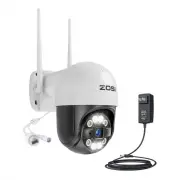
ZOSI IPC-2893M-W-US Security Camera – User Manual, read for free online in PDF format. We hope this helps you resolve any issues you may have. If you have further questions, please contact us through the contact form.


Table of Contents:
- Page 2 – CONTENTS
- Page 3 – Introduce the Cameras; Dome Camera; Products and accessories vary by product models, please refer to
- Page 4 – Connection Diagram; Bullet Camera; and then enjoy live viewing.; Scan UID Code
- Page 5 – Install the Camera; Installation Precautions
- Page 7 – Installation Distance, Height and Angle; Tilt the camera down about 30°-60° from the horizontal position.; Tighten the adjustment knob of the bracket to fix the camera.
- Page 8 – Does the camera support motion detection and image; images using our ZOSI Smart APP.; Q: The Wireless Connection of the Camera is Not Working; Ethernet cable before adding it.
- Page 10 – Correct Dispose of this product; from whom the product was purchased. They can take this product for; CE Simplified EU Declaration of Conformity; This device may not cause harmful interference,; Notification of Compliance
- Page 11 – Introducción de las cámaras; Cámara Domo; por favor consulte el producto específico.
- Page 12 – Diagrama de la conexión; Cámara Bala; enciendan los dispositivos, luego producirá imágenes en vivo.; Escanear el código UID
- Page 13 – Instalación de la cámara; Precauciones de la instalación
- Page 14 – tacos plásticos en la pared.
- Page 15 – Apriete la perilla de ajuste del soporte para fijar la cámara.
- Page 16 – Distancia, altura y ángulo de la instalación; Incline la cámara hacia abajo unos 30-60 grados desde la posición
- Page 17 – favor solicite un reemplazo a nosotros.
- Page 19 – Eliminación Correcta de este Producto; Esta marca indica que este producto no se puede desechar con otros; Declaración de Conformidad de UE Simplificada; Este dispositivo no puede causar interferencias perjudiciales,; Notificación de Cumplimiento
WiFi Camera
Quick Start Guide
For more information of your new system, please refer to
www.zositech.com
V2.W.02.Z
"Loading the manual" means you need to wait until the file loads and becomes available for online reading. Some manuals are very large, and the time they take to appear depends on your internet speed.
Summary
1. What’s in the box Quick Start Guide Quick Start Guide Mounting Screw Bag 12V 1A Power Adapter Camera Warning Sticker Mounting Hole Template 2. Introduce the Cameras Dome Camera NOTE: Products and accessories vary by product models, please refer to the actual product. Reminder : You have entered t...
3. Connection Diagram Bullet Camera 1. Power on the IP camera and WiFi NVR.2. The NVR will auto-pair with the camera after the devices are powered on and then enjoy live viewing. NOTE: If you buy a new add on camera, you need to re-pair to the system manually, please refer to the following link for ...


