Page 2 - Contents
Page 3 - Introduction of System
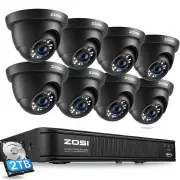
1 1 Introduction of System 1.1 DVR 1.2 Camera ① ② ③ ④ ⑤ ⑥ Salida de video & audio ⑦ ⑧ HD lens LEDs IR 24pcs, 5mm Adjust to the desired position. The neck of the bracket is connected to the mounting base. Rotate the bracket by loosening the radial joint locking ring. Adjust the position to the ap...
Page 4 - Connect the System; Connect the Camera to DVR and Plug Camera to power.
2 1.3 Connect the System ① Connect the Camera to DVR and Plug Camera to power. ② Connect monitor to the DVR with HDMI,VGA,BNC port. ③ Connect the DVR to Router with an Ethernet cable. ④ Plug the mouse to the USB port. ⑤ Plug DVR to power. 8 channel configuration shown. 4/16 channel will have the res...
Page 5 - Connect the DVR to the Internet
3 A:How to connect DVR to the LAN? B:How to test the network status of the DVR? (1)Right click Mouse > Go to Main Menu > Setup > Network (2)Tick 'Obtain IP address automatically' (3)Click 'Test', if 'OK' is displayed, the network is connected successfully. Note: Please ensure DHCP in your r...
Page 8 - View on PC Client Software; the name of the area.
6 PC client AVSS is applied to DVR/NVR/IPC preview with real-time viewing, device management, remote video playback and more functions. 3.1 Login 3.2 Device Management (Add Devices After Adding the Area) Install the PC client, double-click the icon AVSS to open, select the language and click Login. ...
Page 9 - same router, you can click “Search” to add the device.
7 ③ Add device: Select the area corresponding to the Device List > right click to add device > select Device Type > enter Device Name, Device ID, User Name, Device Password and Channel Number > click OK. Note: ① Default User name is admin. ② When the computer and device are connected to ...
Page 10 - Install a Hard Disk; Unplug your DVR from power, unscrew and remove the top cover.
8 ①③ ② ④ 5 Install a Hard Disk The system may not include Hard Disk, it’s depending on the kit you selected. This system works with most 3.5” SATA Hard Disk or 2.5” SATA Hard Disk. Note: if your system has preinstalled hard disk, please skip this step. Note: After installing a hard disk, you need to...
Page 11 - Video Record
9 Right click mouse > Go to Main Menu > Setup > Record You shall see the record settings for all channels. Change the record setting according to your preference and apply the changes. 6.1 Motion Detection Set motion Detection,DVR will record only when motion or movement is detected. Right ...
Page 16 - App Alarm Settings; There are two types of DVR alarm notification:
14 6.6 App Alarm Settings There are two types of DVR alarm notification: 6.3.1 When motion detection is triggered, DVR will send the alarm through email or mobile phone notification. 6.3.2 When motion ddetection and PIR detection are both triggered, alarm signal will be displayed in the lower left c...
Page 17 - User settings or change password; Click Users to enter the user management interface.
15 7 User settings or change password 7.1 In the live viewing screen, right click the mouse, the option shown as below, click Main Menu7.2 Click Setup to enter the function menu options. 7.3 Click Users to enter the user management interface.
Page 18 - Click Change Password to enter the password setup page.
16 7.4 Click Change Password to enter the password setup page. 7.5 Set or change the password, please make sure both the input passwords are consistent, and no less than six characters.Please keep firmly in mind your password!
Page 19 - FAQs; · It is recommended to use an extended antenna to bypass obstacles; WARNING
17 8 FAQs Q: Why can't I search for devices when adding? A: Make sure that the device and the mobile device are on the same LAN, otherwise please enter the device ID manually; Q: Why can't my device connect to the network? A: Please check · Is the device connected to the Internet? · Is the router wo...
Page 20 - Introducción del sistema; Ajuste la cámara al ángulo que quiera.
18 1 Introducción del sistema 1.1 DVR 1.2 Cámara ① ② ③ ④ ⑤ ⑥ Salida de video & audio ⑦ ⑧ A B ① ④ ⑤ ⑥ ② ③ Entrada de cámara Puerto LAN Puerto del ratón Puerto del adaptador Salida de video VGA Salida de video HDMI ⑦ ⑧ HD Lente 5mm Luz Infrarroja Ajuste la cámara al ángulo que quiera. El cuello de...
Page 21 - Diagrama de conexión del sistema; Conecte las cámaras al DVR, y conecte la cámara a la potencia.
19 1.3 Diagrama de conexión del sistema VIDEO IN AUDIO OUT VIDEO OUT VGA HDMI AUDIO IN USB 2.0 DC 12V RG 45 Ejemplar de 8 canales, los 4/16 canales tendrán el número respectivo de entradas de video. ① Conecte las cámaras al DVR, y conecte la cámara a la potencia. ②Conecte el DVR a una pantalla vía e...
Page 22 - Ver en el móvil
20 A:¿Cómo conectar el grabador DVR a LAN? B:¿Cómo probar la red del grabador? (1)Haga clic derecho del ratón > Menú principal > Configuración > Red (2)Marque ‘Obtener una dirección IP automáticamente’ (3)Haga clic en ‘Prueba’, si se muestra ‘OK’, la red se conecta con éxito Nota: asegúrese...
Page 23 - A: Instale la aplicación gratis
21 2.2 Descargar la aplicación 2.3 Ejecutar la aplicación A: Instale la aplicación gratis Zosi Smart ; B: Haga clic en ‘Registrar' e ingrese su Email para obtener el código de validación, luego configure su contraseña y completa el registro; C: Inicie sesión en la aplicación, ingrese a la interfaz p...
Page 25 - Ver en el PC; Haga clic en ‘Device Management’ para crear un área
23 El software de PC AVSS se aplica a la vista previa de DVR / DVR / IPC, con vista previa en tiempo real, administración de dispositivos, reproducción remota de video y más. 3.1 Iniciar sesión Instale AVSS , seleccione el idioma e inicie sesión. Nota: Puede iniciar sesión con el nombre de usuario y...
Page 27 - Instalación del disco duro
25 ①③ ② ④ 5 Instalación del disco duro Es posible que el sistema no incluya el disco duro, según el kit que seleccionó. Este sistema funciona con la mayoría de los discos duros con SATA 3.5’’ o discos duros con SATA 2.5". Nota: si su sistema tiene un disco duro preinstalado, omita este paso; Not...
Page 28 - Detección de movimiento; Ajustes de grabación
26 Haga clic derecho del ratón > Menú Principal > Configuración > Grabar Puede ver el ajuste de grabación para todos los canales. Cambie la configuración de grabación a su gusto y haga clic en 'Aplicar'. 6.1 Detección de movimiento Al configurar la detección de movimiento, DVR grabará solo ...
Page 29 - Plan de grabación
27 Haga clic para hacer que todo el rango de visualización sea un área de sensibilidad. Haga clic para eliminar el área de sensibilidad. Guardar la configuración Salir Como el color y la luminancia son importantes para la sensibilidad, es necesario ajustar el valor en condiciones específicas. El val...
Page 30 - Reproducción de grabación
28 6.3 Reproducción de grabación Ingrese al menú principal del sistema> Buscar, el sistema presenta la imagen de la siguiente manera. 6.2.2 Los bloques tiempo para grabar también se pueden configurar haciendo doble clic en un campo adyacente a un día. Se pueden crear y guardar múltiples programac...
Page 31 - Copia de seguridad
29 Vídeo anterior: Mover al último evento grabadoVídeo siguiente: Mover al siguiente evento grabado Avance rápido: El video se puede reproducir a diferentes velocidades, de 1/4 a 16 veces. Rebobinar: La reproducción de vídeo se puede rebobinar 1 vez, 8 veces, 16 veces y 32 veces. Modo de visualizaci...
Page 32 - Detección PIR (aplicable a las cámaras con característica PIR); icono; Seleccione las cámaras:; Marque los canales que desea configurar el modo de detección PIR.; Grabación PIR programada:; alarma o la notificación por correo electrónico.
30 6.5 Detección PIR (aplicable a las cámaras con característica PIR) Haga clic derecho del ratón - Menú principal - Configuración - Alarma - PIR. Después de configurar el modo de detección de movimiento PIR, el DVR solo comenzará a grabar cuando se detectan objetos con una temperatura de aproximada...
Page 33 - Configuración de la alarma de la aplicación; movimiento como el modo de detección PIR están activados.
31 6.6 Configuración de la alarma de la aplicación Nota: Las operaciones anteriores se aplican a la situación cuando tanto el modo de detección de movimiento como el modo de detección PIR están activados. Hay dos tipos de notificación de alarma:6.6.1 Cuando se activa la detección de movimiento , el ...
Page 34 - Configurar o cambiar la contraseña
32 7 Configurar o cambiar la contraseña 7.1 Vaya a la página del dispositivo, haga clic derecho del ratón - Menú principal.7.2 Haga clic en Configuración. 7.3 Haga clic en Usuarios.
Page 35 - ¡Recuerda su contraseña por favor!
33 7.4 Haga clic en Cambiar Contraseña. 7.5 Configure o cambie su contraseña, que debe tener más de 6 caracteres. ¡Recuerda su contraseña por favor!
Page 36 - Preguntas frecuentes; Pregunta: ¿Por qué no se puede conectar al Internet?; ADVERTENCIA
34 8 Preguntas frecuentes Pregunta: ¿Por qué no se puede conectar al Internet? Respuesta: por favor revise ·Si el dispositivo está conectado a Internet ·Si el enrutador funciona correctamente ·Si el servidor DHCP del enrutador está abierto Pregunta: ¿Por qué no se puede buscar el archivo de grabació...
Page 37 - publication may be issued to incorporate such changes.
www.zositech.com [email protected] All rights reserved. No part of this publication may be reproduced by any means without written permission from ZOSI. The information in this publication is believed to be accurate in all respects. ZOSI cannot assume responsibility for any consequences resulting fr...