ZOSI 8AP-2893W6-10-US-A2 - User Manual
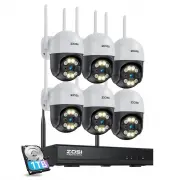
ZOSI 8AP-2893W6-10-US-A2 Security Camera – User Manual, read for free online in PDF format. We hope this helps you resolve any issues you may have. If you have further questions, please contact us through the contact form.


Table of Contents:
- Page 2 – Contents
- Page 3 – Galler; eless IP Came
- Page 4 – o the I
- Page 6 – wnload ZOSI Smart App
- Page 7 – stall AV
- Page 8 – Add Device; o wi
- Page 10 – Hard Drive/ Micro SD Card
- Page 11 – Video Record; ection
- Page 12 – up
- Page 13 – FAQs
Wireless Security Camera System
Quick Start Guide
For more information of your new system, please refer to
www.zositech.com
V6.I.01.Z
"Loading the manual" means you need to wait until the file loads and becomes available for online reading. Some manuals are very large, and the time they take to appear depends on your internet speed.
Summary
1 1 Galler y & Specs 1.2 Wi r eless IP Came ra 1.1 NVR HDMI Port VGA Port Audio Output Network Port Antenna Antenna USB Mouse USB Back up Power Supply Network Port Power Port Antenna Microphone Speaker Spotlight X4 IR-LEDX4 Lens
2 2 Syst em Connection 2.1 Connect NVR t o the I nternet (1) Connect NVR to router using a net w ork c able. (2) Connect moni tor t o NVR via HDMI or V GA port. (3) Connect the included USB mouse t o the t op USB port of NV R . (4) Connect NVR t o 12V p o wer suppl y . (5) After the system st arts, ...


