ZOSI 8AL-2893W8-20-US-A2 - User Manual
ZOSI 8AL-2893W8-20-US-A2 Security Camera – User Manual, read for free online in PDF format. We hope this helps you resolve any issues you may have. If you have further questions, please contact us through the contact form.


Table of Contents:
- Page 2 – NVR first for testing before a final installation.; Connection Diagram; NVR; Power Input
- Page 3 – App video operation link
- Page 5 – according to your region.
- Page 6 – Video Playback; Quick Playback: Quick playback of the first 30 minutes of video.
- Page 7 – Backup; Play the previous video.; Insert a USB into the USB 2.0 port on the NVR.
- Page 8 – Usage Specification
- Page 9 – Notification of Compliance; This device complies with Part 15 of FCC Rules.
1
What
’
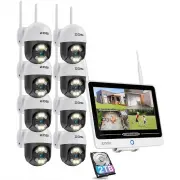
s in the box
Introduce the NVR
NOTE: The actual appearance and components may vary with different products, please
refer to the actual product.
Note: Products and accessories vary by product models, please refer to the actual product.
NVR
12V 2A Power Supply
USB Mouse
Ethernet Cable (1m)
HDMI Cable
Quick Start Guide
Quick Start Guide
Antenna
Bracket
12.5- inch Screen
Power Button
"Loading the manual" means you need to wait until the file loads and becomes available for online reading. Some manuals are very large, and the time they take to appear depends on your internet speed.
Summary
2 NOTE: To ensure the device works properly, it is recommended to power on the NVR first for testing before a final installation. Connection Diagram NVR Ethernet Port-Router Power Input USB Port-Mouse (1) Connect NVR to router using a network cable.(2) Connect monitor to the NVR via the HDMI port.(3) ...
3 Access the System via Smartphone or PC System Settings 4.1. Smartphone Search “Zosi Smart” in the App Store or use a browse to scan the QR code below, download and install the App and follow the instruction to register an account. 4.2. PC Download path: Go to https://www.zositech.com/app/ 5.1. Mou...
5 Date & Time Setting Change Password Path: Right click the mouse-Main Menu-Setup-Users-Change Password NOTE: The new password setting cannot be less than 6 characters, please keep the password properly. Right click the mouse - Main Menu - Setup - Basic - Date & Time - Choose the correspondi...


