Page 2 - Contents
Page 3 - What’s in the Box
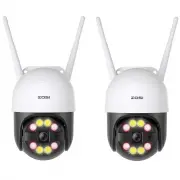
1 1 What’s in the Box 1 x Camera 1 x Power Adapter 1 x Quick Start Guide 1 x Waterproof Lid 1 x Warning Sticker 1 x Mounting Screw Bag 1 x Mounting Hole Template
Page 4 - Specs
2 2 Specs Antenna LED Spotlights IR-LEDs Microphone RESET Button RJ45 Port Power Port Speaker Micro SD Card Slot
Page 5 - Installation Diagram
Page 6 - Register an Account
4 4 Register an Account The following is instruction for the Android user, the interface of the ios version will be slightly different. ● Scan the QR code on the device and download the free ZOSI Smart App on phone.● Tap ‘Register’ to register an account.● Enter your email address and click "Get...
Page 7 - Add Device
5 5 Add Device (1) Power on the camera, wait about 20 seconds to start, it gives out "device is waiting for connection". After smartphone is connected to WiFi, log in ZOSI Smart App and go to the "Device" page, tap the "+" in the upper right corner to Add device. (2) Select C...
Page 13 - Device Configuration
11 6 Device Configuration (1) Operate on the device page.
Page 20 - Remote Access on PC
18 7 Remote Access on PC AVSS PC client can be applied to remote access and control of DVR / NVR / XVR / IPC device, supporting live view, device management, remote video playback and other functions.(1) LoginDownload and install AVSS client on computer, double-click the icon AVSS to open, select th...
Page 24 - FAQs
22 1.Q: Why can't I add a device by local search? A: Please make sure the device and mobile phone are in the same LAN. If you can't make both of them in the same LAN, please manually enter the device UID to add a device. 2.Q: Why is the device disconnected? A: Please check ▪ Whether the device is co...
Page 25 - Lista de empaque
23 1 Lista de empaque 1* Cámara 1* Adaptador de corriente 1* Guía de operación rápida 1* Tapa protectora impermeable 1* Etiqueta de advertencia 1* Bolsa de tornillos 1* Pegatina de instalación
Page 26 - Detalles de la cámara
24 2 Detalles de la cámara Antena Luz cálida LED IR Micrófono Botón de reinicio Puerto de Ethernet Puerto de alimentación Altavoz Ranura para tarjeta de memoria
Page 27 - Diagrama de instalación
Page 28 - Registro de la cuenta personal
26 4 Registro de la cuenta personal Las siguientes instrucciones son para la aplicación de Android; las instrucciones para la versión de iOS son ligeramente diferentes. • Descargue e instale la aplicación móvil "Zosi Smart" (se puede descargar escaneando el código QR que se muestra en la pág...
Page 29 - Agregar el dispositivo
27 5 Agregar el dispositivo (1) Una vez encendido el dispositivo, espere unos 20 segundos y el dispositivo emite un mensaje de voz "Device is waiting for connection". Después de que el teléfono inteligente esté conectado a WiFi, abra la aplicación "Zosi Smart" , inicie sesión e ingre...
Page 35 - Configuración del dispositivo
33 6 Configuración del dispositivo (1) Configure los otros parámetros en la interfaz del dispositivo.
Page 42 - Ver en el PC
40 7 Ver en el PC El software de PC AVSS se aplica a DVR / NVR / XVR / IPC, con vista previa en tiempo real, administración de dispositivos, reproducción remota de video y más. (1) Iniciar sesiónInstale AVSS, seleccione el idioma e inicie sesión.Nota: Puede iniciar sesión con el nombre de usuario y ...
Page 45 - Preguntas frecuentes
43 Pregunta: ¿Por qué no se puede agregar el dispositivo con búsqueda local? Respuesta: Asegúrese de que el dispositivo y el móvil estén en la misma LAN; de lo contrario, introduzca la ID del dispositivo manualmente. Pregunta: ¿Por qué no se puede conectar al Internet? Respuesta: por favor revise ·S...