ZOSI 1AC-1062C-WS-A2 - User Manual
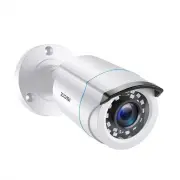
ZOSI 1AC-1062C-WS-A2 Security Camera – User Manual, read for free online in PDF format. We hope this helps you resolve any issues you may have. If you have further questions, please contact us through the contact form.


Table of Contents:
- Page 2 – Introduction
- Page 3 – to use the included wall plugs.
- Page 4 – Mounting the Camera; Please note, model shown is for illustration; Position the Cables
- Page 6 – Connection Guide
- Page 7 – Change camera mode by OSD button when camera power; OSD Button; Hold
- Page 8 – MAIN MENU
- Page 11 – Troubleshooting; mode,and make it corresponding with your DVR’s video mode.
- Page 12 – Limited Warranty Terms & Conditions
- Page 13 – Instrucciones; Todas las jurisdicciones tienen leyes y
- Page 15 – Instalar la cámara; el cableado
- Page 17 – Guía de conexión; Ojo: el modelo presentado sólo sirve como ejemplo.
- Page 18 – Botón de OSD; Derecha
- Page 19 – Menú principal
- Page 21 – Configuración de vídeo
- Page 22 – Preguntas frecuentes
- Page 23 – Términos y condiciones de la garantía
INSTRUCTION MANUAL
V2.C.02.Z
4-in-1 Security Camera
Day/Night
PROFESSIONAL SECURITY MADE EASY
Ins
truction Manual -- 1
Manual de in
s
trucciones -- 12
"Loading the manual" means you need to wait until the file loads and becomes available for online reading. Some manuals are very large, and the time they take to appear depends on your internet speed.
Summary
1 Introduction Thank you for purchasing this CCTV camera from ZOSI. This camera can operate in almost all light conditions, from bright daylight (provided it’s not irradiated directly by the sun) to pitch darkness.The camera is very sensitive to light and therefore can make use of even a tiny little...
2 Choosing a Location for this Camera To get optimal effect from camera, where you install cameras is pivotal. You should consider the distance between the camera and its subject to ensure you obtain a good view of the areas in focus. Also think about the appropriate mounting places (e.g., under the...
3 Mounting the Camera options. You can mount the camera onto a metal surface, but you’ll need to supply your own mounting hardware. Please note, model shown is for illustration purposes only. Position the Cables 1.When setting your cable, try to avoid winding it on objects with sharp angles.2. Don’t...


