YUNEEC H520E (YUNH520EEU) - User Manual
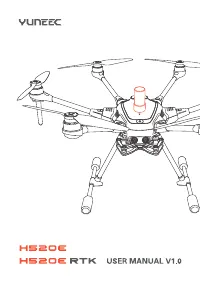
YUNEEC H520E (YUNH520EEU) Quadcopter – User Manual, read for free online in PDF format. We hope this helps you resolve any issues you may have. If you have further questions, please contact us through the contact form.
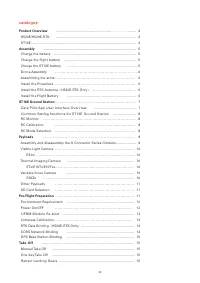
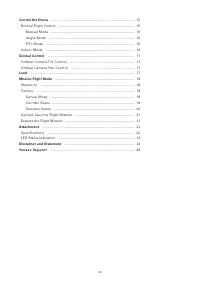
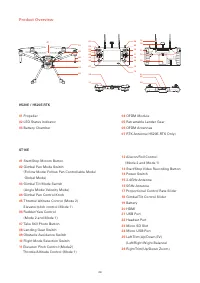
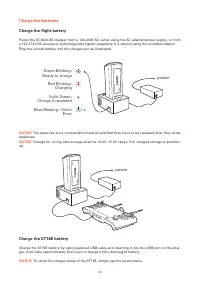
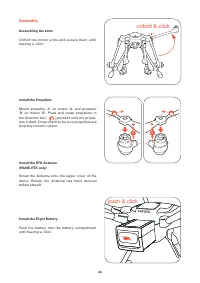
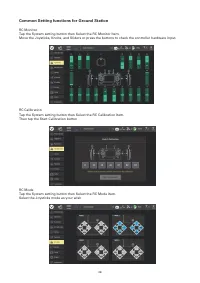
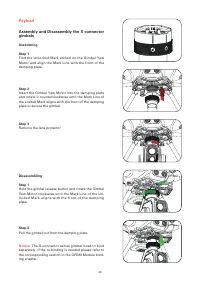
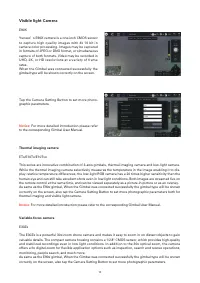
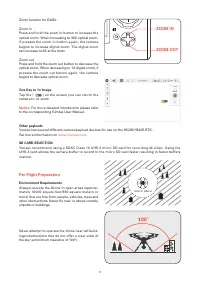
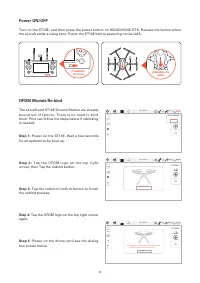
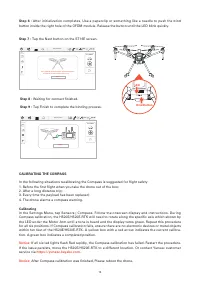
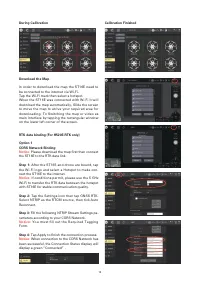
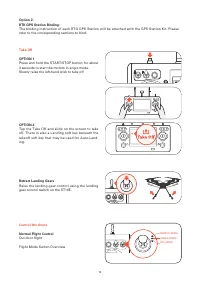
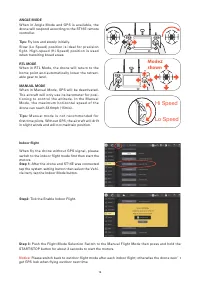
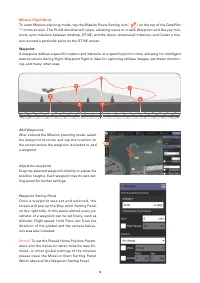
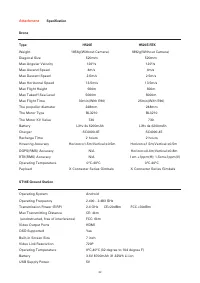
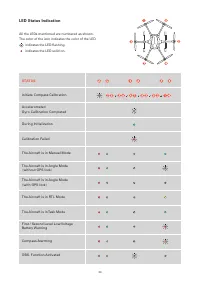

Table of Contents:
- Page 2 – catalogue
- Page 4 – Product Overview
- Page 5 – ed; Charge the ST16E battery; To check the charge status of the ST16E, simply tap the screen twice.; Ready to charge; power; Charge the Batteries
- Page 6 – Assembly
- Page 8 – Common Setting functions for Ground Station
- Page 9 – Disassembling; The X-connector series gimbal needn't bind; Payload
- Page 10 – Visible light Camera; For more detailed introduction please refer; Thermal imaging camera
- Page 11 – Per-Flight Preparation
- Page 12 – S t e p 2; T a p t h e O F D M l o g o o n t h e t o p r i g h t
- Page 13 – Tap the Next button on the ST16E screen.; Step 9 : Tap Finish to complete the binding process.; After Compass calibration was finished, Please reboot the drone.; LED
- Page 14 – Download the Map; Please download the map first then connect; Step 4: Tap Apply to finish the connection process.; When connection to the CORS Network has; During Calibration
- Page 15 – Flight Mode Switch Overview
- Page 16 – Indoor flight; Hi Speed; shown; get GPS lock when flying outdoor next time.
- Page 18 – Mission Flight Mode; To set the Planed Home Position Param-
- Page 22 – Attachment
- Page 23 – LED Status Indication; STATUS
- Page 24 – Yuneec Support
"Loading the manual" means you need to wait until the file loads and becomes available for online reading. Some manuals are very large, and the time they take to appear depends on your internet speed.
Summary
Product Overview ........................................................ ................... ......... 4 H520E/H520E-RTK ................................................................................. 4 ST16E ...........................................................................................
Product Overview H520E / H520E-RTK 01 Propeller 02 LED Status Indicator 03 Battery Chamber 04 OFDM Module 05 Retractable Lander Gear 06 OFDM Antennas 07 RTK Antenna ( H520E-RTK Only ) ST16E 01 Start/Stop Motors Button 02 Gimbal Pan Mode Switch (Follow Mode/ Follow Pan Controllable Mode/ Global Mode)...
NOTICE: The batteries are a consumable material and that they have to be replaced after they show weakness. NOTICE: Voltage for a long time storage shall be 14.4V~15.6V range. Full charged storage is prohibit- ed Charge the ST16E battery Charge the ST16E battery by using supplied USB cable and inser...