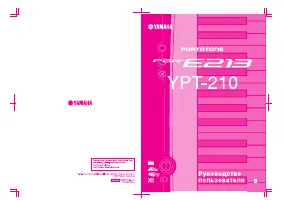
Yamaha YPG-225 - User Manual

Yamaha YPG-225 Synthesizer – User Manual, read for free online in PDF format. We hope this helps you resolve any issues you may have. If you have further questions, please contact us through the contact form.


Table of Contents:
- Page 2 – Step 1 — Batteries
- Page 3 – Step 4 — Faceplate
- Page 6 – Step 9 — Main Circuit Board
- Page 9 – Step 14 — Display
Yamaha YPG-225 Display Replacement
This guide will help with replacing a malfunctioning keyboard screen.
Written By: Lonnie Bissmeyer
INTRODUCTION
Use this guide to install a replacement keyboard display.
TOOLS:
(1)
(1)
(1)
Flathead 3/32" or 2.5 mm Screwdriver
(1)
Yamaha YPG-225 Display Replacement
© iFixit — CC BY-NC-SA
www.iFixit.com
Page 1 of 9
"Loading the manual" means you need to wait until the file loads and becomes available for online reading. Some manuals are very large, and the time they take to appear depends on your internet speed.
Was this manual helpful?
About this manual
- Brand
- Yamaha
- Model
- YPG-225
- Document type
- User Manual
- Category
- Synthesizer
- Language(s)
- English
- Pages
- 9
- File size
- 1.7 MB
- Format
Other Manuals for Yamaha YPG-225
Summary
Step 1 — Batteries Turn the keyboard over so that thekeys are facing the ground. Step 2 Pop the tabs on the battery casingand remove it from the back plate. Yamaha YPG-225 Display Replacement © iFixit — CC BY-NC-SA www.iFixit.com Page 2 of 9
Step 3 Locate the six batteries andremove them from the batterycavity. Step 4 — Faceplate Remove the six 10mm screws atthe top of the backplate. Yamaha YPG-225 Display Replacement © iFixit — CC BY-NC-SA www.iFixit.com Page 3 of 9
Step 9 — Main Circuit Board Locate the main circuit board - itshould be toward the middle of thedetached face plate. Yamaha YPG-225 Display Replacement © iFixit — CC BY-NC-SA www.iFixit.com Page 6 of 9