Yamaha YAS203W - User Manual
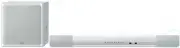
Yamaha YAS203W Home Theater – User Manual, read for free online in PDF format. We hope this helps you resolve any issues you may have. If you have further questions, please contact us through the contact form.


Table of Contents:
- Page 2 – IMPORTANT SAFETY INSTRUCTIONS
- Page 3 – CAUTION: READ THIS BEFORE OPERATING YOUR UNIT.
- Page 4 – Supplied items; How to use the remote control
- Page 5 – Bluetooth
- Page 7 – Installation; Attaching the sound bar to a wall
- Page 8 – Connections; Set the TV as follows.
- Page 9 – Wireless connection with the subwoofer
- Page 10 – Operations; Indicators; LEARN key
- Page 12 – Listening to the sound from a; device; Pairing a; device with the sound bar; as the input source.; function of the device to be paired, and; device list on the device.
- Page 13 – function of the device.
- Page 14 – Settings; Turn off the sound bar.; Teach the sound bar the “Mute” code of the TV’s remote control.
- Page 15 – Teach the sound bar the “Power” code of the TV’s remote control.; Clearing all programmed functions; Press the LEARN key on the sound bar’s remote control.
- Page 16 – Turn on the sound bar.; Setting the auto power standby function
- Page 17 – Troubleshooting; Power and system
- Page 19 – Remote control
- Page 21 – Pairing the sound bar and subwoofer manually
- Page 22 – Specifications
UAB
Contents
Supplied items ...................................................................... 2
Features ................................................................................. 3
Frequently asked questions ................................................. 3
Part names and functions (sound bar/subwoofer) ............ 4
Installation............................................................................. 5
Connections........................................................................... 6
Operations ............................................................................. 8
Settings ................................................................................ 12
Programming the sound bar with the TV’s remote control
(TV’s remote control learning function)..................................................... 12
Sending the TV’s remote signal through the sound bar
(TV Remote Repeater function)......................................................................... 14
Setting the auto power standby function ................................................ 14
Initializing the sound bar ................................................................................ 14
Troubleshooting ................................................................. 15
Specifications ...................................................................... 20
Front Surround System
(YAS-CU203+NS-WSW41)
Owner’s Manual
About this manual
NOTE
This indicates precautions for use of the product and its feature limitations.
HINT
This indicates supplementary explanations for better use.
"Loading the manual" means you need to wait until the file loads and becomes available for online reading. Some manuals are very large, and the time they take to appear depends on your internet speed.
Summary
i En Explanation of Graphical Symbols FOR CANADIAN CUSTOMERS To prevent electric shock, match wide blade of plug to wide slot and fully insert. CAN ICES-3 (B)/NMB-3 (B) 1 Read these instructions. 2 Keep these instructions. 3 Heed all warnings. 4 Follow all instructions. 5 Do not use this apparatus n...
1 En • To assure the finest performance, please read this manual carefully. Keep it in a safe place for future reference. • Install this unit in a well ventilated, cool, dry, clean place - away from direct sunlight, heat sources, vibration, dust, moisture, and/or cold. For proper ventilation, allow ...
2 En Supplied items Make sure you have received all of the following items. How to use the remote control Preparing the remote control Peel off the protection sheet before use. Operating range of the remote control Remain within the operating range shown below. Remote control Sound bar (YAS-CU203) W...


