Page 3 - SPECIAL MESSAGE SECTION; PLEASE KEEP THIS MANUAL
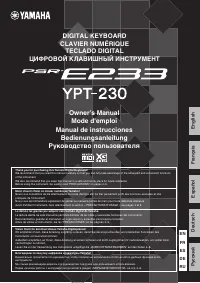
PSR-E233/YPT-230 Owner’s Manual 3 SPECIAL MESSAGE SECTION This product utilizes batteries or an external power supply (adapter). DO NOT connect this product to any power supply or adapter other than one described in the manual, on the name plate, or specifically recommended by Yamaha. WARNING: Do no...
Page 4 - PRECAUTIONS; PLEASE READ CAREFULLY BEFORE PROCEEDING; WARNING
PSR-E233/YPT-230 Owner’s Manual 4 PRECAUTIONS PLEASE READ CAREFULLY BEFORE PROCEEDING * Please keep this manual in a safe place for future reference. WARNING Always follow the basic precautions listed below to avoid the possibility of serious injury or even death from electrical shock, short-circuit...
Page 6 - GM System Level 1; XGlite; About the Manuals
PSR-E233/YPT-230 Owner’s Manual 6 This instrument has the following documents and instructional materials. Included Documents Owner’s Manual (this book) Online Materials (Downloadable from the web) The following instructional materials are available for downloading from the Yamaha website. Yamah...
Page 7 - Contents; Introduction
PSR-E233/YPT-230 Owner’s Manual 7 Contents About the Manuals................................................ 6Logos .................................................................... 6Supplied Accessories ........................................... 6Using the music rest ..............................
Page 8 - Setting Up; Be sure to do the following operations BEFORE turning on the power.; Using an AC Power Adaptor; Using Batteries; Power Requirements
PSR-E233/YPT-230 Owner’s Manual 8 Setting Up Be sure to do the following operations BEFORE turning on the power. Although the instrument will run either from an optional AC adaptor or batteries, Yamaha recommends use of an AC adaptor whenever possible. An AC adaptor is more environmentally friendly ...
Page 9 - Make all necessary connections BEFORE turning the power on.; Connecting headphones and; Connecting a footswitch; Turn on the power; Auto Power Off function
Setting Up PSR-E233/YPT-230 Owner’s Manual 9 Make all necessary connections BEFORE turning the power on. You can connect the PHONES/OUTPUT jack to a setof headphones, keyboard amplifier, stereo system, mixer, tape recorder, or other line-level audio device to send the instrument’s output signal to t...
Page 10 - Panel Controls and Terminals; Rear Panel; Front Panel
PSR-E233/YPT-230 Owner’s Manual 10 Panel Controls and Terminals Front Panel q [ ] (Standby/On) switch ..................................... page 9 w [MASTER VOLUME] control ................................ page 9 e [1 LISTEN & LEARN] button .............................. page 24 r [2 TIMING] but...
Page 11 - GrandPno
Panel Controls and Terminals PSR-E233/YPT-230 Owner’s Manual 11 GrandPno 001 001 GrandPno 001 001 !4 !9 !3 !1 u !0 o i @2 @1 @0 !2 y @7 @6 @5 @4 Rear Panel Display (page 13) Song List (page 39) Style List (page 40) Voice List (page 33) The “Press & Hold” Symbol Buttons having this indication can...
Page 12 - Basic Operation and Displays; Select a basic function.; Start a function or play the keyboard.; Basic Operation
PSR-E233/YPT-230 Owner’s Manual 12 Basic Operation and Displays Press a button to select a basic function: Voice, Style or Song. To change the instrument voice that sounds when you play the keyboard, press the [VOICE] button. If you want to play along with auto accompaniment, press the [STYLE] butto...
Page 14 - Try Playing a Variety of Instrument Voices; Select and Play a Voice
PSR-E233/YPT-230 Owner’s Manual 14 Try Playing a Variety of Instrument Voices This instrument features a variety of realistic, built-in voices. The grand piano Voice isautomatically selected whenever the power is turned on, but you can easily changethis to guitar, drums, or any of an extensive range...
Page 15 - Playing the Grand Piano Voice
Try Playing a Variety of Instrument Voices PSR-E233/YPT-230 Owner’s Manual 15 When you simply want to play a piano Voice, all you have to do is press one convenient button. Press the [PORTABLE GRAND] button.The Voice “Grand Piano” will automatically be selected as the Main Voice. You’ll be able to p...
Page 16 - Play with a Style; Select a Style Rhythm; BtModrn
PSR-E233/YPT-230 Owner’s Manual 16 Play with a Style This instrument has an auto accompaniment feature that produces accompaniment (rhythm + bass + chords) in the style you choose to match chords you play with your left hand. You can select from 100 different styles covering a range of musical genre...
Page 17 - Press the [SYNC START] button to turn the Sync Start function on.; Play Along with a Style; LoveSong
Play with a Style PSR-E233/YPT-230 Owner’s Manual 17 Here we’ll see how to add bass and chord accompaniment to the basic rhythm to produce a full, rich accompani-ment that you can play along with. 1 Press the [STYLE] button and select the desired Style. For instructions on how to select a Style, see...
Page 19 - Chords
Play with a Style PSR-E233/YPT-230 Owner’s Manual 19 For users who are new to chords, this chart conveniently shows common chords for your reference. Since there are many useful chords and many different ways to use them musically, refer to commercially available chord books for further details. You...
Page 20 - Press and hold the [3 WAITING] button for longer than a second.; Looking up Chords Using the Chord Dictionary
Play with a Style PSR-E233/YPT-230 Owner’s Manual 20 The Dictionary function is essentially a built-in “chord dictionary” that shows you the individual notes of chords. This is convenient when you know the name of a certain chord and want to quickly learn how to play it. 1 Press and hold the [3 WAIT...
Page 21 - Aura Lee; Try Playing a Song with a Style!
Play with a Style PSR-E233/YPT-230 Owner’s Manual 21 Let’s try out the Song “Aura Lee.” For information on how to play Styles using chords, see pages 17 and 18.Try playing chords with your left hand and play a melody with your right hand. Practice Aura Lee Composer: G. Poulton Try Playing a Song wit...
Page 22 - Playing Songs; Select and Listen to a Specific Song; Mirliton
PSR-E233/YPT-230 Owner’s Manual 22 Playing Songs This instrument has 102 built-in Songs. For this instrument, the term “Song” refers tothe data that makes up a piece of music. Try selecting and listening to the various Songs. Press the [SONG] button and then select the desired Song, referring to the...
Page 23 - Listening to the Demo Songs
Playing Songs PSR-E233/YPT-230 Owner’s Manual 23 Press the [DEMO] button. Songs 001, 002, 003 play in sequence, and playback will continue repeatedly starting again from the first Song 001.You can stop playback at any time by pressing the [DEMO] or [START/STOP] button. With the default setting only ...
Page 24 - Using the Lesson Feature; Song Lesson; LISTEN; WAITING
PSR-E233/YPT-230 Owner’s Manual 24 Using the Lesson Feature You can select any Song you like and use it for a left-hand, right-hand, or both-hands lesson. Song Lesson lets you learn how to play Songs in three easy steps. The Lesson modes: Lesson 1 (Listen & Learn) There’s no need to play the k...
Page 25 - Lesson Operation; Select the desired Song for your lesson.; Select the part you want to practice.; Grade; Right
Using the Lesson Feature PSR-E233/YPT-230 Owner’s Manual 25 Lesson Operation 1 Select the desired Song for your lesson. For instructions on how to select a Song, see page 12. 2 Select the part you want to practice. Press the [R] button for a right-hand lesson, [L] button for a left-hand lesson, or p...
Page 26 - REPEAT; A−b; Mute
Using the Lesson Feature PSR-E233/YPT-230 Owner’s Manual 26 This function lets you specify a section of a Song—“A” is the start point and “B” is the end point—for repeat playback. Play the Song and press the [A-B REPEAT] button at the beginning of the section you want to repeat (the “A” point), then...
Page 27 - Tap Start; Using the Metronome; Changing the Tempo; Tempo
Using the Lesson Feature PSR-E233/YPT-230 Owner’s Manual 27 The instrument features a built-in metronome (a device that keeps an accurate tempo) that is convenient for prac-ticing. Press the [METRONOME] button to start the metronome. To stop the metronome, press the [METRONOME] button again. You can...
Page 28 - Function Settings; Select the item and change the value; StyleVol
PSR-E233/YPT-230 Owner’s Manual 28 Function Settings The [FUNCTION] button gives you access to a variety of operations related to adjusting or enhancing the sound and making settings for connection to external devices.For more about the available functions, see the following Function Setting List. 1...
Page 31 - About MIDI; Transferring Performance Data To and From Another Instrument
PSR-E233/YPT-230 Owner’s Manual 31 About MIDI The instrument features a MIDI terminals that can be connected to other MIDI instru-ments and devices for expanded musical functionality. MIDI (Musical Instrument Digital Interface) is a world-standard interface for communication between electronic music...
Page 32 - Troubleshooting
PSR-E233/YPT-230 Owner’s Manual 32 Troubleshooting Problem Possible Cause and Solution When the instrument is turned on or off, a popping sound is temporarily produced. This is normal and indicates that the instrument is receiving electrical power. When using a mobile phone, noise is produced. Using...
Page 33 - Maximum Polyphony; Voice List
PSR-E233/YPT-230 Owner’s Manual 33 Maximum Polyphony The instrument has 32-note maximum polyphony. This means that it can play a maximum of up to 32 notes at once, regardless of what functions are used. Auto accompaniment uses a number of the available notes, so when auto accompaniment is used the t...
Page 37 - Drum Kit List
PSR-E233/YPT-230 Owner’s Manual 37 Drum Kit List • “ ” indicates that the drum sound is the same as “Standard Kit 1”. • Each percussion voice uses one note.• The MIDI Note # and Note are actually one octave lower than keyboard Note # and Note. For example, in “140: Standard Kit 1”, the “Seq Click H”...
Page 39 - Song List
PSR-E233/YPT-230 Owner’s Manual 39 Song List Song No. Song Name Top Picks 001 Demo 1 002 Demo 2 003 Demo 3 ORCHESTRA 004 Danse des Mirlitons from “The Nutcracker” (P.I. Tchaikovsky) 005 “Orphée aux Enfers” Ouverture (J. Offenbach) 006 Slavonic Dances No.10 (A. Dvo ř ák) 007 La Primavera (from Le Qua...
Page 40 - Style List
PSR-E233/YPT-230 Owner’s Manual 40 Style List Style No. Style Name 8Beat 001 8BeatModern 002 60'sGtrPop 003 8BeatAdria 004 60's8Beat 005 8Beat 006 OffBeat 007 60'sRock 008 HardRock 009 RockShuffle 010 8BeatRock 16Beat 011 16Beat 012 PopShuffle 013 GuitarPop 014 16BtUptempo 015 KoolShuffle 016 HipHop...
Page 41 - Effect Type List
PSR-E233/YPT-230 Owner’s Manual 41 Effect Type List Reverb Types Chorus Types No. Reverb Type Description 01–03 Hall 1–3 Concert hall reverb. 04–05 Room 1–2 Small room reverb. 06–07 Stage 1–2 Reverb for solo instruments. 08–09 Plate 1–2 Simulated steel plate reverb. 10 Off No effect. No. Chorus Type...
Page 42 - Specifications
PSR-E233/YPT-230 Owner’s Manual 42 Specifications * Specifications and descriptions in this owner’s manual are for information purposes only. Yamaha Corp. reserves the right to change or modify products or specifications at any time without prior notice. Since specifications, equipment or options ma...
Page 43 - Index
PSR-E233/YPT-230 Owner’s Manual 43 Index A A-B Repeat ................................... 26ACMP ON/OFF ........................... 17Auto Accompaniment ................. 17Auto accompaniment range ........ 17Auto Power Off ........................ 9, 30 B Battery ......................................


 Yamaha PSR-1000 Manual
 Yamaha PSR-1100 Manual
 Yamaha PSR-2100 Manual
 Yamaha PSR-E253 Manual
 Yamaha PSR-E313 Manual
 Yamaha PSR-E323 Manual
 Yamaha PSR-E353 User Manual
 Yamaha PSR-E403 Manual
 Yamaha PSR-EW410 User Manual
 Yamaha PSR-F50 User Manual
 Yamaha PSR-K1 Manual
 Yamaha PSR-R300 User Manual