Wyze WLCKG1 - User Manual
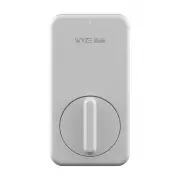
Wyze WLCKG1 Electronic Deadbolt – User Manual, read for free online in PDF format. We hope this helps you resolve any issues you may have. If you have further questions, please contact us through the contact form.

备注:
1. 印刷色:Black
2. 尺寸:54 *120 mm
3. 装订方式:骑马订(防锈)
4. 符合云丁科技《有害物质管理标准》
物料名称:说明书
产品名称
料号
设计
材质:金东太空梭105G无光铜纸
1:1
SCALE
SHEET
UNIT
1/1
mm
表面处理:无
0~6
6~30
30~120
120~300
300~450
450~600
DRAFT TOLERANCE
0.05
B
0.15
0.20
0.30
0.40
0.50
0.10
C
0.20
0.30
0.40
0.50
0.60
+_
0.20
0.20
0.25
0.30
0.50
0.80
0.50
EPS EPE
EPP BAG CTN LABEL
0.50
1.00
2.00
3.00
0.50
0.50
1.00
2.00
3.00
CRITICAL DIM. MARK
*
0.50
0.50
1.00
2.00
3.00
3.00
5.00
10.00
15.00
20.00
2.00
3.00
5.00
5.00
0.05
A
0.10
0.15
0.20
0.25
0.30
SELECT
V
TOL.
Dim
变更日期
版本 标注
ECO编号
变更描述
设计者
2019.09.12
V0
NA
初版发行
Tamia
审核
核准
雷艳芬
NA
任利学
0.5.2.4.05400X
FORD
切线
折压线
QUICK START GUIDE
WELCOME
IN THE BOX
Congrats on your new Wyze Lock!
Installation will take roughly 15
minutes and will require a Phillips-
head screwdriver (not included).
Now let’s get started!
Wyze Lock makes your existing
deadbolt smart by replacing the
interior thumb latch. It does not
alter the exterior lock.
Wyze Lock
Wyze Lock Gateway
Quick Start Guide
AA Batteries
Adhesive Strip
Mounting Plate
Adapters
Indicator Light
Front Plate
Knob
Pair Button
Battery Latch
1.
2.
3.
4.
5.
6.
7.
8.
9.
Adapter
Mounting Plate
Setup Button
Indicator Light
x 1
x 1
x 1
x 4
x 1
x 1
x 3
Lock - back
Gateway - front
1
2
1.
NEED MORE HELP?
Resources & Support
support.wyze.com
Community
forums.wyze.com
Wyze Labs, Inc
www.wyze.com
Built in partnership with Lockin
1
4
5
6
7
3
2
8
9
3
4
5
6
Front plate on
Lock - front
Lock - front
OVERVIEW
SETUP
LIGHT INDICATIONS
TROUBLESHOOTING
Wyze Lock
Wyze Lock Gateway
Flashing Green Light
The Lock is ready to connect
1. My Gateway cannot connect to
the network
Ensure your router has the 2.4GHz
band enabled as the Wyze Lock
Gateway cannot connect to 5GHz
networks. If problems persist, try
moving the Gateway closer to your
router.
2. I can’t get the Gateway and Lock
to pair
Make sure the Wyze Lock’s indicator
light is flashing green and the Gateway’s
indicator light is flashing blue. If problems
persist, move the Wyze Lock Gateway
closer to the Lock or remove obstacles
that may inhibit the signal.
3. My Lock is getting jammed
Remove the Wyze Lock from the
mounting plate and then loosen the
screws attaching the mounting plate
to the door. Ensure the mounting plate
is properly aligned and that you’re using
the correct adapter. Retighten the
mounting plate’s screws (do not over
tighten) and try manually locking the
door. If problems persist, your deadbolt
may be misaligned to the doorjamb
requiring additional adjustments.
Flashing Green/Red Light
The Lock is updating its firmware
Solid Red Light
The Lock failed to lock or unlock
Solid Green Light
The Lock successfully locked or
unlocked
Flashing Blue/Red Light
The Gateway is ready to connect
to WiFi
Flashing Green Light
The Gateway is connecting to WiFi
Flashing Blue Light
The Gateway is connecting to
Wyze Lock
Solid Green Light
The Gateway is working properly
Flashing Red Light
The Gateway failed to connect
to WiFi
Download the Wyze app
2. Set up Wyze Lock Gateway
Log in or create a Wyze account.
Plug the Lock Gateway into a 120 volt
outlet near your door (within 50 feet).
In the Wyze app, tap the 3 dots on the
top right corner of the Home Page.
Select “Add a Product” and then
“Wyze Lock Gateway”. Follow the
instructions in the app to complete
setup.
3. Install and set up Wyze Lock
After setting up the Gateway, continue
following the in-app installation and
setup instructions to complete Lock
setup.
Front plate off
"Loading the manual" means you need to wait until the file loads and becomes available for online reading. Some manuals are very large, and the time they take to appear depends on your internet speed.

