Page 2 - We expect this
2 English vornado.com 800-234-0604 [email protected] We expect this product to be perfect. If it is not, we will make it right.
Page 3 - CONTENTS
3 English Important Safety Instructions ............................................................. 4 Features .............................................................................................. 7 Window Installation .........................................................................
Page 4 - READ AND SAVE THESE INSTRUCTIONS
4 English READ AND SAVE THESE INSTRUCTIONS IMPORTANT SAFETY INSTRUCTIONS This owner’s guide and any additional inserts are considered part of the product. They contain important information about safety, use and disposal. Before using the product, please familiarize yourself with all operating and s...
Page 6 - SAVE THESE INSTRUCTIONS
6 English Risk of fire. Do not replace attachment plug. Contains a safety device (fuse, AFCI, LCDI) that should not be removed. Discard product if the attachment plug is damaged. FCC Compliance Statement This device complies with Part 15 of the FCC Rules. Operation is subject to the following two co...
Page 7 - FEATURES
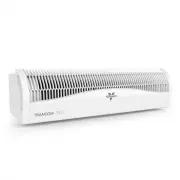
7 English FEATURES INTEGRATED CARRY HANDLE Easy to carry, easy to install. ELECTRONIC REVERSIBLE FAN/EXHAUST One button, quick transition from fan to exhaust. SOFT-FIT MODULAR FOAM BLOCK SYSTEM Easy installation creating barrier against outside noises & temperatures. WEATHER RESISTANT ENCLOSURE ...
Page 8 - WINDOW INSTALLATION
8 English WINDOW INSTALLATION 1. We recommend keeping the window screen in place. 2. Center the TRANSOM AE in the window, ensuring that the foam on the bottom of the product is snugly secured in the bottom of the window casing. 3. Close the window to secure the product in place. 4. Tuck the optional...
Page 9 - CONTROLS; A U T O
9 English CONTROLS AUTO MODE BUTTON TEMPERATURE DISPLAY TEMPERATURE ADJUSTMENT BUTTONS DIRECT MODE BUTTON SPEED CONTROL BUTTONS SPEED DISPLAY POWER BUTTON A U T O D I R E C T S P E E D P O W E R
Page 10 - HOW TO USE
10 English 1. Touch to power unit ON or OFF. 2. Select desired speed setting by pressing or . There are four (4) speeds: 1- LOW, 2- MEDIUM, 3- HIGH & 4- TURBO. Speed is indicated by number show on display. 3. Touch to change from direct airflow to exhaust. Touch the button again to change from e...
Page 11 - GETTING CONNECTED
11 English Before product setup, download or update the Amazon Alexa app from your mobile device's app store and ensure your phone is connected to your 2.4 GHz WIFI network. 1. Plug in your TRANSOM AE. 2. Open the Alexa app and tap the MORE icon to add a device. Follow the on-screen instructions. If...
Page 12 - USING ALEXA
12 English USING ALEXA Once connected to Amazon Alexa, your TRANSOM AE can be controlled via your voice with any Alexa Echo device or the Alexa App on your phone. To control your product, use simple voice controls like: " Alexa, turn ON / OFF the fan." " Alexa, set speed on the fan to 1-...
Page 13 - CLEANING
13 English CLEANING Because your product moves a substantial amount of air, it will need regular cleaning. If service is required, return your unit to Vornado (see WARRANTY for instructions). WARNING: Always unplug device before servicing or cleaning to avoid possible injury due to remote activation...
Page 14 - TROUBLESHOOTING
14 English TROUBLESHOOTING POSSIBLE CAUSE AND SOLUTION PROBLEM Unit is not plugged in. Plug Power Cord into electrical outlet. Unit is damaged or in need of repair. Cease usage and unplug. Contact Consumer Service for assistance. Fuse needs to be replaced. See IMPORTANT INSTRUCTIONS for how to repla...
Page 15 - WARRANTY; We’re Here To Help
15 English Vornado Air LLC (“Vornado”) warrants to the original consumer or purchaser this Vornado® Whole Room Circulator (“Product”) is free from defects in material or workmanship for a period of five (5) years from the date of purchase. If any such defect is discovered within the warranty period,...